1-Visitor
January 5, 2016
Solved

Custom Appearances

  • January 5, 2016
  • 5 replies
  • 2465 views

I made a simple extrusion (for a label) and imported a .JPG as a custom appearance, and it fit perfectly.

However, when I try to put the model into a DRW, all I get is the overall shape of the label. The texture does not show. I was wondering if it was at all possible to make the texture show in the drawing and how to go about doing that.

On a side note, the rear side of the same label shows the .JPG in reverse (As if looking at it from the back, which makes sense if you think about it) can it be flipped in the appearance manager or do I have to make the original .JPG a mirror version of it self so that it can get re-mirrored and look correct on my label?


This thread is inactive and closed by the PTC Community Management Team. If you would like to provide a reply and re-open this thread, please notify the moderator and reference the thread. You may also use "Start a topic" button to ask a new question. Please be sure to include what version of the PTC product you are using so another community member knowledgeable about your version may be able to assist.
Best answer by mbonka

Hello,

l prepared some pictures for you.

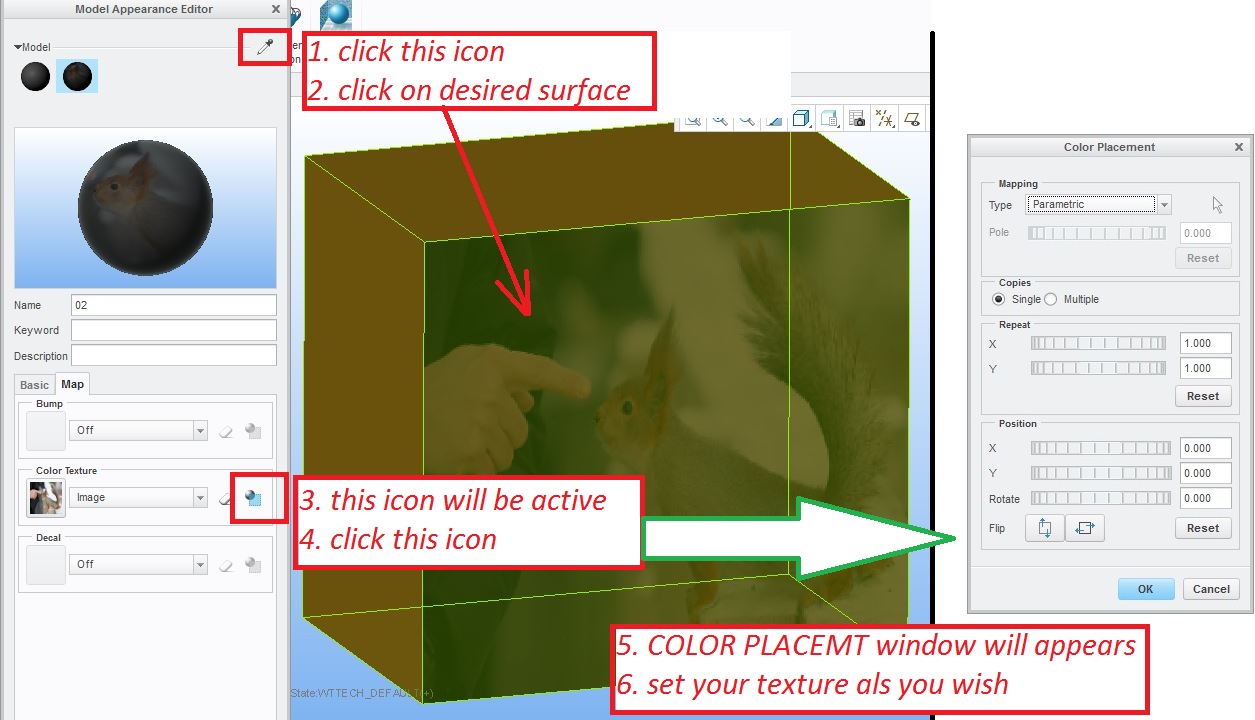
HOW TO APPLY TEXTURE:

01.JPG

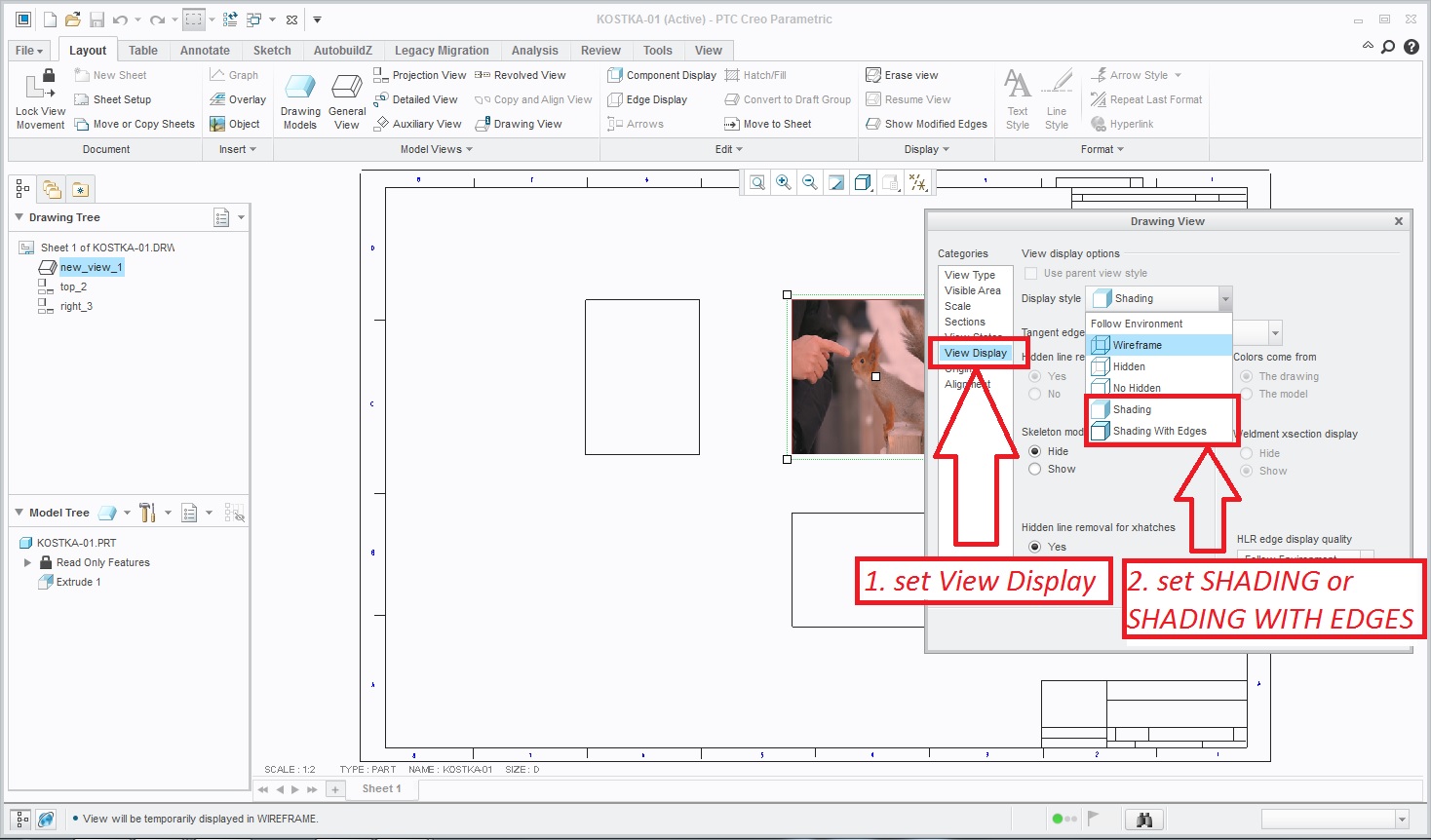
HOW TO SHOW TEXTURE IN DRAWING:

03.jpg

This problem need some detailed investigation from your side...

Hope my squirrel helped you

Regards Milan

5 replies

mbonka2-ExplorerAnswer
2-Explorer
January 7, 2016

Hello,

l prepared some pictures for you.

HOW TO APPLY TEXTURE:

01.JPG

HOW TO SHOW TEXTURE IN DRAWING:

03.jpg

This problem need some detailed investigation from your side...

Hope my squirrel helped you

Regards Milan

jcolon1-VisitorAuthor
1-Visitor
January 7, 2016

Power Squirrel was extremely helpful. I was using Decal instead of texture.

I still am having trouble.

When in the model, the color placement button does not activate, not a big deal since the picture I am using is actually centered in the correct position as I had edited it previously in ms paint prior to importing it.

Also, when in the drawing, The Display style for Shading and Shading with Edges are greyed out. I literally cannot select it.

I am convinced it is a setting somewhere that I am missing or a config option that I need to switch.

Maybe it is th epicture extension type? I am using JPG files, but BMPs doesn't seem to work any differently, and JPEG files doesn't even appear for selection.

1-Visitor
January 7, 2016

I find that searching the configuration editor can in many cases lead you to a solution.

For your problem, try this:

Activate Configuration Editor:

File->Options->Configuration Editor

Click "Find..."

Type in "shade" as the keyword; Click "Find Now"

3rd item on the list is "enable_shaded_view_in_drawings";  change this setting to "yes".