17-Peridot
September 8, 2016
Solved

Datum in GD&T missing

  • September 8, 2016
  • 7 replies
  • 3401 views

Hello team,

I have a designer who has completed the drawing and checked in to Windchill.

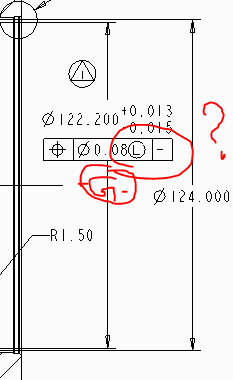
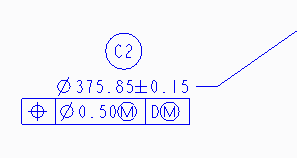
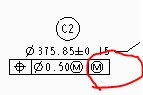
There is no issue in Creo. But when the drawing representation is opened in Windchill, few datums in the GD&T are shown as -. see attached images comparing Creo on the left and and Windchill to the right:

This is the first time Iam seeing such issue. Also direct print from Creo is also good.
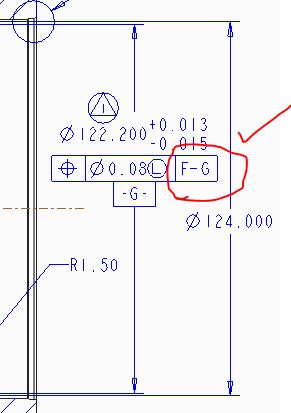


Note: we are using Creo 2.0 M180 and Windchill 10.1 M10


This thread is inactive and closed by the PTC Community Management Team. If you would like to provide a reply and re-open this thread, please notify the moderator and reference the thread. You may also use "Start a topic" button to ask a new question. Please be sure to include what version of the PTC product you are using so another community member knowledgeable about your version may be able to assist.
Best answer by MartinHanak

Hi,

it looks like visualization procedure inside Windchill is not able to find font used in GT. Check Creo installation on visualization server.

MH

7 replies

StephenW
23-Emerald III
September 8, 2016

When you say "opened in Windchill" do you mean you are viewing the file with Creo View in windchill?

If another users adds this drawing and model to their workspace (or the same user adds them to a different workspace), does it show correctly in Creo?

17-Peridot
September 8, 2016

Correct. Iam opening in Creo View. Any users opening this file in Creo 2.0 has no issues. Only in Windchill we have this issue.

24-Ruby III
September 8, 2016

Hi,

it looks like visualization procedure inside Windchill is not able to find font used in GT. Check Creo installation on visualization server.

MH

17-Peridot
September 8, 2016

But there are thousands of other drawings that have no such issues, published properly....all the fonts are set in the templates...

23-Emerald IV
September 8, 2016

I agree with MartinHanak‌.  This seems like a configuration issue on the CAD worker.  Can you log into the cad working and open the drawing from there.  Does it look the same?