

1-Visitor
March 2, 2016
Solved

Datum Tags - Drawings

  • March 2, 2016
  • 3 replies
  • 1583 views

Is there a way to make a Datum tag show in a Diameter dimension ("in dimension") in one view of a drawing, then (without manually drawing a datum tag) also show it directly on the axis is represents in another view?


Original placement in drawing as defines via properties

(defined on a post)
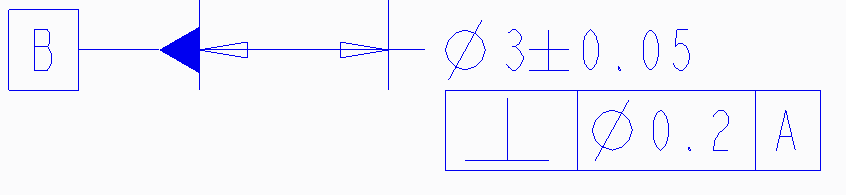
 

Need to also show tag on:

(post from different angle)
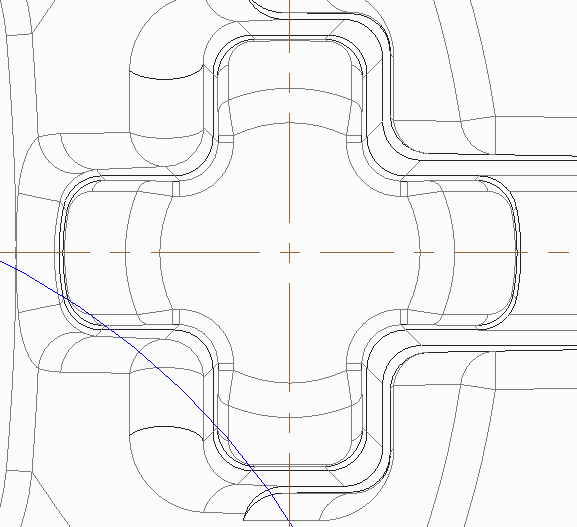

This thread is inactive and closed by the PTC Community Management Team. If you would like to provide a reply and re-open this thread, please notify the moderator and reference the thread. You may also use "Start a topic" button to ask a new question. Please be sure to include what version of the PTC product you are using so another community member knowledgeable about your version may be able to assist.
Best answer by StephenW

I don't believe there is a way to show it like that.

Putting on my GD&T hat, you shouldn't add the datum directly attached to the axis. Having it displayed on the dimension clearly defines what axis it is and how the axis is derived.  If there happened to be 2 axis coincident (say ID and OD) and the datum was attached to the axis and not dimension, it would not be clear how the datum is defined.

3 replies

12-Amethyst
March 2, 2016

I think you need to ask yourself:

Is the feature defining the axis or is the axis defining the feature.

you are wanting to do both

StephenW
StephenW23-Emerald IIIAnswer
23-Emerald III
March 2, 2016

I don't believe there is a way to show it like that.

Putting on my GD&T hat, you shouldn't add the datum directly attached to the axis. Having it displayed on the dimension clearly defines what axis it is and how the axis is derived.  If there happened to be 2 axis coincident (say ID and OD) and the datum was attached to the axis and not dimension, it would not be clear how the datum is defined.

mslotty1-VisitorAuthor
1-Visitor
March 2, 2016

The Axis is is defining the placement of this major feature, and will be used to locate other features.

to reinforce the location of this feature (and a few other concentric features), the customer asking it to be re-called out in another view where these other features are dimensioned.

Instead of putting it directly on the axis, I used a leader to the Feature that was originally called out to define the datum and created a Datum Tag Symbol.