1-Visitor
April 14, 2015
Solved

Drawing:un-wanted number out of the repeat region table

  • April 14, 2015
  • 11 replies
  • 3611 views

Hello,

In my 2D drawing i use tables with repeat region of different parameters.

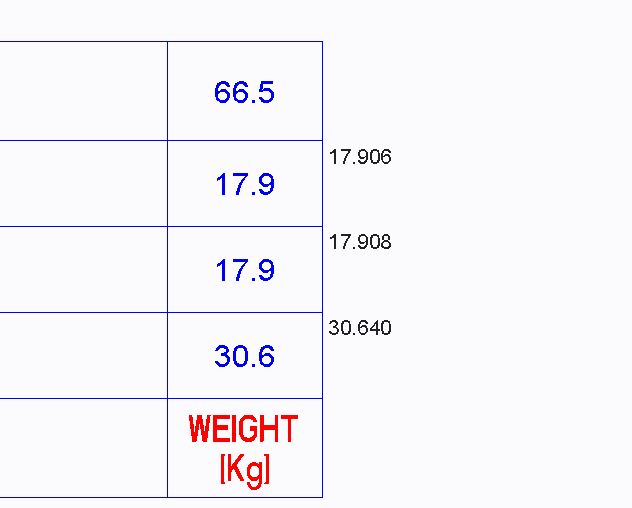
At the end of the table, out of that come into wiew the last parameters of the table, as shown in the picture.

I need to delete the black numbers.

Thanks
Capture.JPG


This thread is inactive and closed by the PTC Community Management Team. If you would like to provide a reply and re-open this thread, please notify the moderator and reference the thread. You may also use "Start a topic" button to ask a new question. Please be sure to include what version of the PTC product you are using so another community member knowledgeable about your version may be able to assist.
Best answer by MartinHanak

Luca,

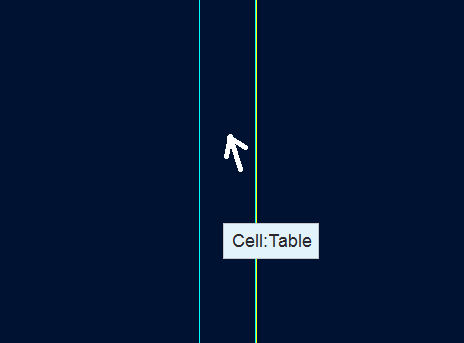
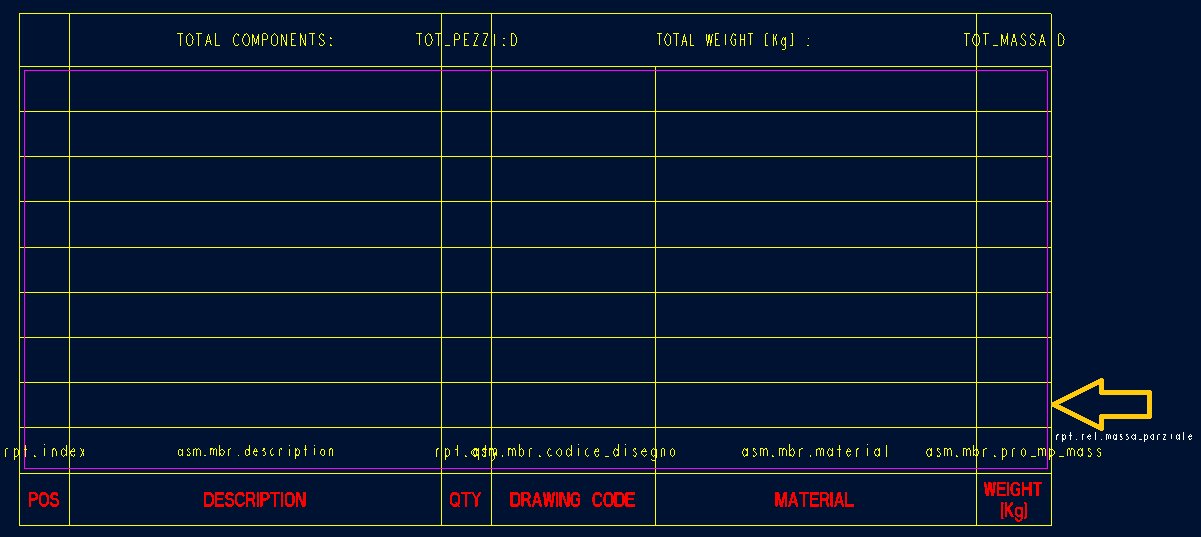
next to the right outer border line of the table there is a "hidden" column containing &rpt.rel.massa_parziale parameter.

pic1.png

Activate Table tab, set selection filter to Table Cell, place mouse cursor near the border line and Zoom In several times until you see "hidden" column. Mouse cursor must be placed left of border line.

pic2.png

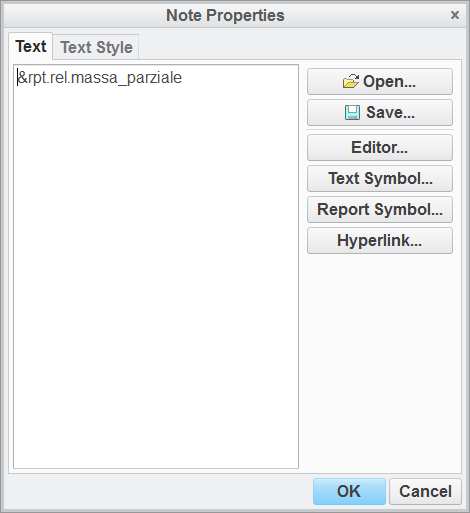
Select the cell, press RMB and click Properties. The selected cell must belong to the row, where report parameters are entered !!!

pic3.png

Remove &rpt.rel.massa_parziale parameter.

Martin Hanak

11 replies

23-Emerald IV
April 14, 2015

Can you do a "switch dims" to show what the repeat region parameter is being displayed?

lnessi1-VisitorAuthor
1-Visitor
April 14, 2015

Here in the note properties window!

Thanks

Capture.JPG

23-Emerald IV
April 14, 2015

Weird. Are you able to share your drawing or even just the table itself? (You can upload using the advanced editor - link in upper right corner of reply window.)

lnessi1-VisitorAuthor
1-Visitor
April 17, 2015

Hello,

I see this problem every time that i use this table, in every drawing.

I've attachment an example of drawing and its assembly with the table.

Thanks

24-Ruby III
April 17, 2015

Luca,

next to the right outer border line of the table there is a "hidden" column containing &rpt.rel.massa_parziale parameter.

pic1.png

Activate Table tab, set selection filter to Table Cell, place mouse cursor near the border line and Zoom In several times until you see "hidden" column. Mouse cursor must be placed left of border line.

pic2.png

Select the cell, press RMB and click Properties. The selected cell must belong to the row, where report parameters are entered !!!

pic3.png

Remove &rpt.rel.massa_parziale parameter.

Martin Hanak

lnessi1-VisitorAuthor
1-Visitor
April 17, 2015

You right, thanks!!

Thanks you all for the support!