1-Visitor
July 18, 2017
Solved

Edge Display not working for swept blend

  • July 18, 2017
  • 8 replies
  • 4186 views

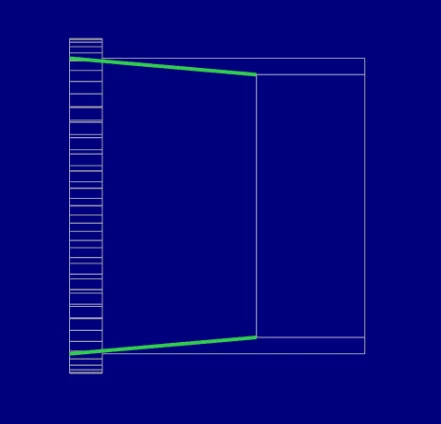
I have a swept blend creating an internal taper that I need to dimension in the drawing. To do so, I need to show these lines as hidden.

I am trying to do so using the Edge Display function, and this works for other internal edges, but for the swept blend, it only shows one edge (see pictures). This carries through to the exported PDF - only one edge is shown


Any ideas why this is?
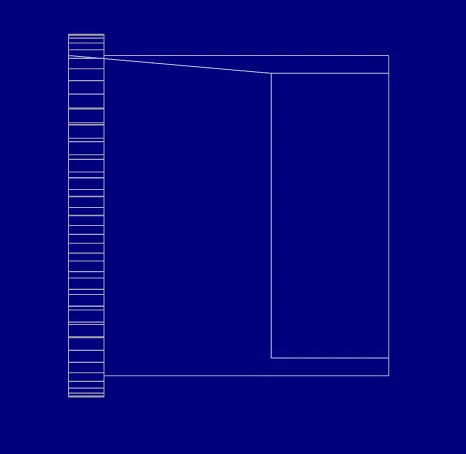
 

After hitting 'Done'After hitting 'Done'When SelectedWhen Selected

Thanks in advance.

Best answer by StephenW

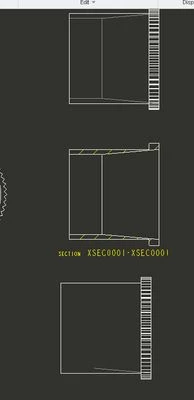
I could reproduce the problem. Not sure how to get it so show with the edge display though.

Maybe cut a x-section or use hidden line display in the view?

hidden-swept.jpg

8 replies

Mahesh_Sharma
22-Sapphire I
July 18, 2017

Can you share the part file?

SiHa1-VisitorAuthor
1-Visitor
July 18, 2017

Sure. I've attached a copy with all our corporate stuff stripped out.

Interestingly, I noticed when checking that the problem still occurs with this part, that in the drawing this occurs on the 'Top' view, but not the 'Front'

Is this something to do with the way swept blends segments the circle so it can be swept?

StephenW
StephenW23-Emerald IIIAnswer
23-Emerald III
July 18, 2017

I could reproduce the problem. Not sure how to get it so show with the edge display though.

Maybe cut a x-section or use hidden line display in the view?

hidden-swept.jpg

1-Visitor
July 18, 2017

It is not a recommended practice to dimension to hidden lines, so creating a section is the most workable approach.


As to why these lines aren't showing up (and since I'm unable to open the file you posted) I would guess that it's a flaw in the discovery of the silhouette start. Perhaps a small change to the part accuracy would help out. An alternative would be to rotate the failed view around the axis by a small amount to move the evaluation.

SiHa1-VisitorAuthor
1-Visitor
July 18, 2017

Thanks for the point about it not being recommended practice. Unfortunately, I've picked up the CREO mantle after our Mech designer was made redundant. The last time I did any CAD was when I did my degree 30 years ago, so I'm having to relearn a lot. I do still have my copies of "Engineering Drawing Practice for Schools and Colleges" though...


A section is the way to go, I think

StephenW
23-Emerald III
July 18, 2017

Drawings are by far the worst part of Creo. Good luck.

Based on your model, I would use a x-section to detail it.