Solved
Editing features dimension color
- May 27, 2015
- 1 reply
- 2581 views
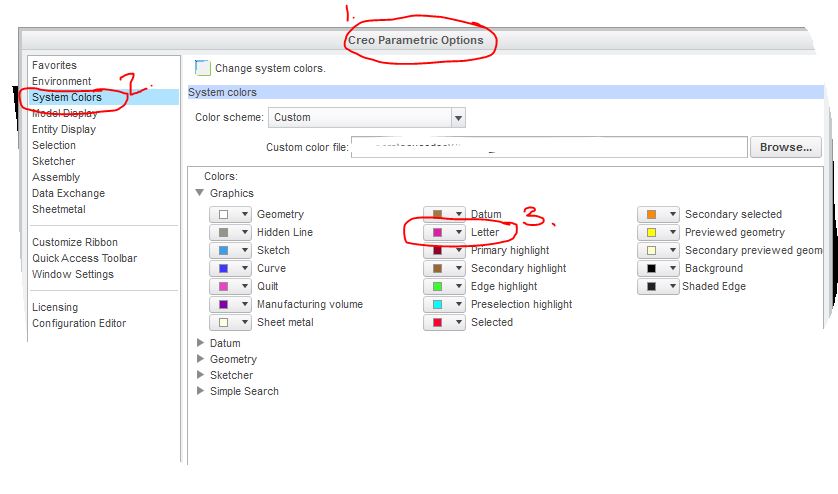
When editing a feature in a model the feature highlight yellow and the dimensions that define the feature also show in yellow. Is there a way to change the dimension's (text) color?
Please see attachment.
Thanks
This thread is inactive and closed by the PTC Community Management Team. If you would like to provide a reply and re-open this thread, please notify the moderator and reference the thread. You may also use "Start a topic" button to ask a new question. Please be sure to include what version of the PTC product you are using so another community member knowledgeable about your version may be able to assist.