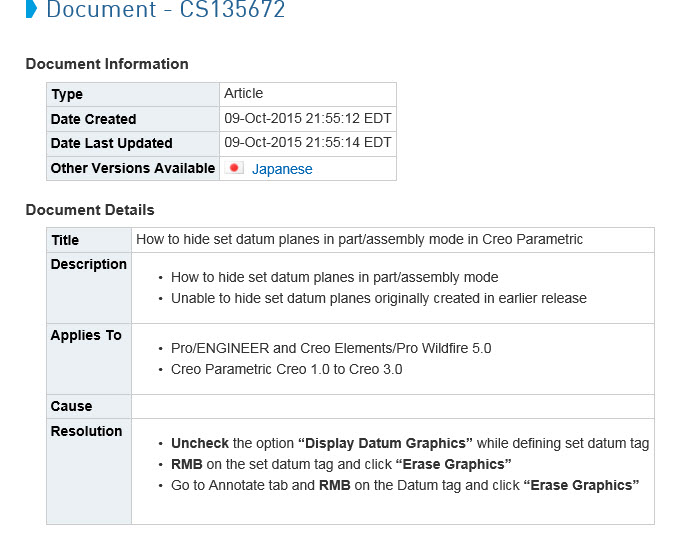
Solved
Erase Graphics / Show graphics
So I was lamenting the fact that I had several set datums on my drawing that I couldn't layer off and I decided to see what parts these datums were coming from.
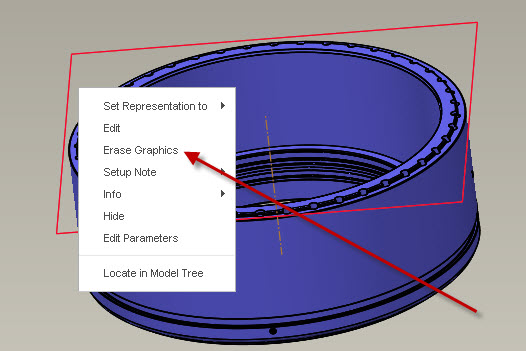
As I clicked around the part, I right-clicked and noticed a RMB menu I had never seen before.
ERASE GRAPHICS
So I tried it, it made the datum go away in the model
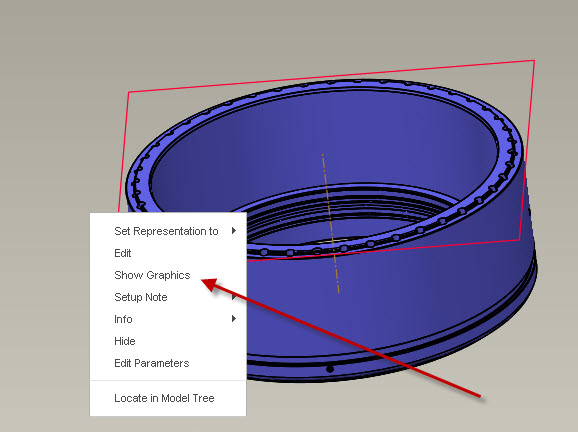
I reselected the datum in the model tree and right clicked again and I get another menu option I haven't seen
SHOW GRAPHICS
So I tried it, the datum comes back.
Best as I can tell, this doesn't affect my drawing whatsoever but I'm baffled that I had never seen those options before.
Anyone have any insight?
This thread is inactive and closed by the PTC Community Management Team. If you would like to provide a reply and re-open this thread, please notify the moderator and reference the thread. You may also use "Start a topic" button to ask a new question. Please be sure to include what version of the PTC product you are using so another community member knowledgeable about your version may be able to assist.