17-Peridot
July 25, 2018
Solved

Extend surface fails

  • July 25, 2018
  • 1 reply
  • 3616 views

Hi all,


The regeneration fails while trying to extend surface with 3.0 mm of distance. I tried differente accuracies values a and Quick Fix but it still failing. 


Attached video with steps and data 


Thank you in advance


Best answer by kdirth

The flattened quilt has many small fluctuations such as:
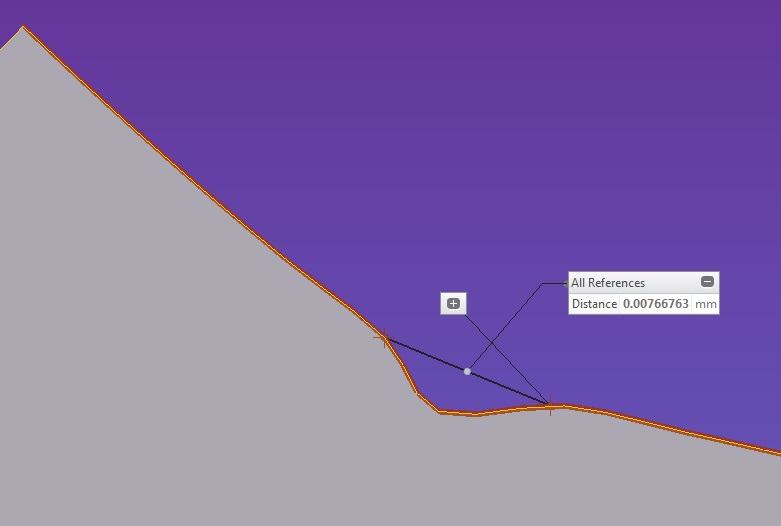
small entities


These features cannot be extended without the edges running into each other creating a conflict.  Changing the part accuracy will not help.


My suggestion is to created a new flat surface using the Fill command.
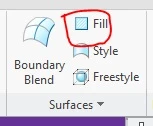
Fill.jpg

Use lines arcs and splines to sketch the new shape over the original, eliminating and smoothing out the variations in the edge of the flattened quilt.  You may need to play with any splines (too many points will make it harder to get smooth enough) created to get them to work with a 3 mm extension.  Also any arcs created must be greater than 3 mm to work.  This is the only way I know of to extend your surface as the existing surface edges are too "dirty".


Below is an example of using arcs (construction features) fitted to one of the smaller features and the extension that would result.
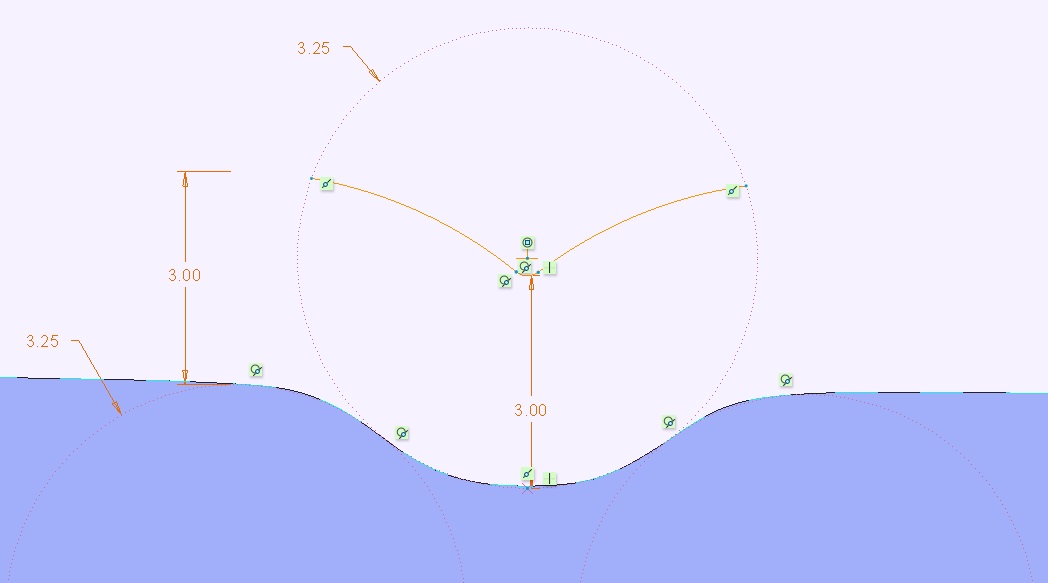
offset

1 reply

kdirth
21-Topaz I
21-Topaz I
July 27, 2018

The curvature of many of the splines created by flattening the quilt is to tight to extend 3.0 mm.  (cannot extend a 1 mm radius 3 mm).


If you are not looking for high accuracy, you may be able to create a Fill surface and use lines, curves, and splines to approximately "trace" the outline of the quilt and then extend that quilt.

There is always more to learn.
belandadi17-PeridotAuthor
17-Peridot
July 30, 2018

Hi,


Thank you for the reply, but I didn't understand well the resolution (I don't have knowledge about surfacing). Were you able to solve the problem with the resolution you suggested ? Could you give more details about it (maybe steps or video) ? 

You suggested to use a hight accuracy too, I already tried with 0.01 and it didn't resolve the issue. Do you have any suggested accuracy ? 


Thank you in advance


kdirth
21-Topaz I
kdirth21-Topaz IAnswer
21-Topaz I
July 30, 2018

The flattened quilt has many small fluctuations such as:

small entities


These features cannot be extended without the edges running into each other creating a conflict.  Changing the part accuracy will not help.


My suggestion is to created a new flat surface using the Fill command.

Fill.jpg

Use lines arcs and splines to sketch the new shape over the original, eliminating and smoothing out the variations in the edge of the flattened quilt.  You may need to play with any splines (too many points will make it harder to get smooth enough) created to get them to work with a 3 mm extension.  Also any arcs created must be greater than 3 mm to work.  This is the only way I know of to extend your surface as the existing surface edges are too "dirty".


Below is an example of using arcs (construction features) fitted to one of the smaller features and the extension that would result.

offset

There is always more to learn.
