



Question
Graphics Card? Drivers? Or something else?
We recently had a server crash and lately, Pro5/Creo has acting a little off.
I updated a simple dimension on a part. (.500 was .600 ) and the drawing "half" updated as shown below.
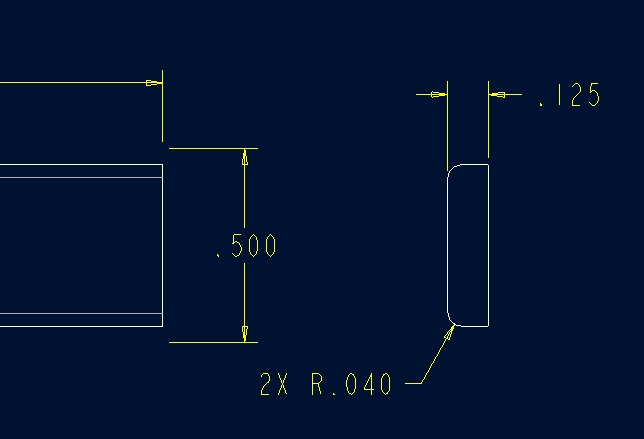
I did a regen - didn't work. Did a regen on the instance in the family table - nothing.
Other things tried:
Regen on generic
Verify all instances in generic
Saved the model
Saved the drawing
Closed everything and the opened it again.
Finally I got all the way out of the Pro5/Creo and reopened the software, drawing and model and it was correct.
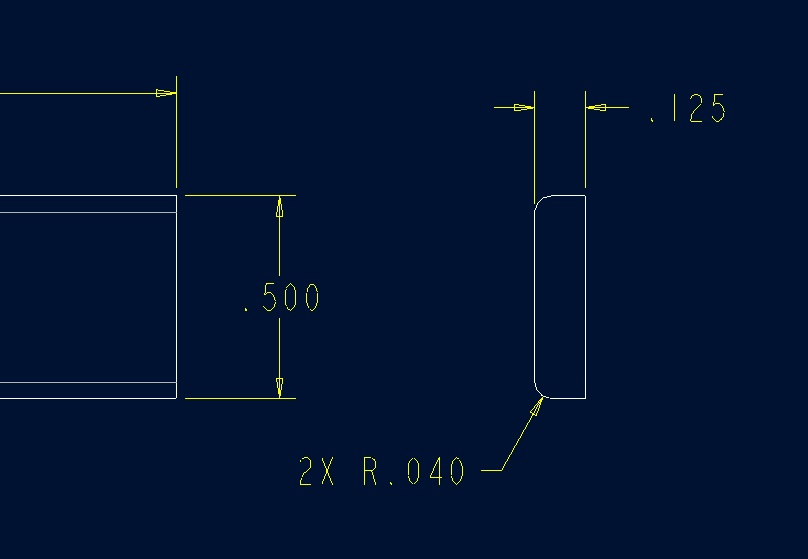
Finally it was correct.
Any thoughts as to why this may be happening? Nothing changed with the graphics card recently.
No new drivers were downloaded that I am aware of (is there a good way to check this?)
Thanks, Dale
This thread is inactive and closed by the PTC Community Management Team. If you would like to provide a reply and re-open this thread, please notify the moderator and reference the thread. You may also use "Start a topic" button to ask a new question. Please be sure to include what version of the PTC product you are using so another community member knowledgeable about your version may be able to assist.