1-Visitor
January 23, 2014
Solved
Hatching in Creo Drawing
- January 23, 2014
- 7 replies
- 13181 views
Hi everyone,
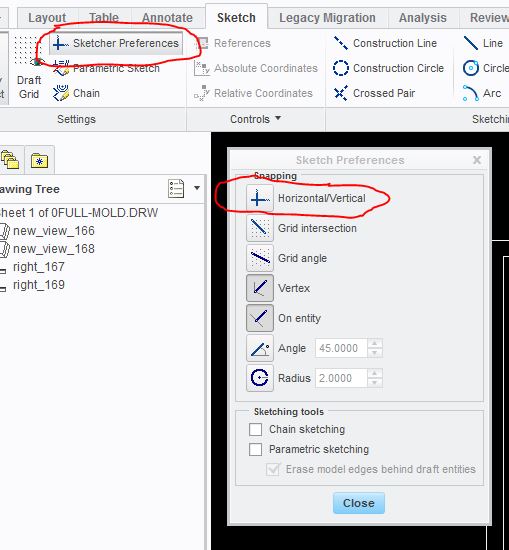
1.How to draw a stright line In creo drawing mode from sketch tab
what i had tried
i have done hatching in creo drawing with adding section in the model and show it in the drawing
now my question is i want hatch the solid part in drawing without adding section in the model in an assembly drwaing (just like in autocad) so i tried one thing in creo drawing go to sketch>select line > draw line where you need to be hatched > then select hatch fill command. but while drawing the line the line does not take any refrence then when i try to draw a straight line it draws with an angle and the loop does not complete so hatch /fill command does not work. how to solve this
any suggestions will be very helpfull
This thread is inactive and closed by the PTC Community Management Team. If you would like to provide a reply and re-open this thread, please notify the moderator and reference the thread. You may also use "Start a topic" button to ask a new question. Please be sure to include what version of the PTC product you are using so another community member knowledgeable about your version may be able to assist.