

1-Visitor
May 28, 2013
Solved

Hiding Sketches in Drawing Views

  • May 28, 2013
  • 5 replies
  • 30197 views

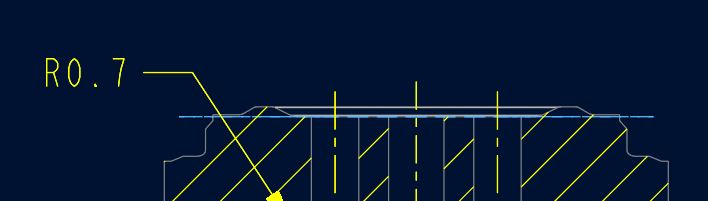
I was wondering if there was a way to show a model sketch in a particular view, but hide it in the others. I've been creating sketches in my models to later show bolt circles, gage points, etc., in my detail drawings, but I don't know how to control which views they are visible in. I always get what you see below.
 

b-csnip.JPG


Is there a better way of doing this?


Thanks,


Matt


This thread is inactive and closed by the PTC Community Management Team. If you would like to provide a reply and re-open this thread, please notify the moderator and reference the thread. You may also use "Start a topic" button to ask a new question. Please be sure to include what version of the PTC product you are using so another community member knowledgeable about your version may be able to assist.
Best answer by msteis

Mohan,

If I remember correctly, I would create a layer in my model and put the sketch on that layer.  Then in the drawing, I would go into each view and either hide or show the layer (use the layer tree in both the model and drawing to do this).  There's probably a better way to do this, but this is the only way I ever figured out.

Matt

5 replies

24-Ruby III
May 29, 2013

Matt,

use Help and study an effect of following drawing configuration options:

draw_layer_overrides_model YES

ignore_model_layer_status YES

Martin Hanak

msteis1-VisitorAuthor
1-Visitor
May 29, 2013

Thanks Martin,

I didn't find too much on the config options. I did figure out how to hide specific layers in different views, so that fixed my problem I think. I really need a training course in Creo.

Matt

1-Visitor
July 15, 2016

Hi Matt,

I am also facing the similar issue as you have described. So, how did u finally solve this issue? Could you please let me know so that i can also use the same.

Best regards,

Mohan