14-Alexandrite
June 2, 2015
Solved

how can I know the pvz file used?

  • June 2, 2015
  • 2 replies
  • 1292 views

hello,


I have a file called A.pvz in a Windows server S:\Illustrate\files\source\A.pvz
I copied it on my machine in a folder: C:\Users\ron\Documents\CREO Illustrate\files\Templates\A.pvz


I forget the imported origine file and would like to update the c3di illustration.

How can I know if I used the server or local file?


This thread is inactive and closed by the PTC Community Management Team. If you would like to provide a reply and re-open this thread, please notify the moderator and reference the thread. You may also use "Start a topic" button to ask a new question. Please be sure to include what version of the PTC product you are using so another community member knowledgeable about your version may be able to assist.
Best answer by Ronan

I found my answer, so I answer my self:

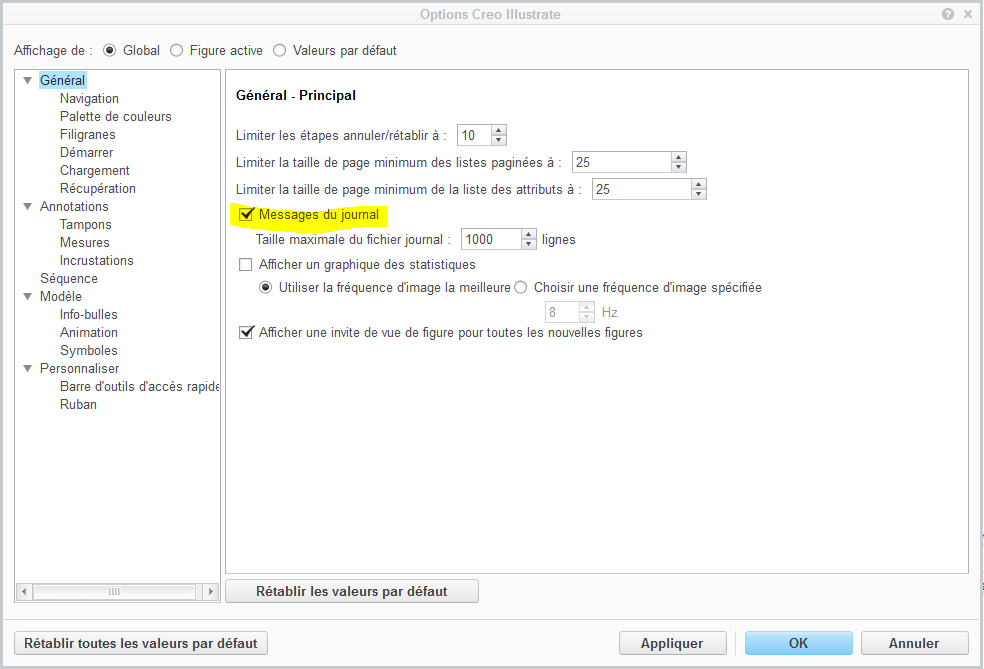
first we need to configure Illustrate to show messages:

file / option

Capture.PNG

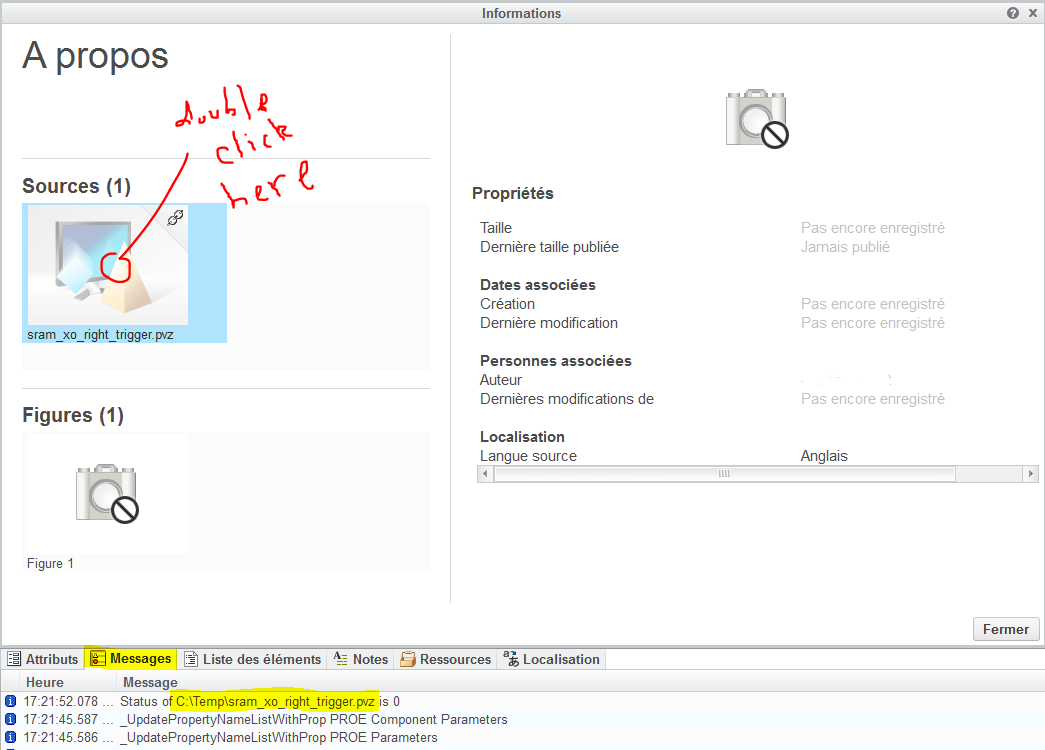
then, when I open the manage figure window and double click in a pvz source file, I have the full folder on the messages tab:

Capture.PNG

2 replies

10-Marble
June 3, 2015

I guess that if you imported the PVZ as a link you could just rename one of the files - if the renamed one is used Illustrate would protest. Rename both and see what happens.

Ronan14-AlexandriteAuthorAnswer
14-Alexandrite
July 23, 2015

I found my answer, so I answer my self:

first we need to configure Illustrate to show messages:

file / option

Capture.PNG

then, when I open the manage figure window and double click in a pvz source file, I have the full folder on the messages tab:

Capture.PNG