

1-Visitor
December 13, 2017
Solved

How can I make an assembly into Single Body by exporting Into .STEP File format

  • December 13, 2017
  • 3 replies
  • 24648 views

I want to Supply a step file of the model I have designed.  The assembly model has so many subcomponents.  I have exported a ".STEP" file.  I when I imported into creo or SolidWorks it showed all the components list in the model tree. So that he can open all the components individually. I don't want let he open all the components. See the below example.


So to want to make a single body from the assembly by exporting as ".STEP" so he can not open any subcomponents from the model tree.
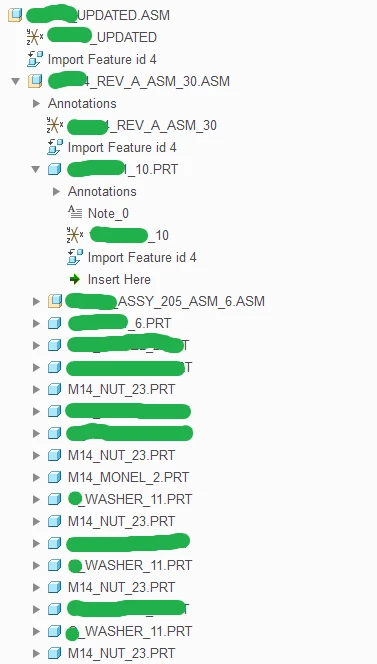
 

step.PNG

Regards,

Sundar Dannana,

Mechanical Engineer.


3 replies

1-Visitor
December 18, 2017

Thank You @dschenken


The first link helped me.


Open the *.stp file with assembly mode, save the assembly as *.igs file, open the *.igs file with the part mode.

All assembly parts "merged" into one part.

1-Visitor
December 13, 2017

I would suggest a two step process where you first create a part from your assembly using either a shrinkwrap or merge operation, and then you export that part to a step file.

Mahesh_Sharma
22-Sapphire I
December 14, 2017

Sundar,


You can use hidden config option intf3d_in_as_part as yes. For information working with hidden option may output some unwanted results.