

10-Marble
September 18, 2015
Solved

How can I show a blend's offset from section dimension in a drawing?

  • September 18, 2015
  • 1 reply
  • 1157 views

Creo 2.0 m080

I am working with a model that contains a blend.  The sections are offset from previous sections.  When I show the annotations of the feature on the drawing, the offset dimensions don't show.  Has anyone run into this before?  How can I show the dimensions without creating the dimensions in the drawing.
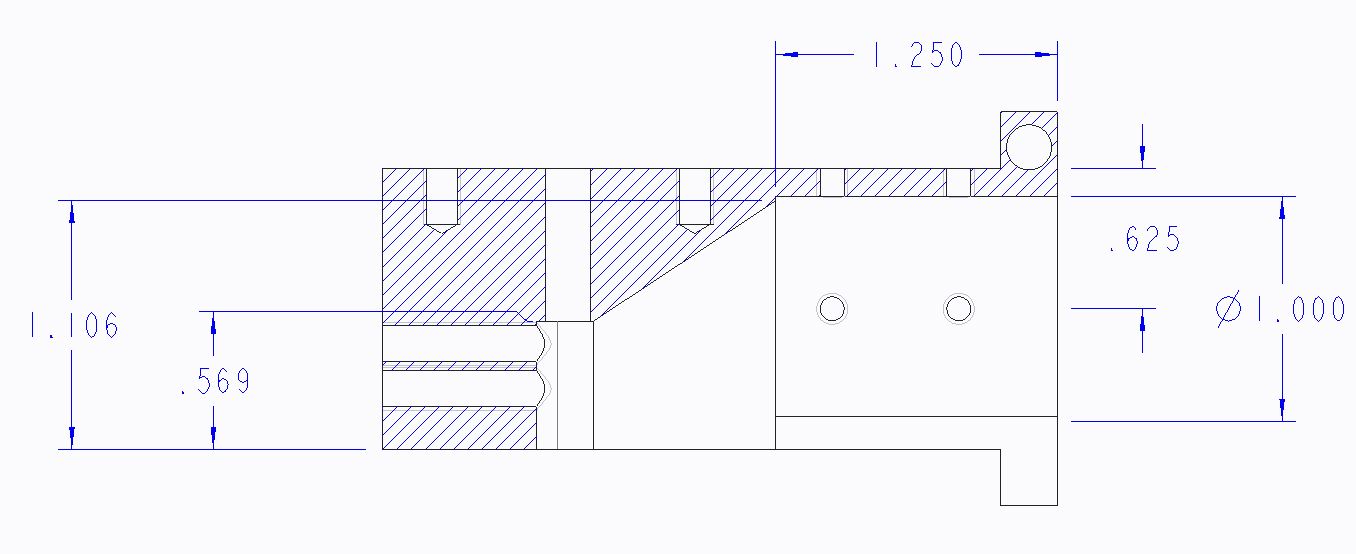
 

section dims not shown.JPG


This thread is inactive and closed by the PTC Community Management Team. If you would like to provide a reply and re-open this thread, please notify the moderator and reference the thread. You may also use "Start a topic" button to ask a new question. Please be sure to include what version of the PTC product you are using so another community member knowledgeable about your version may be able to assist.
Best answer by MartinHanak

Hi,

I guess that the problem can be cause by section. I suggest you to create simple model+drawing and do a test. In case that you will be able to reproduce the problem, please upload your data using How to attach file when you Reply to a discussion.

I tested blend feature in CR2 M070 and was able to display blend dimensions in drawing view.

MH

1 reply

24-Ruby III
September 21, 2015

Hi,

I guess that the problem can be cause by section. I suggest you to create simple model+drawing and do a test. In case that you will be able to reproduce the problem, please upload your data using How to attach file when you Reply to a discussion.

I tested blend feature in CR2 M070 and was able to display blend dimensions in drawing view.

MH