

1-Visitor
May 5, 2015
Solved

How do I change the line style for a cutting line?

  • May 5, 2015
  • 24 replies
  • 11251 views

I am working on drawings and need to change the line weight of a cutting line through a cross section. I cannot change the cutting lines using the line style manager and I need a different line style that what is available with cutting_line options in the drawing properties. Is this option available with Creo 2.0?


This thread is inactive and closed by the PTC Community Management Team. If you would like to provide a reply and re-open this thread, please notify the moderator and reference the thread. You may also use "Start a topic" button to ask a new question. Please be sure to include what version of the PTC product you are using so another community member knowledgeable about your version may be able to assist.
Best answer by StephenW

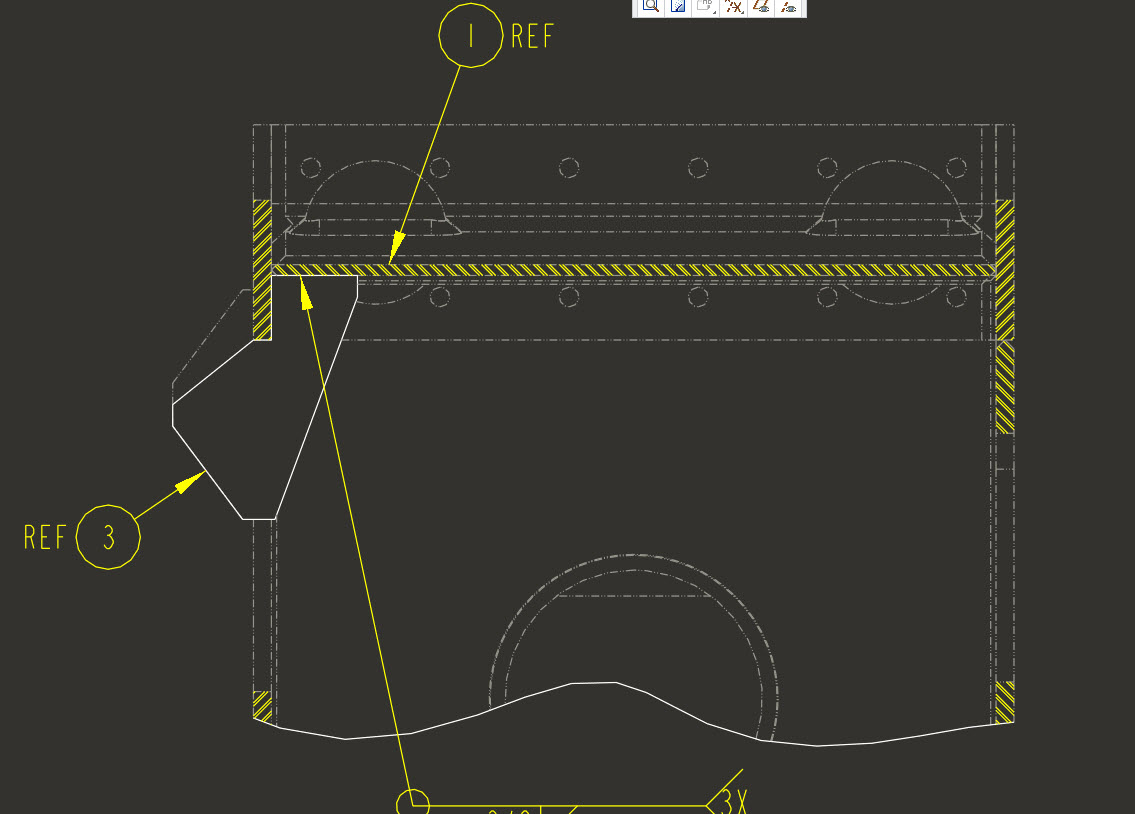
If this is an assembly, you solution may be to use component display in the layout tab of the drawing. You can change the linestyle of components of an assembly.

In the drawing under the layout tab, component display, the menu manager pops up, select a component you want to show in phantom, select ok, select phantom transparent (or opaque, you have to experiment to see what work for you).

linestyle.jpg

24 replies

jellis-21-VisitorAuthor
1-Visitor
May 12, 2015

I have been searching around for an option to map the cross section cut lines, not hatch lines, to another pen in the pen table but cant seem to find what I am looking for. Is it possible to map different types of lines to different pens?

23-Emerald IV
May 12, 2015