

1-Visitor
April 23, 2015
Solved

How have note ball without baloons?

  • April 23, 2015
  • 3 replies
  • 1539 views

Hello,

I can't hide or delete baloons from note ball! is it possible?

I want to see only repeat region parameter and arrow!

Thanks
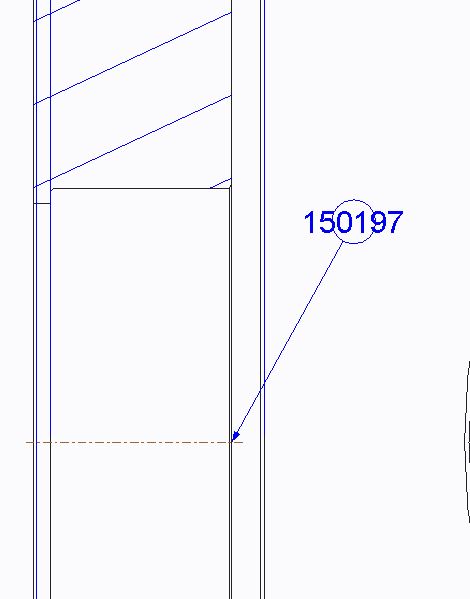
Capture.JPG


This thread is inactive and closed by the PTC Community Management Team. If you would like to provide a reply and re-open this thread, please notify the moderator and reference the thread. You may also use "Start a topic" button to ask a new question. Please be sure to include what version of the PTC product you are using so another community member knowledgeable about your version may be able to assist.
Best answer by JLG

You can create a custom BOM balloon; see Tutorial: Customizing Report Balloon Symbols in Creo Elements/Pro

If you're simply creating a note with the part number, and your models have a parameter that spells out the part number (for example a parameter named PARTNUMBER), then you can use a simple note &PARTNUMBER:att_mdl. The ":att_mdl" part means to use the parameter (in this case, "&PARTNUMBER") from whatever model the note is attached to.

3 replies

JLG2-ExplorerAnswer
2-Explorer
April 23, 2015

You can create a custom BOM balloon; see Tutorial: Customizing Report Balloon Symbols in Creo Elements/Pro

If you're simply creating a note with the part number, and your models have a parameter that spells out the part number (for example a parameter named PARTNUMBER), then you can use a simple note &PARTNUMBER:att_mdl. The ":att_mdl" part means to use the parameter (in this case, "&PARTNUMBER") from whatever model the note is attached to.

Dale_Rosema
23-Emerald IV
May 13, 2015

It works in a note, but not bundled in a dimension.

Chris3
21-Topaz I
May 14, 2015

If you are doing a custom balloon driven by a repeat region, the answer is you can't (yet). Its not current functionality. We just make the balloon really small so it just shows up as a dot on the drawing. If you want the part number in your custom balloon then the format in the custom balloon is:

\rpt.rel.asm_mbr_name\

Alternatively if you have a parameter you are defining in a repeat region relation the format is:

\rpt.rel.Your_Relation_Parameter_Here\

For instance, if you only wanted the first 3 characters of the Creo file name it would be:

Your_Relation_Parameter_Here = extract(asm_mbr_name,1,3)