


Solved
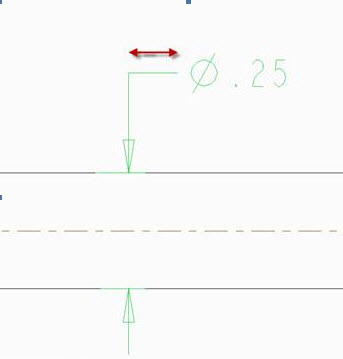
How to adjusting the length of elbow dimensioning lines Creo 2.0 M080
In Wildfire you could highlight the dimension and adjust it using by grabbing the end of the line. In Creo I can’t figure out how to do this?
I think this is someplace in Dimension Properties.
This thread is inactive and closed by the PTC Community Management Team. If you would like to provide a reply and re-open this thread, please notify the moderator and reference the thread. You may also use "Start a topic" button to ask a new question. Please be sure to include what version of the PTC product you are using so another community member knowledgeable about your version may be able to assist.