Solved
How to move bend note in drawing
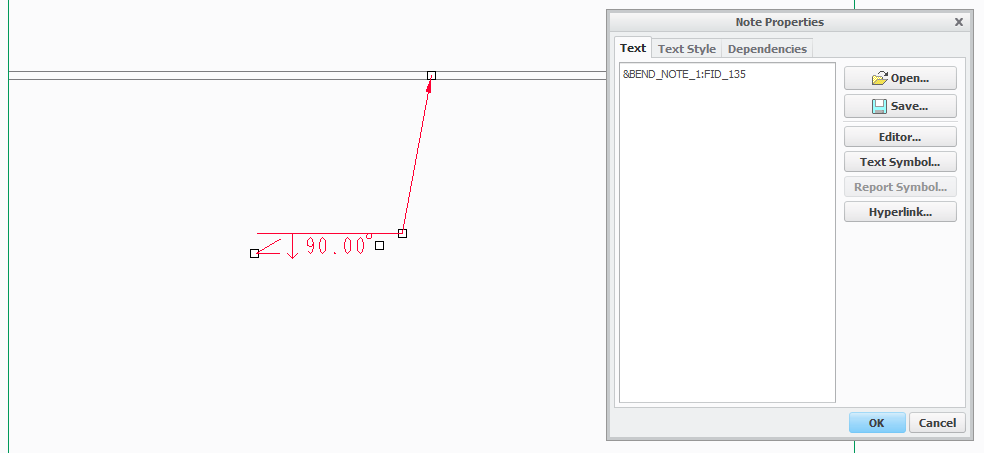
Hello, Is it possible to move the atachment point of bend note in sheetmetal drawing? I can move the text but need to move the attachment point also (to move along bend axis).
I have long part and need to show the view as broken, but I cannot bacause the attachment point of the note is in the middle of the bend axis, therefore if I want to show the bend note i need to show also the center of the view else the note points outside the view.
(in creo 3)
thanks for reply.
michal
This thread is inactive and closed by the PTC Community Management Team. If you would like to provide a reply and re-open this thread, please notify the moderator and reference the thread. You may also use "Start a topic" button to ask a new question. Please be sure to include what version of the PTC product you are using so another community member knowledgeable about your version may be able to assist.