


How to resolve '*** DATABASE ERROR: Column not found' in Model Manager
Dear users,
we use Direct Modeling 19M060 with Model Manager. I have a construction which contains parts that were downloaded from a supplier (Festo in this case). The parts seem to have some kind of link to a part library. Because they give the following error:
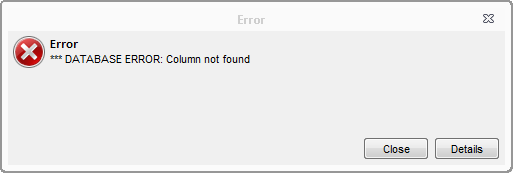
I have pasted the details in the attachment of this message. Key of it are the following lines I think.
class com.osm.exception.WMKernelException: 91002211: *** DATABASE ERROR: Column not found
Thread = RefreshController - doing refresh ID= 33
SQL [SELECT INFOS FROM LIBRARY_3D WHERE LIBRARY_3D.MODEL_ID_NAME IN ('PSOL_651849_MS_LR_20','PSOL_376409_MS6_MV__2_','PSOL_527682_MS6_EE_1_2_10V24_S1D','PSOL_175250_PEV_1_4_B_OD','PSOL_6844_U_1_2_B','PSOL_KOND_MS6_1_3','PSOL_532195_MS6_WP__w_','PSOL_527676_MS6_FRM_1_2_Y1P1','PSOL_526490_MS6_LFR_1_2_D7_ERV_AS1D','PSOL_374264_MS6','PSOL_534153_ESK_1_4_1_2')]
Does anyone have a clue how to solve this?
Thanks,
BS