1-Visitor
April 2, 2019
Solved

How to show a hidden part in drawing

  • April 2, 2019
  • 2 replies
  • 9405 views

Hi,

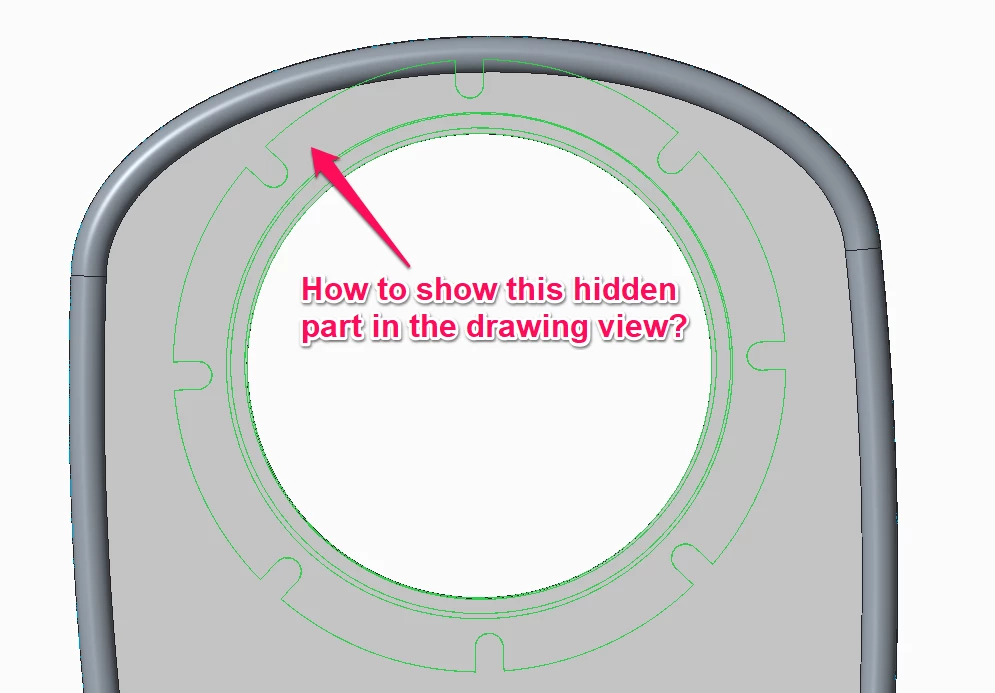
Can anyone tell me how to show a hidden part in the drawing?

This might be a centreline or different representation.


The most important part is - I don't want to use Display Style - Hidden.


Thank you

Arek
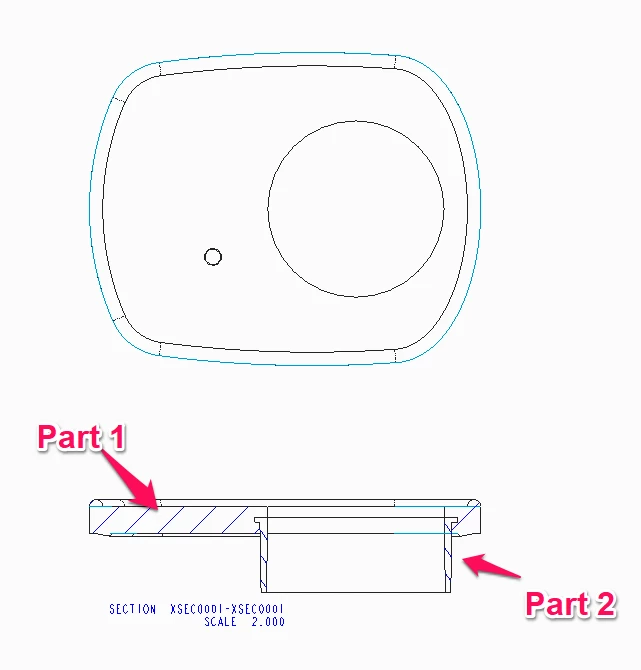
 

8.png9.png


Best answer by MartinHanak

Hi,

see attached data created in CR2.


  • xd.drw has 2 models assigned ... xa.asm and x1.prt
  • there are 2 views created ... one for xa.asm and one for x1.prt
  • views overlap ... using origin coordinates for placing coordinate system


2 replies

Dale_Rosema
23-Emerald III
23-Emerald III
April 2, 2019

You could add a second model with the two parts assembled and reference that. Just set your drawing model back to the main model before you exit.

ArekTRI1-VisitorAuthor
1-Visitor
April 2, 2019

Hi @Dale_Rosema ,


Sorry mate, I don't understand what you've said.


Can you record a video or put some screenshots of how to do this?


Regards,

Arek


23-Emerald III
April 2, 2019

Change the view to show hidden lines.

Select the view, rmb properties, view display, display style set to Hidden

24-Ruby III
April 3, 2019

Hi,

see attached data created in CR2.


  • xd.drw has 2 models assigned ... xa.asm and x1.prt
  • there are 2 views created ... one for xa.asm and one for x1.prt
  • views overlap ... using origin coordinates for placing coordinate system


ArekTRI1-VisitorAuthor
1-Visitor
April 3, 2019

Hi @MartinHanak 


thank you very much for the help.


Regards,

Arek