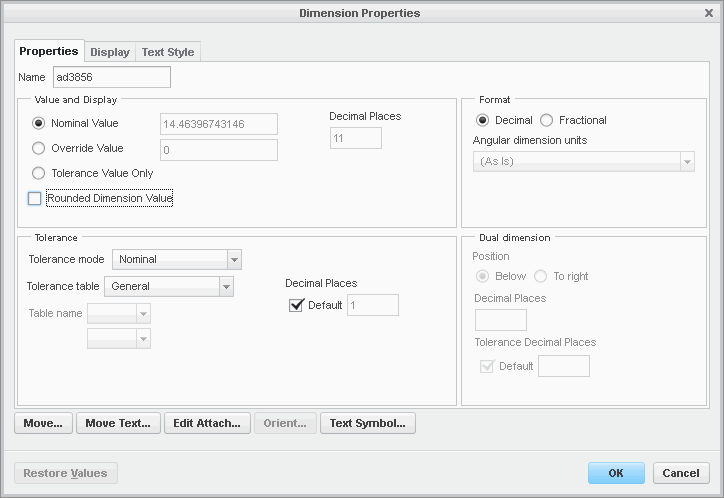
The only way to be able to set the decimal places is to also turn on the "Rounded Dimension Value" check box. There isn't any way to have the dimension shown as a truncated value, i.e. 12.567 with 2 decimal places as 12.56, not rounded as 12.57. Not sure why you would wish to do something like that.
If I absolutely had to have a truncated value in the dimension, I could cheat it by doing something like:
(1) Create your original dimension (the ad3856 one shown above).
(2) Make a relation to calculate the truncated number, ValueTrunc = floor ( ad3856, 2 )
(3) Create a new dimension, the same as your original one in step (1).
(4) Edit the newly created dimension and override the displayed value by changing "@d" to "@o&ValueTrunc[.2]". The "[.2]" part of that limits the display to two decimal places.
(5) Erase the original dimension (the ad3856 one) so it does not show on the drawing anymore (but still exists).