
14-Alexandrite
February 19, 2017
Solved

Image references

  • February 19, 2017
  • 4 replies
  • 3921 views

Hello All,

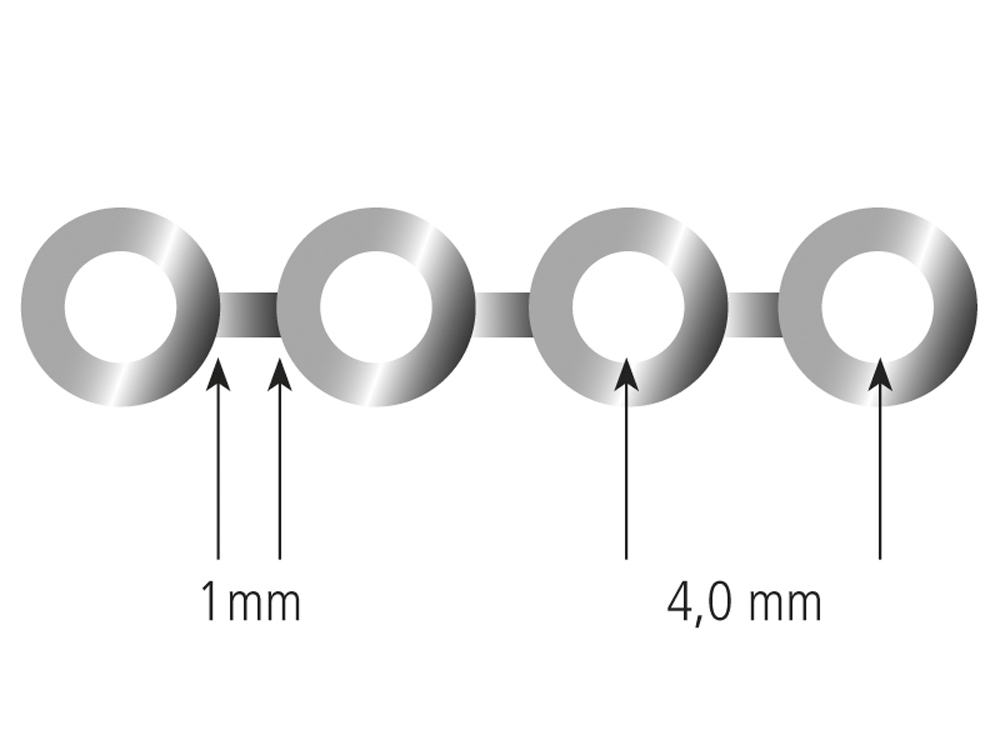
              I need to know is that possible to take accurate references of import image.

Kind regards,


ADNANshort chain.jpg
Best answer by psobejko

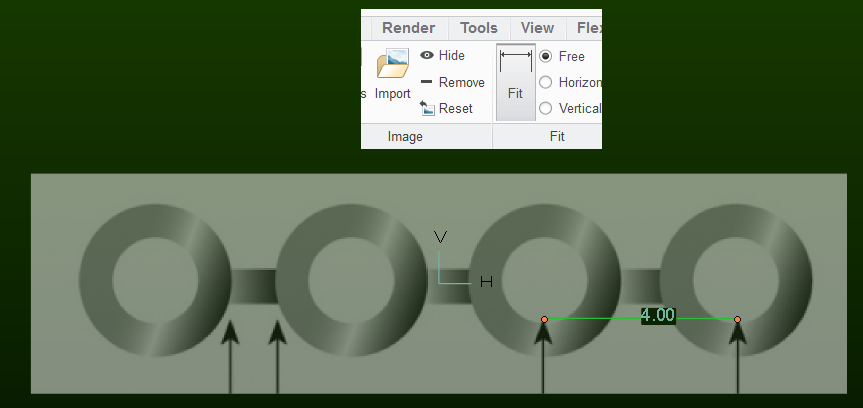
You can scale your imported image with the "fit" tool - you trace a line and then type in its "known" length:
example_image.png

Since you can zoom in to pixel level when setting this calibration line, the resulting scaling is as accurate as you can judge.

But you are going to be essentially tracing with sketches.  If you are looking for tools that analyze the bitmap image in order to extract regions-of-interest and find their endpoints and centers then I suggest ImageJ / Fiji.

4 replies

psobejko1-VisitorAnswer
1-Visitor
February 20, 2017

You can scale your imported image with the "fit" tool - you trace a line and then type in its "known" length:

example_image.png

Since you can zoom in to pixel level when setting this calibration line, the resulting scaling is as accurate as you can judge.

But you are going to be essentially tracing with sketches.  If you are looking for tools that analyze the bitmap image in order to extract regions-of-interest and find their endpoints and centers then I suggest ImageJ / Fiji.

aminhas14-AlexandriteAuthor
14-Alexandrite
February 20, 2017

Sir,

     can I make 3d part of said image would you please make tutorial that would be very help full to me how to handle the image drawing or picture. 

Chris3
21-Topaz I
February 20, 2017

Paul's screen shot is from Creo 4. Creo 4 has enhancements for handling images on a drawing.

aminhas14-AlexandriteAuthor
14-Alexandrite
February 20, 2017

would you please make tutorial in Creo 4 fro said image?

aminhas14-AlexandriteAuthor
14-Alexandrite
February 20, 2017

Hello All,

      please guide me what to next for 3d solid modellong.jpg?

1-Visitor
February 20, 2017

Well, now you can click "OK" and the image will be there, placed on whatever plane you chose.

Now start a sketch on that plane and trace over the image with with circles and lines.  You will be visually "fitting" your sketch entities to the pixels in the image, but that's as good as it gets...

aminhas14-AlexandriteAuthor
14-Alexandrite
February 20, 2017

Sir,

       Yes you are right but i want 100% accuracy in die-mention same as pictures.

aminhas14-AlexandriteAuthor
14-Alexandrite
February 20, 2017

Sketch.jpg

1-Visitor
February 20, 2017

It's impossible to get 100% accuracy.

Even harder when a bitmap image is the basis of your design
