Measure Distance From Midpoint to Midpoint of Edges
- May 21, 2015
- 8 replies
- 6507 views
Hi Community,
I'm new to this forum so please be gentle. Currently using Creo 2.0
Quite often I want to measure distance from a midpoint of an edge in a feature/part to a midpoint of an edge in another feature/part. The distance is to be projected to a common parallel plane/surface. The edges may or may not be in the same topology. This shouldn't be rocket science.
Went thru all the filters in the analysis > measure distance mode and no luck. It would be great if the analysis tool would allow you to snap to the midpoint of an edge when you activate the edge filter. Hint Hint PTC
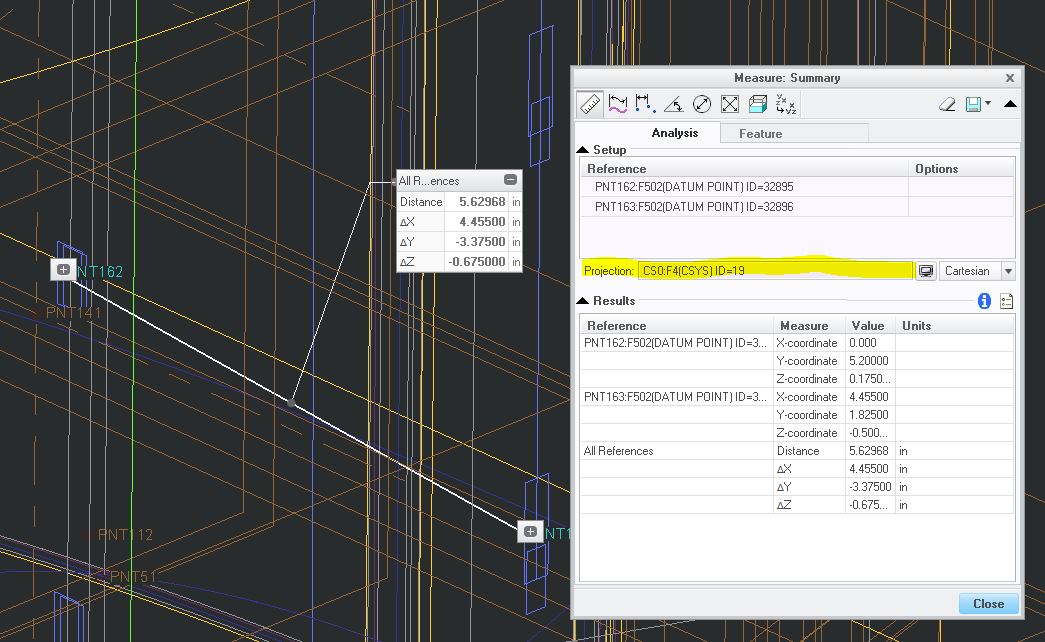
So the only way I'm able to achieve such measurement is to create a sketch on a parallel plane/surface where I project the edges of interest as curves. I then add center construction lines and midpoint-constrain them to the projected curves. (get it? midpoint constrain?) I then add a ref dimension.
I've added some screen shots to explain the scenario better.
Is there a less rookie way to do this? I really want to avoid going to sketch mode every time and would like to achieve this measurement in, you know, the measurement tool.
Thanks
This thread is inactive and closed by the PTC Community Management Team. If you would like to provide a reply and re-open this thread, please notify the moderator and reference the thread. You may also use "Start a topic" button to ask a new question. Please be sure to include what version of the PTC product you are using so another community member knowledgeable about your version may be able to assist.