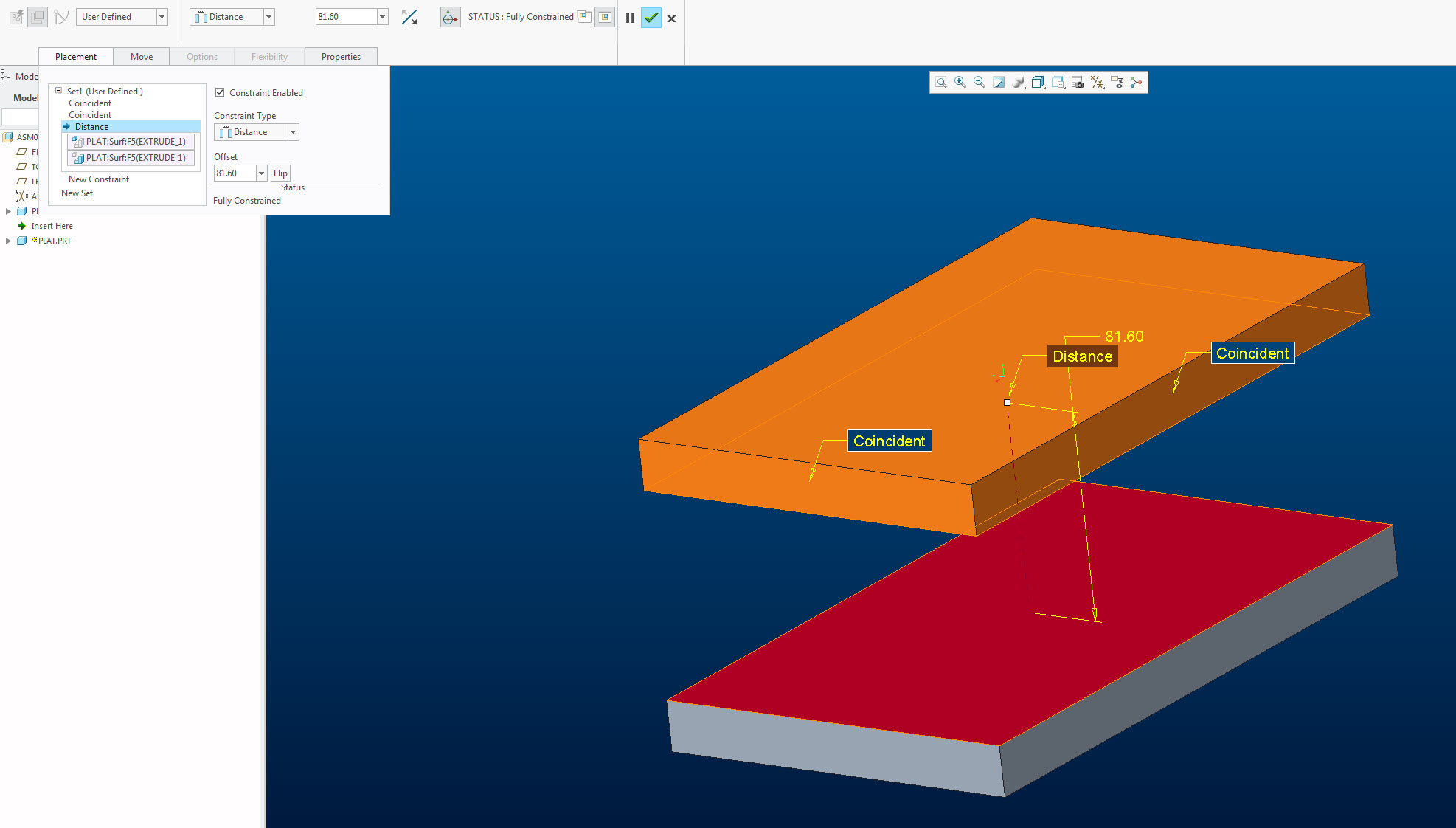
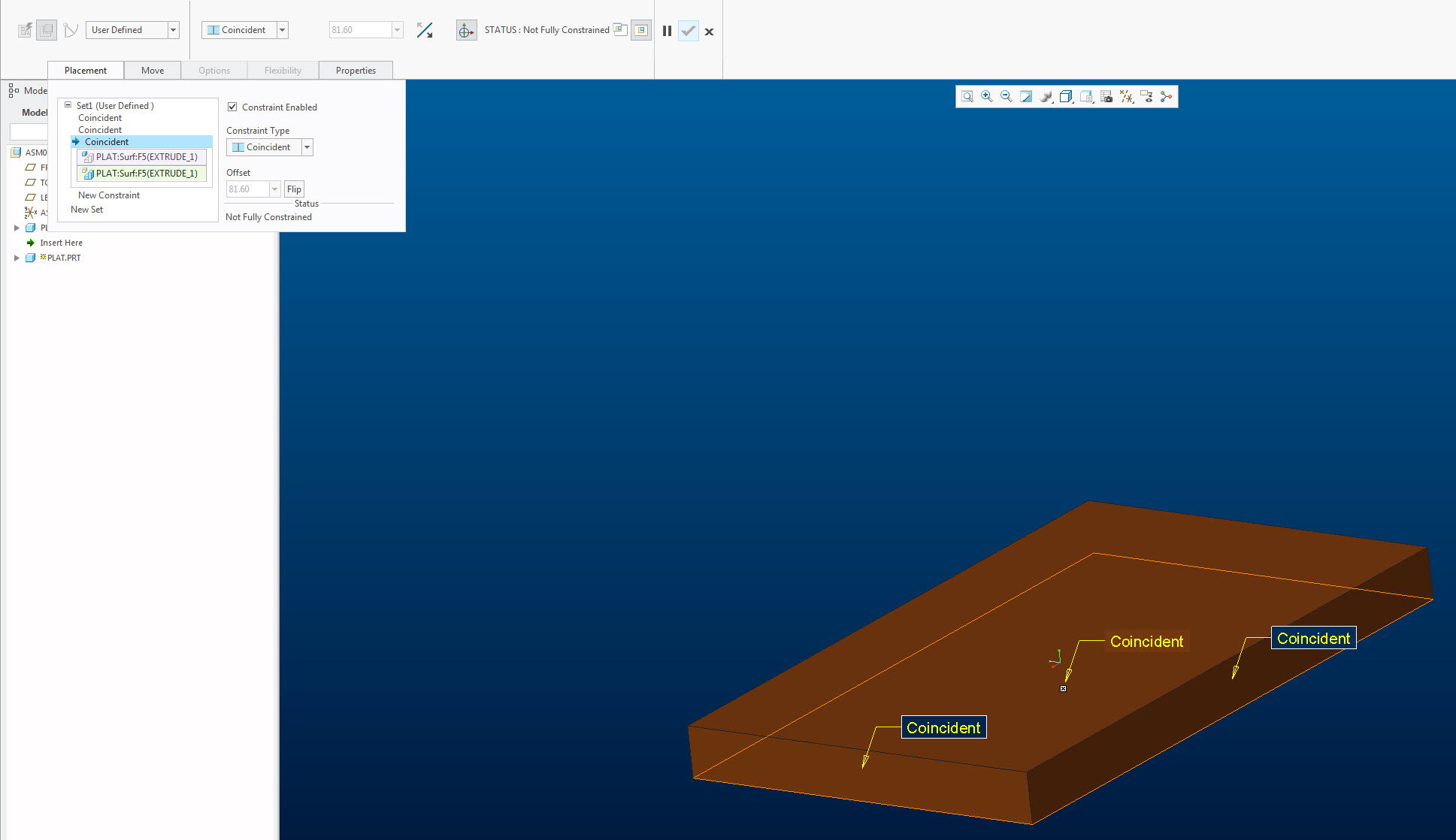
Modifying references - Constraint type changes
Hi!
When I try to change a Distance reference in the Placement tab, the constraint type changes from Distance to Coincident. It's like Creo treats Coincident as default and sets all new or edited constraints as "THIS SHOULD USE THE DEFAULT VALUE". Is there a way to get Creo to keep the constrain type, after a reference change, when it's previously been set?
To clarify: I've got two parts where the bottom of the top part has been constrained to have a distance to the top of the bottom part with a offset value. Let's say I want to change the reference on the bottom part and have the distance to the bottom surface instead of the top. If I make this change via Edit definition > Placement tab Creo changes the constraint type to Coincident (but musteriousluy keeps the value offset value greyed out in the box). Why?