1-Visitor
March 27, 2017
Solved

Multiple Flange lengths with one flange operation?

  • March 27, 2017
  • 14 replies
  • 8569 views

I need flanges of varying lengths coming off the sides of a basic rectangular shape. What I have been doing up to this point is creating a flange loop operation with all flanges being the length of the longest flange I need and then using three extrude operations to remove the additional length from the other flanges. This is really slow, messy and seems like a terrible practice. Can someone suggest an alternative? I know I could create the four flanges separately and then go through the trouble of getting the corners and gaps right, but that doesn’t sound any better than what I have been doing. I think the fact that you can’t create multiple flange lengths in one operation is just about the silliest thing ever.

Thanks in advance.

-William Wonka
    Best answer by dpruitt

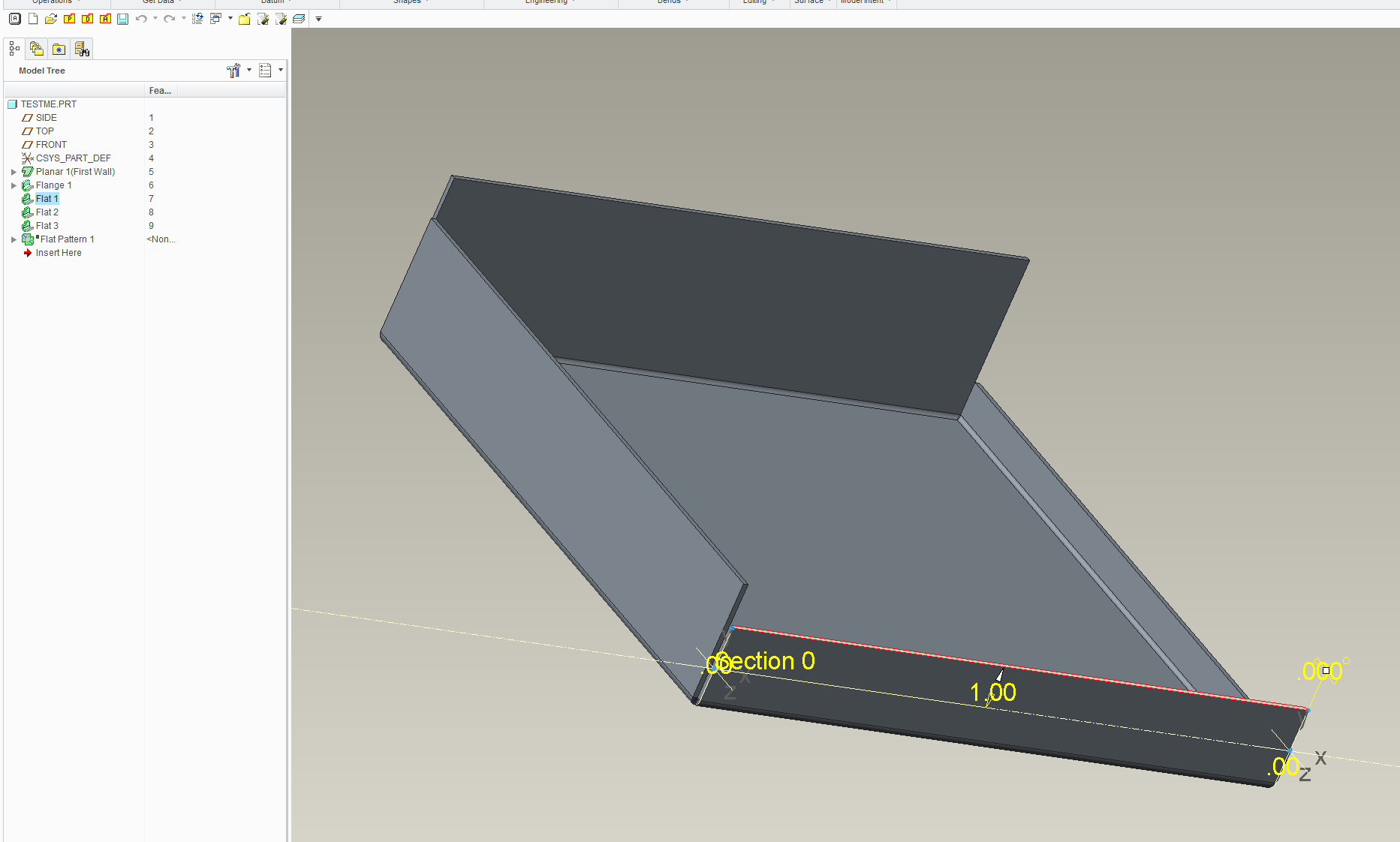
    I also use the chain selection for that type of panel as well, then I set mine to the shortest length and add FLAT flanges at 0 deg and the length I need.

    I also use the rip for the relief...works well in our shop.

    Capture.PNG

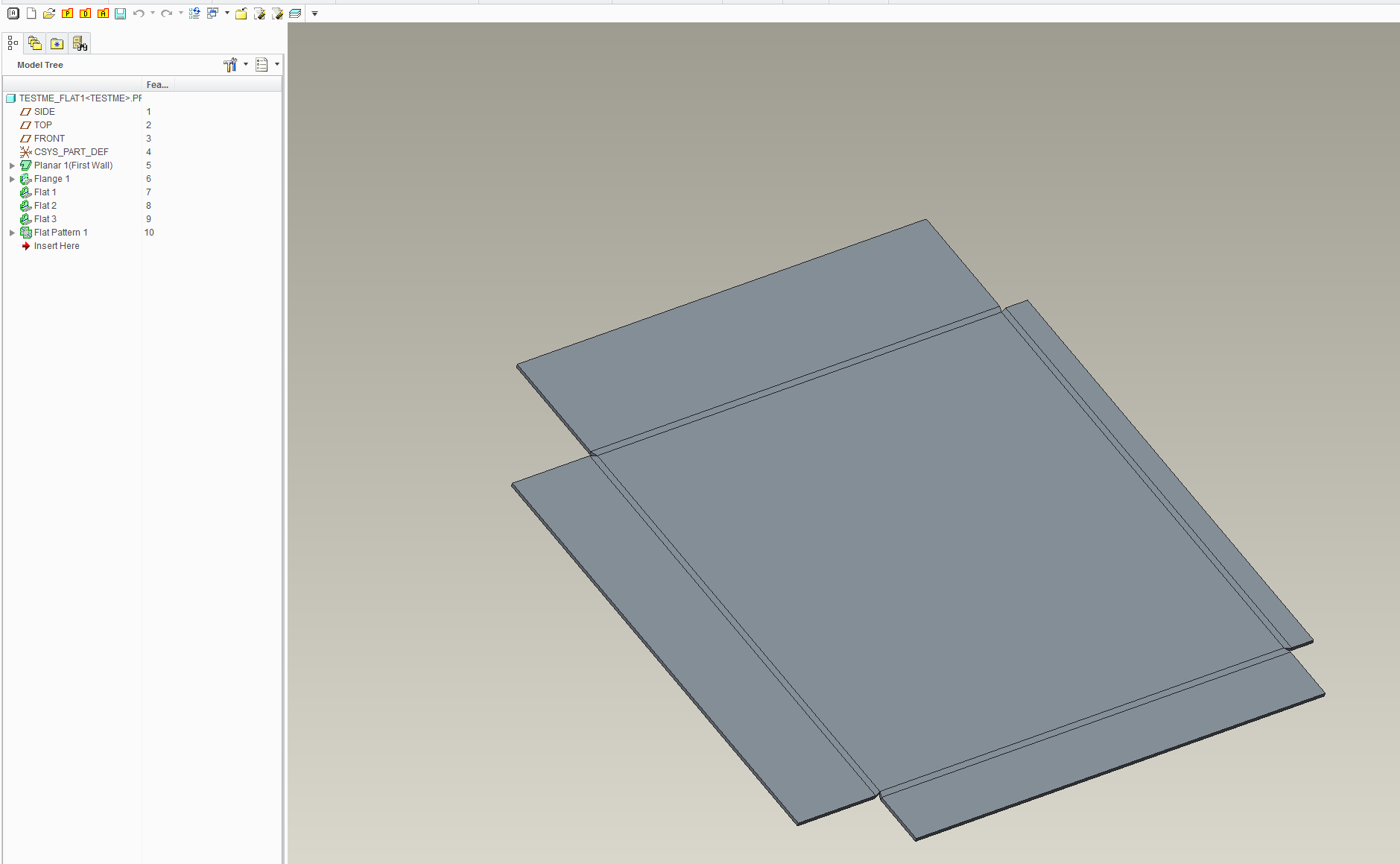
    Capture1.PNG

    As you can see it flattens out nicely.

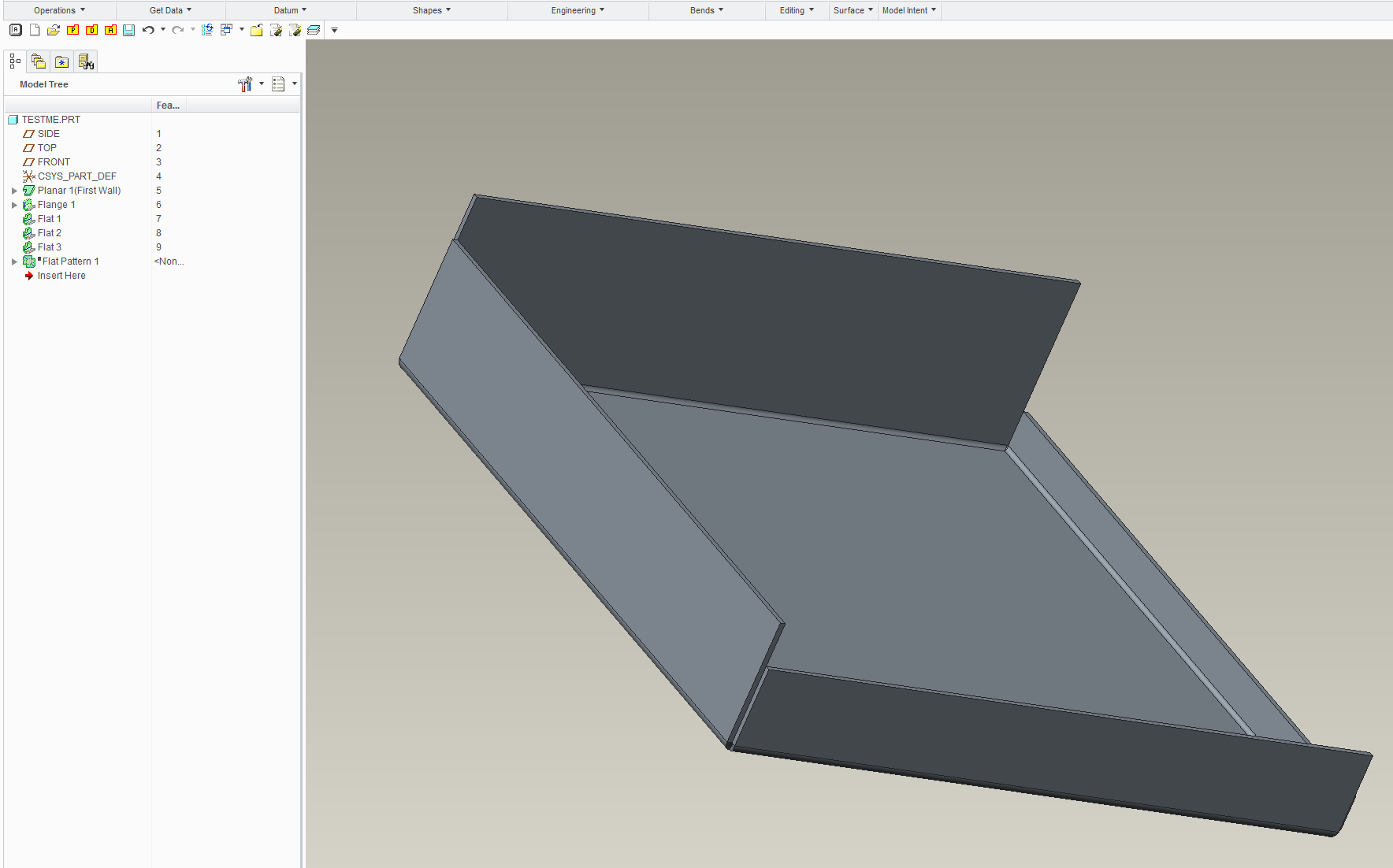
    Capture2.PNG

    14 replies

    1-Visitor
    March 28, 2017

    Can you post a picture?

    I have not heard the term 'flange loop operation,' is this in Creo Parametric or is it another module?

    kjames-21-VisitorAuthor
    1-Visitor
    March 28, 2017

    Just my fancy way of saying I select all four sides in a single operation. (completing a loop)

    -WW

    StephenW
    23-Emerald III
    March 28, 2017

    The way you are trying to do all flanges at once, Creo is only going to give you 1 dimension. It's based on your selection.

    kjames-21-VisitorAuthor
    1-Visitor
    March 28, 2017

    Yeah, it seems like a pretty weak program. Is this the best way to get properly mating flanges of various lengths?

    dpruitt10-MarbleAnswer
    10-Marble
    March 31, 2017

    I also use the chain selection for that type of panel as well, then I set mine to the shortest length and add FLAT flanges at 0 deg and the length I need.

    I also use the rip for the relief...works well in our shop.

    Capture.PNG

    Capture1.PNG

    As you can see it flattens out nicely.

    Capture2.PNG

    kjames-21-VisitorAuthor
    1-Visitor
    April 1, 2017

    Hey nice, I think that may be a little faster than what I've been doing. Also, I think your way may lead to less problems when the parts have to be adjusted in the future, you know how creo likes to lose edges. I appreciate you taking the time to post.

    The need for various lengths on a chain selection seems like a no-brainer, I'm surprised we have to play games to achieve it.

    10-Marble
    April 3, 2017

    No problem. I/we used to do it like you were until I discovered this method, a lot cleaner and allows you to change the overall panel size without any of the issues you get doing extrude. What's really cool is if you use FLANGE you can even offset the edges if you need to, another way to NOT use extrude!

    Good luck.