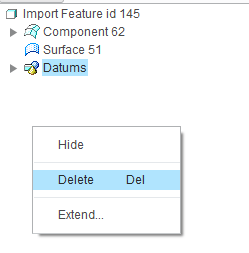
Solved
[Pic] What are all these datum planes after importing a .IGS file into Creo3?
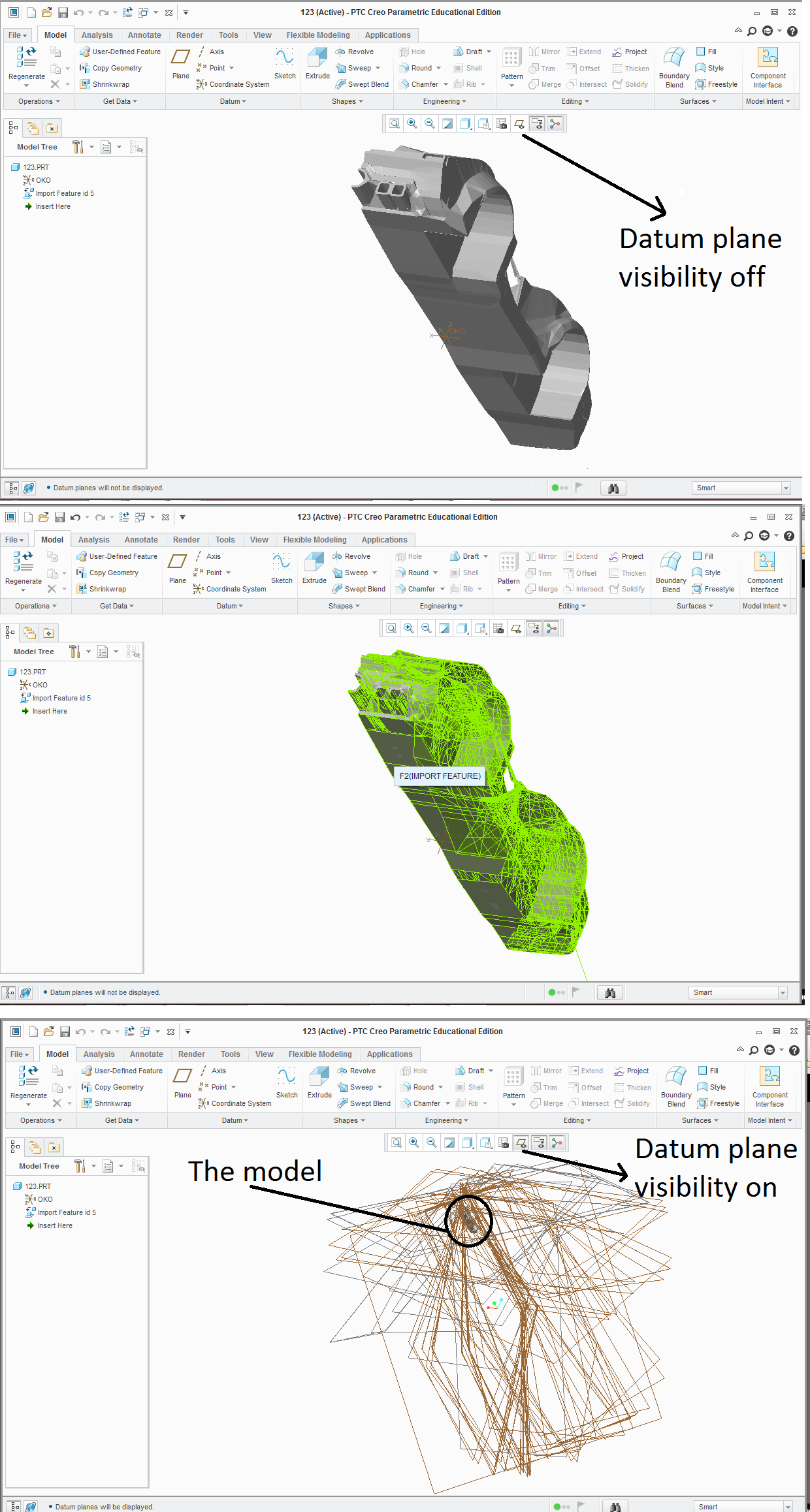
Disclaimer : In 3DsMAX i had an editable poly car model . Knowing i can only import the model into CREO3 as NURBS a in .IGS format , i converted the editable poly -> editable patch -> NURBS. After I imported the model in .IGS into CREO3, it imported the model correctly, but created like a hundred unnecessary datum planes.
Q : How could I get rid of all these datum planes ? Why were they created?
-Is there a way to simply delete all?
-Could Import Data Doctor help with this? A way to shut off creating these planes?
-Maybe I should try a different import method? like .STL format?
I just need this model as a half-transparent "background sample help" to recreate the car in Creo3.
Thanks for help in advance.
This thread is inactive and closed by the PTC Community Management Team. If you would like to provide a reply and re-open this thread, please notify the moderator and reference the thread. You may also use "Start a topic" button to ask a new question. Please be sure to include what version of the PTC product you are using so another community member knowledgeable about your version may be able to assist.