1-Visitor
January 23, 2015
Solved

Projection Arrows in drw

  • January 23, 2015
  • 8 replies
  • 4237 views

Good morning,

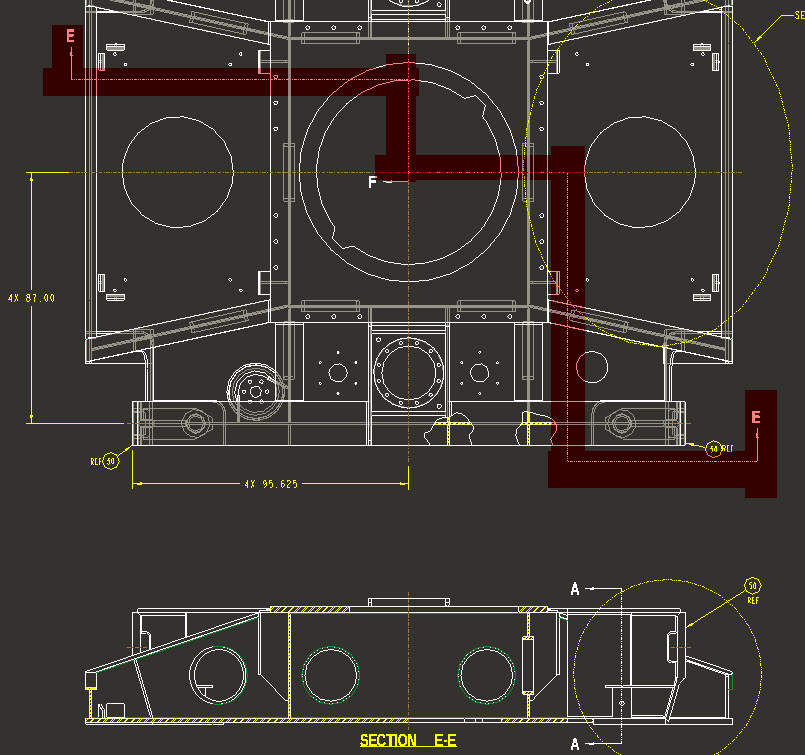
Is it possible for projection arrows in a drw to "show" exactly the way they are sketched in the prt? For instance if the sketched xsection takes some 90deg turns?

Thanks so much.


This thread is inactive and closed by the PTC Community Management Team. If you would like to provide a reply and re-open this thread, please notify the moderator and reference the thread. You may also use "Start a topic" button to ask a new question. Please be sure to include what version of the PTC product you are using so another community member knowledgeable about your version may be able to assist.
Best answer by StephenW

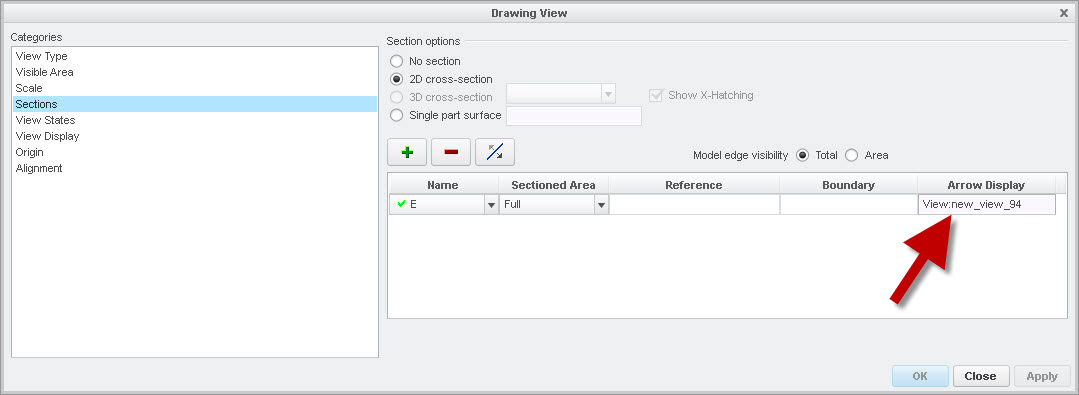
If you are showing the arrows from the section tab of the view properties, it should show the offset x-sections arrows as you have sketched them.

view-prop.jpg

offset-xsection.jpg

8 replies

17-Peridot
January 23, 2015

Welcome to the forum, Roger.

As far as I can tell, the only way to see how a section or sketch was created is to edit definition and set the view to the workplane. Alternatively, you could get in the habit of selecting the horizontal references so the orientation remains consistent.

rfarrell1-VisitorAuthor
1-Visitor
January 23, 2015

Thanks for the welcome, really appreciate this community

Thanks for the help too. I have no problem showing the sketched xsec in the prt file, or in the drw for that matter, it's just that in the drw, the Projection arrows do not follow the sketch?

17-Peridot
January 23, 2015

I missed the "dwg" part. The projection is always per the 1st or 3rd view projection rules (3rd by default) but you can fool the system once the view is placed by dragging it to the other side of the master view. I do not typically use the arrows other than section arrows. But I do often rotate a view for clarity, and state such in the detail view.

Maybe an example image of the what you are trying to do will help with understanding the issue. What is throwing me is the term "sketch".