

1-Visitor
September 9, 2015
Solved

Saves as Table file .xlsx

  • September 9, 2015
  • 3 replies
  • 1749 views

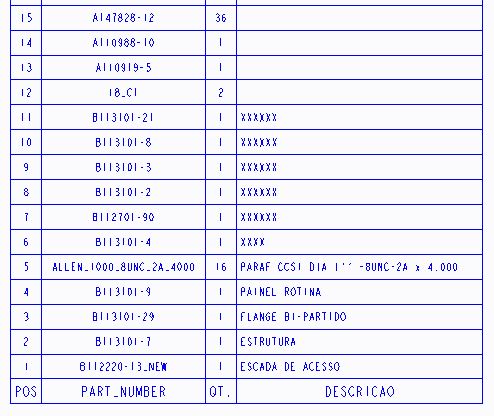
How to export a table created in the Drawing in a .xlsx file? TABLE-.JPG

This thread is inactive and closed by the PTC Community Management Team. If you would like to provide a reply and re-open this thread, please notify the moderator and reference the thread. You may also use "Start a topic" button to ask a new question. Please be sure to include what version of the PTC product you are using so another community member knowledgeable about your version may be able to assist.
Best answer by STEVEG

I believe you can save the table as a .txt or .csv.  Then just import that into Excel.

3 replies

STEVEG21-Topaz IAnswer
21-Topaz I
September 9, 2015

I believe you can save the table as a .txt or .csv.  Then just import that into Excel.

mbatista1-VisitorAuthor
1-Visitor
September 9, 2015

Thank you. It worked

Mahesh_Sharma
22-Sapphire I
September 9, 2015

Marcio,

You may mark Steve's reply as Correct Answer for the post.