1-Visitor
June 6, 2015
Solved

sheetmetal

  • June 6, 2015
  • 5 replies
  • 2421 views

How can i insert isometric drawing and flat pattern of a sheetmetal in the same drawing sheet?


This thread is inactive and closed by the PTC Community Management Team. If you would like to provide a reply and re-open this thread, please notify the moderator and reference the thread. You may also use "Start a topic" button to ask a new question. Please be sure to include what version of the PTC product you are using so another community member knowledgeable about your version may be able to assist.
Best answer by bduncan

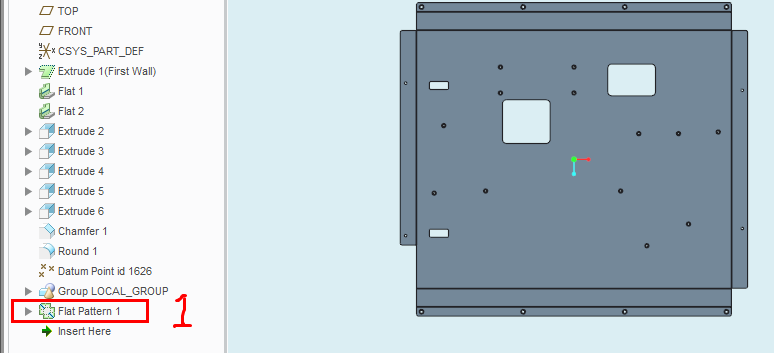
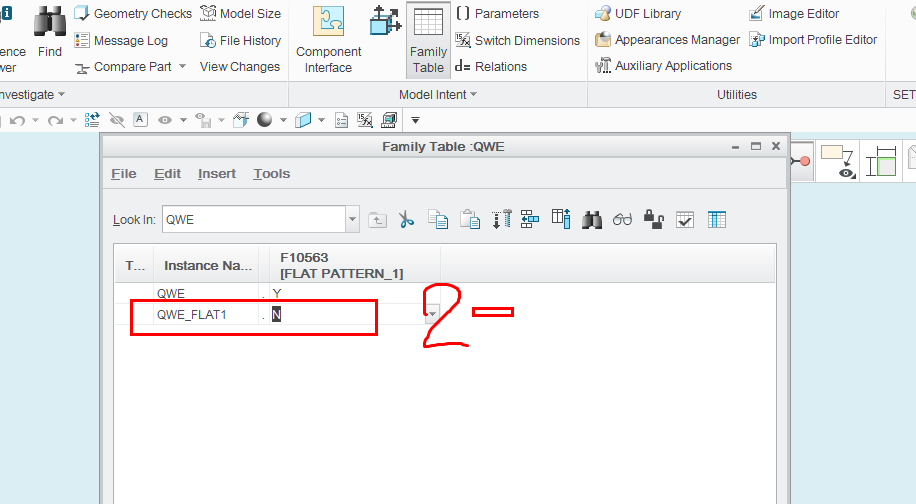
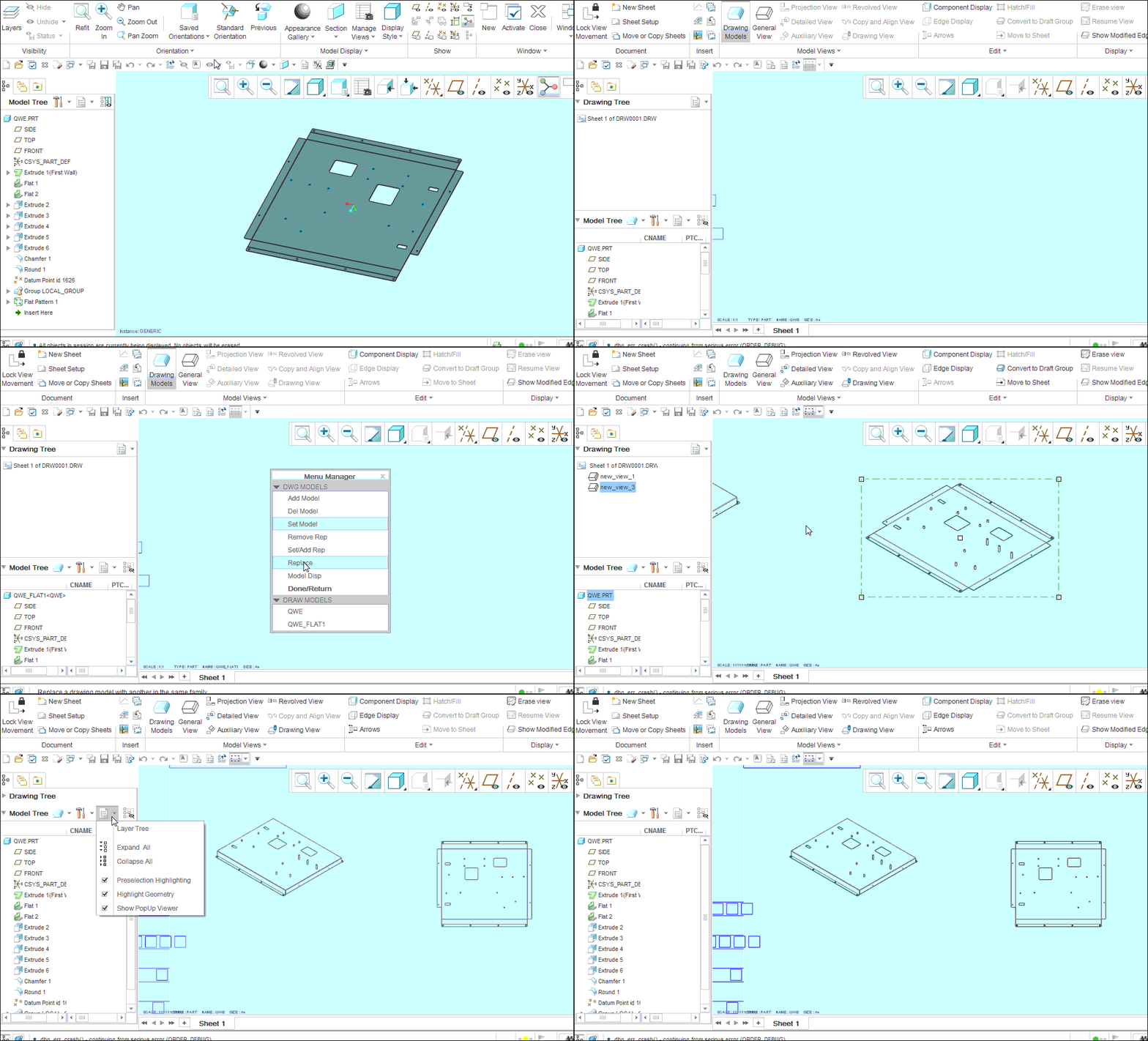
11.gifOff course!1QQ图片20150606220253.png2.QQ图片20150606220433.png3.drawing moldes>add moldes>QWE_FLAT1

5 replies

bduncan17-PeridotAnswer
17-Peridot
June 6, 2015

11.gifOff course!1QQ图片20150606220253.png2.QQ图片20150606220433.png3.drawing moldes>add moldes>QWE_FLAT1

1-Visitor
July 1, 2015

Can I have some additional help regarding this, please?

I've done the family table, everything looks fine and dandy whilst in the drawing. However, if I want to print it(seen only in preview, or on the paper of course), or export it to .dwg or .dxf the view that was flat patterned turns back into its bent shape.

Dale_Rosema
23-Emerald IV
July 1, 2015

Make sure you have both instances of the model in your drawing if you need them.

One flat pattern and one non flat pattern.

That way you can show both on the drawing.

Mahesh_Sharma
22-Sapphire I
June 13, 2015

Elango,

Does the information in last reply answer your question? Please mark the reply as correct answer, if this answer your question.