

1-Visitor
November 22, 2016
Solved

ShrinkWrap Faceted Solid fails

  • November 22, 2016
  • 2 replies
  • 4866 views

I am working with the ShrinkWrap feature to create light representations of large assemblies.

Subsequently I need to create a STL file out of the ShrinkWrap (I am aware that it is possible to create the STL from the ShrinkWrap window, but we have an automated process).

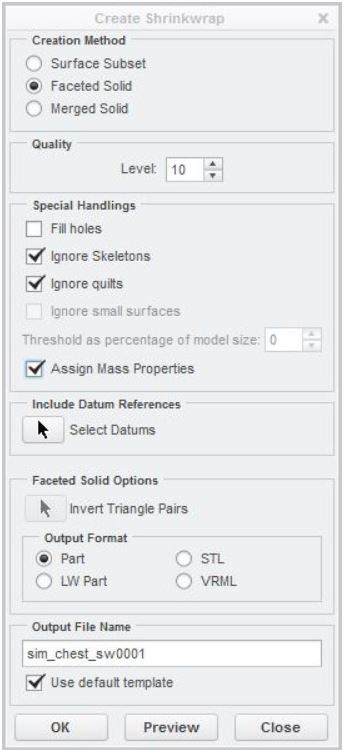
We are generating the ShrinkWrap part as "Facetet solid" with different quality levels.

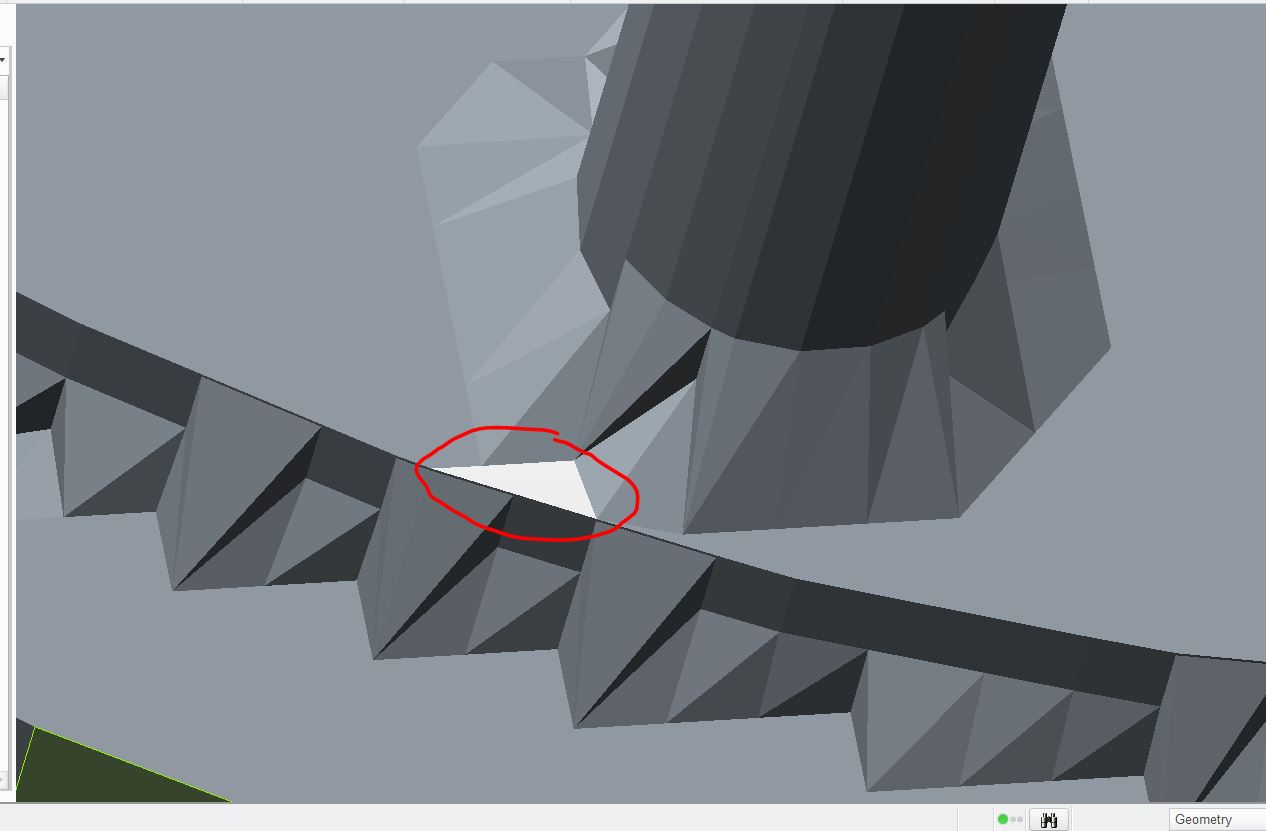
Recently we had some problems because some ShrinkWrap parts couldn't be saved as STL because the part was not closed. In a sense the part is an "open" solid, as the one attached in the image below. Furthermore I attach also an image of the ShrinkWrap winwo parameters that we use.

Has someone experienced this issue before? Do you have suggestions, or do you know which is the cause?
Capture.JPG

Capture2.JPG

Best answer by TomD.inPDX

Part size seems to have a lot to do with it.

Filling holes doesn't solve it?  Not that you would necessarily want to do that.

The Merged Solid option doesn't solve it?  You can output the solid as a STL with much more control.

You might look outside Creo to check the output if this process is important.  MeshMixer will solidify leaky STLs with little effort.

Anything facet modification based manipulation is buried on some optional PTC Creo extension (Manufacturing?).

Features that generate facet mesh are hardly universal within Creo either, meaning the level of control is best only in an STL export.

Even that has some serious limitations error error modes.

Shrinkwrap's reliability making faceted solids also seems to weaken as assembly complexity increases.

Since you seem to be bound by some hard rules, it is hard to speculate on a more reliable solutions.

2 replies

17-Peridot
November 22, 2016

Part size seems to have a lot to do with it.

Filling holes doesn't solve it?  Not that you would necessarily want to do that.

The Merged Solid option doesn't solve it?  You can output the solid as a STL with much more control.

You might look outside Creo to check the output if this process is important.  MeshMixer will solidify leaky STLs with little effort.

Anything facet modification based manipulation is buried on some optional PTC Creo extension (Manufacturing?).

Features that generate facet mesh are hardly universal within Creo either, meaning the level of control is best only in an STL export.

Even that has some serious limitations error error modes.

Shrinkwrap's reliability making faceted solids also seems to weaken as assembly complexity increases.

Since you seem to be bound by some hard rules, it is hard to speculate on a more reliable solutions.

mnico1-VisitorAuthor
1-Visitor
January 10, 2017

The problem was solved by reducing the quality level. Probably for high levels the triangulation is more complex.