1-Visitor
August 13, 2014
Solved

Surfacing Help, 5 Sided Surface and Continuity

  • August 13, 2014
  • 7 replies
  • 9568 views

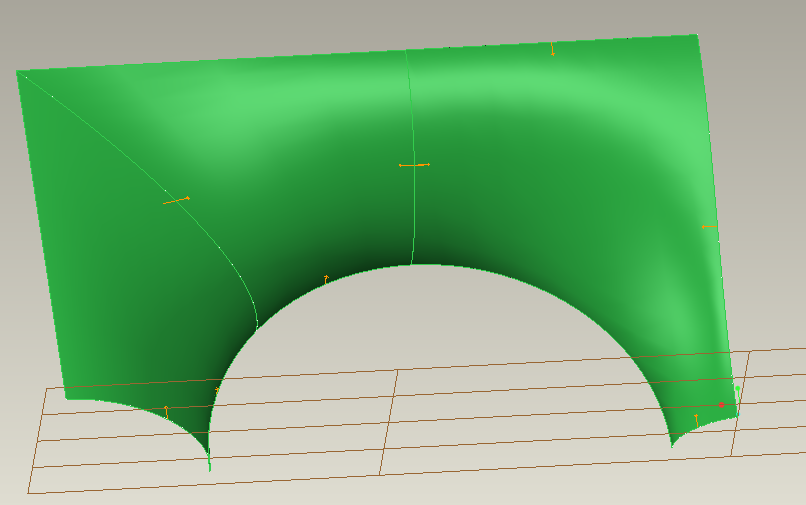
I'm having trouble creating good surfaces for a fan shroud. It is for converging from a rectangular duct to two side by side axial fans.

First problem I am having is getting second order (C2, G2...) contious surfaces. What's the best method for this?

Second problem is creating the saddle like surface between the two axial fans. Have tried various approaches, but no can do.

Attached is an image of the curves and a couple surfaces I have been able to create (though not C2 surfaces). Also attached is the Creo Parametric 2.0 file I've been working in which should make it fairly obvious what I'm trying to do.

TIA,

~Dan
Best answer by MauroStefanovic

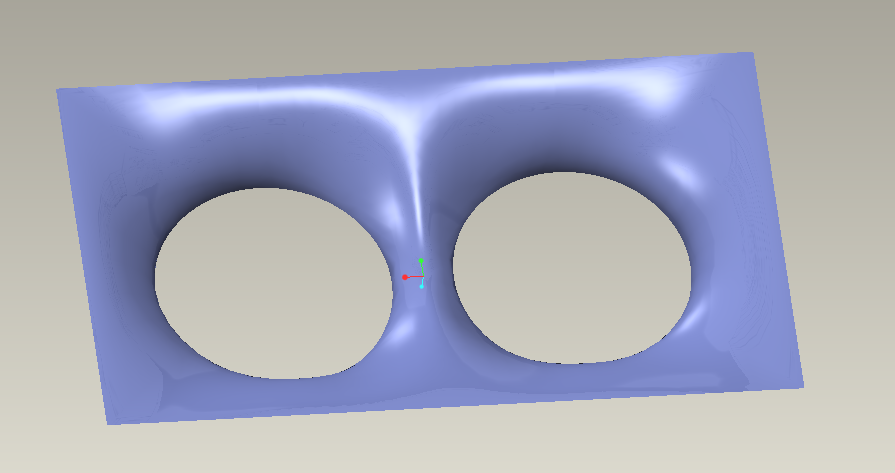
No problem about 5-side surface in style feature. Trouble with boundary blend but there are some tricks. See if my solution can be good. If you need i can give you a solution without style features...

Capture.PNGCapture2.PNG

7 replies

1-Visitor
August 14, 2014

what's about making the top circled and the rest to the edge flat?

Brgs, Michael1.JPG

Like this

2.JPG

1-Visitor
August 14, 2014

That would decrease the efficiancy of the shroud. I don't know how much, I plan to run FEA once I have it modelled to optimize, but I do know it would be measurable.

I have found some info on N-Sided Surface command that is not in the ribbon. But the same reference says that those types of surfaces are not as desireable. Not sure why.

Dale_Rosema
23-Emerald III
23-Emerald III
August 14, 2014

I was recently at a user's group meeting and during a tips and tricks, someone took a section like that and broke it in half to get to four sided surfaces. He also made the two new surfaces continuous to each other. Not my background, but he made it work quite well.

1-Visitor
August 14, 2014

No problem about 5-side surface in style feature. Trouble with boundary blend but there are some tricks. See if my solution can be good. If you need i can give you a solution without style features...

Capture.PNGCapture2.PNG

1-Visitor
August 14, 2014

Style surfaces are fine. Thanks, I'll take a look and let you know. Greatly appreciate it!

1-Visitor
August 14, 2014

Ok. You can add more curves to controle it better. Good evening from Italy!

17-Peridot
August 14, 2014

I don't have the style extension so I cannot work with that, although that should make it easy.

I did come up with this using a C2 round. I am not sure which curve you want to follow (red arrow).

Also, what are you considering for the "saddle"?

Below is a boundary blend of the face; and a C2 round using a curve (circle) to follow.

What do you want to do with the square corners? This will create a crease. Can the corners have a round where it goes flat prior to corner?

fan_duct.PNG

15-Moonstone
August 14, 2014

attached one file..please have a look.

1-Visitor
August 14, 2014

Unfortunately i can't open. TRY-OUT edition file....

1-Visitor
August 15, 2014

Here an example with a spline close to the edge.

3.JPG

17-Peridot
August 16, 2014

That's kinda what I was thinking. Boundary blend with curvature works pretty well for that.

fan_ductII.PNG

1-Visitor
August 20, 2014

Thanks all. A great many helpful ideas.

Finally was able to get back to this. Deleted all the curves and surfaces I had tried before. Went in, create a style feature, curves and then surfaces and everything worked perfectly the first time through!

Hmm, wonder why it didn't the previous tries. Maybe referencing non style curves or something? Initial look at reflection curves look good, but not sure about curvature yet. File attached if interested.

SNAG-0383.png

1-Visitor
August 1, 2016

1-Visitor
August 1, 2016