


Solved
Sweep/Blend with Multiple Trajectories
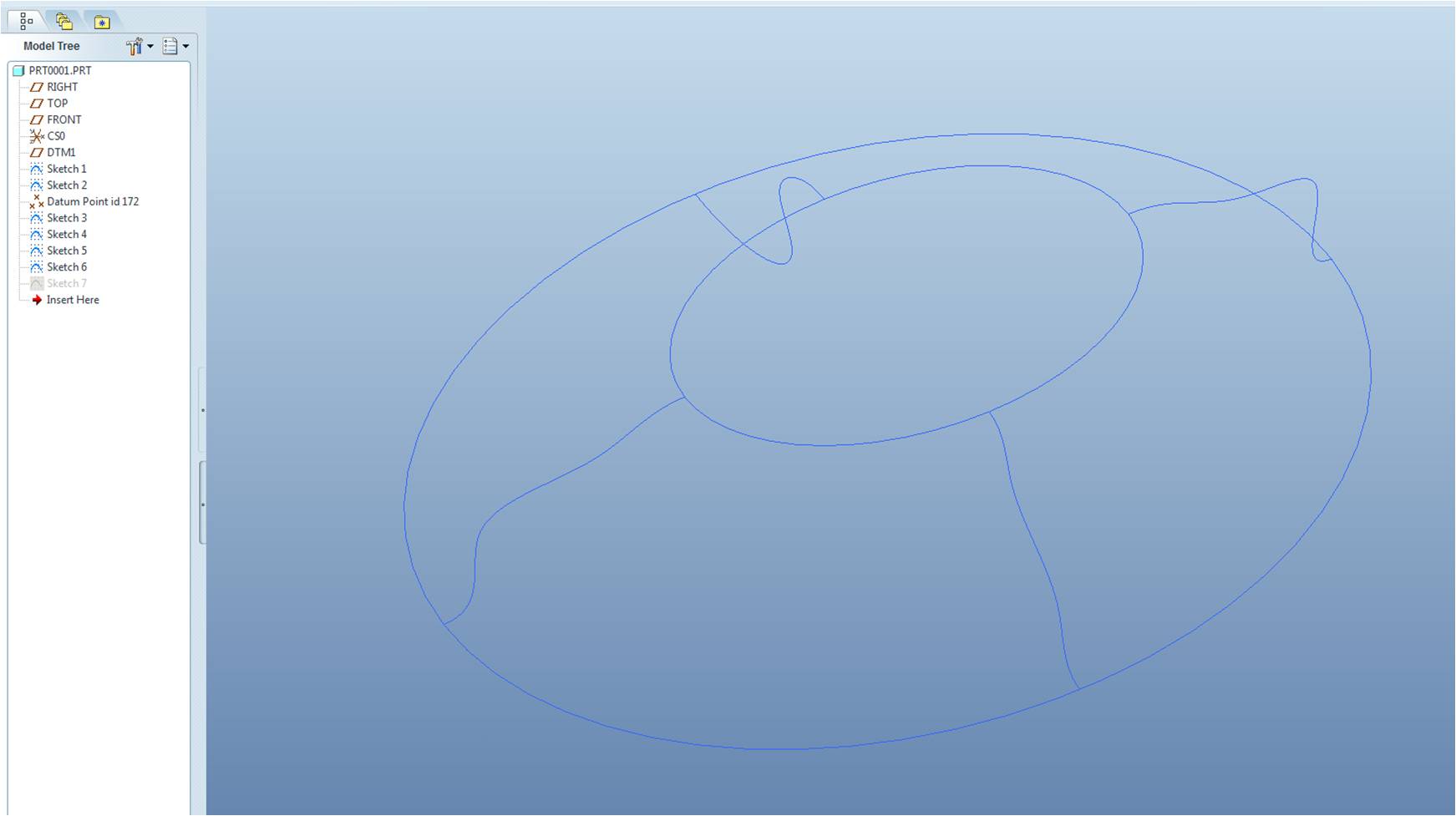
I am having difficulty finding a simple way to create a swept or blended surface with multiple unique trajectories. The beginning and ending sections are both 3D curves (do not lie within plane). The required trajectories are also not tangent or normal to these curves at the interfaces. Below is a simplified example with two ellipses as the sections. I've been doing these types of complex surfaces by knitting multiple boundary blends. For example, below I could create four separate boundary blends with tangency constraints at the interfaces where guide trajectory curves are shared, but this quickly becomes tedious. Hopefully there is a simple way to accomplish this that I have been overlooking...
Thanks for any and all help/tips!
This thread is inactive and closed by the PTC Community Management Team. If you would like to provide a reply and re-open this thread, please notify the moderator and reference the thread. You may also use "Start a topic" button to ask a new question. Please be sure to include what version of the PTC product you are using so another community member knowledgeable about your version may be able to assist.