1-Visitor
May 19, 2017
Solved

Sweeping issue

  • May 19, 2017
  • 4 replies
  • 4399 views

Hi All

I'm relatively new to using Creo and have been going through a number of tutorials given to me, and have gotten stuck at something that seems fairly rudimentary and I hope I'm just missing something simple.

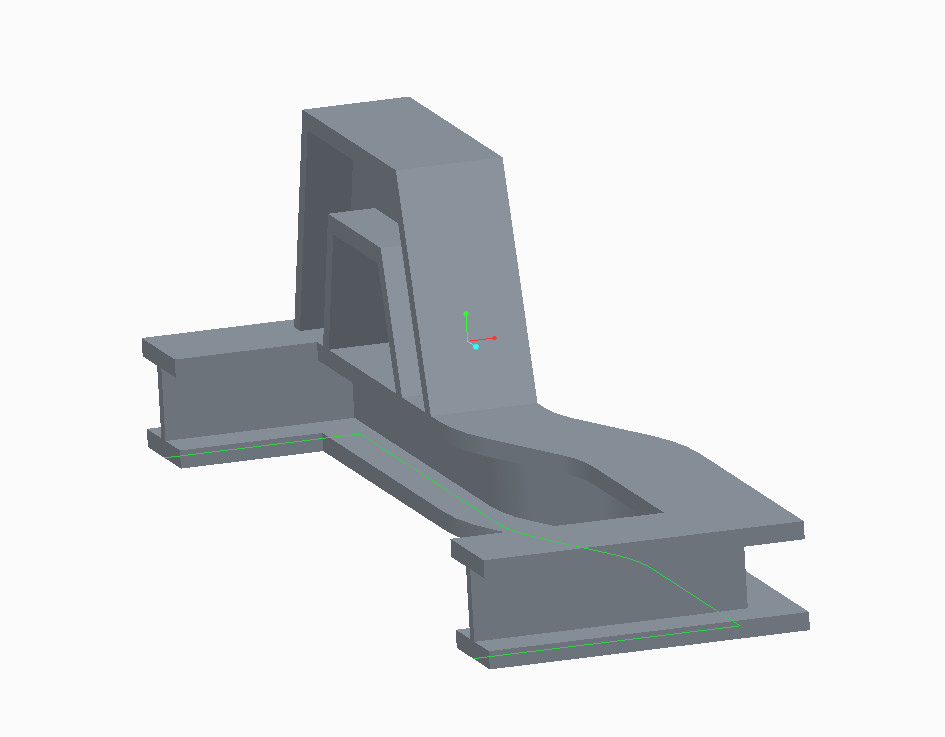
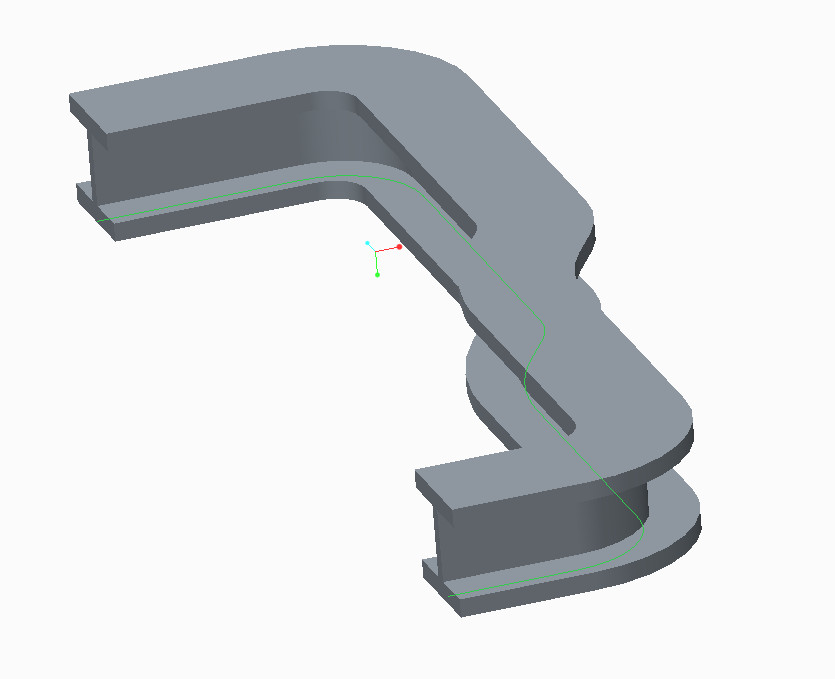
Whilst trying to sweep to generate the second image attached (tutorial model) I get the error message "FRAME regeneration completed with atypical feature or component status. Failed: 1"


While trying the edit the sketch I would receive the error "All the entities must be tangent". I eventually was able to generate a swept model by placing larger radius's on the problem sections.

I've had a look at both mine and the tutorials model, and I can't for the life of me figure out why theirs is able to sweep with the 90 degree bends and mine is not

I've looked through a couple other forum posts which mention changing the relative and absolute accuracy of the model but neither of those seemed to fix my issue

thank you all in advance

My model
Snap5.jpg

Tutorial Model

Snap4.jpg

Best answer by MartinHanak

Hi,

Original model contains Sketch 1 with two arcs with radius 25.


Sketch 1 in your model contains wrong radius value 1 related to one of arcs. Modify it to 25 and you will get proper sweep geometry.

MH

4 replies

24-Ruby III
May 19, 2017

Hi,

I was able to create following sweep.

If you can upload your model. I'll check it.

See How to Attach a File to a Discussion Reply

MH

Mahesh_Sharma
22-Sapphire I
May 19, 2017

Russell,

Try editing sweep and Select the Allows section to be changed based on parametric references or relations along the sweep icon from the feature dashboard.

If this still fails, upload the model (as Martin mentioned in last reply)

rholt1-VisitorAuthor
1-Visitor
May 22, 2017

I've attached both the tutorial model, and an attempt done by myself to get the model to sweep

I attempted to use the allows section to be changed based on parametric references or relations along the sweep icon however I found myself unable to make it generate.

Martin Hanak

Thank you both in advance

24-Ruby III
May 22, 2017

Hi,

Original model contains Sketch 1 with two arcs with radius 25.


Sketch 1 in your model contains wrong radius value 1 related to one of arcs. Modify it to 25 and you will get proper sweep geometry.

MH