

6-Contributor
December 2, 2017
Solved

Trouble during Extruded Cut

  • December 2, 2017
  • 4 replies
  • 3690 views

Hi everyone,

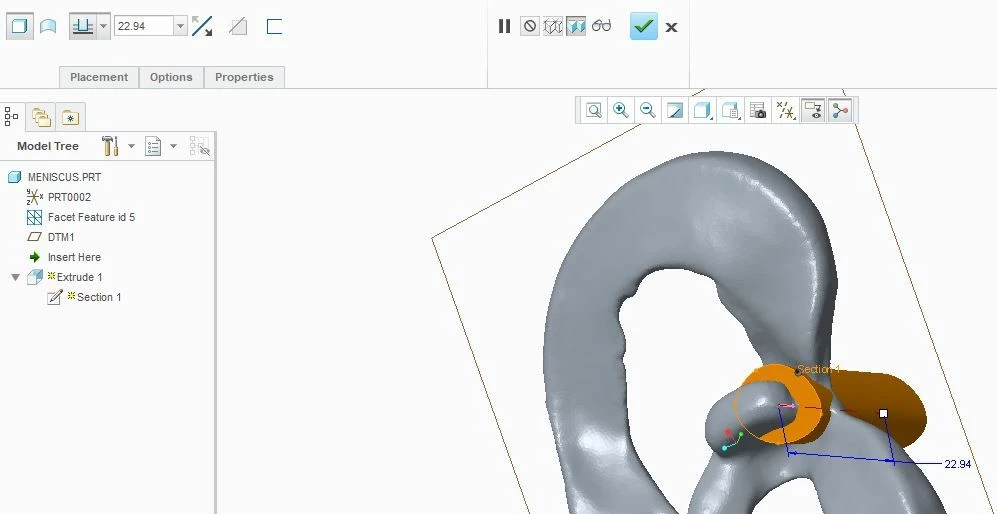
I want to split one part into two using creo. I aimed for extruded cut to do so. When I sketch and press extrude, the extruded cutting option remains inactive. It could not be selected. I would be very thankful if anyone helps me out with this.menisci.JPG
Best answer by dgschaefer

You need solid or geometry before you can make a cut. Facet geometry is neither solid or surface.  You'll need to uise something like the Reverse Engineering Extension to make solid or surface geometry out of your scan data first.

4 replies

24-Ruby III
December 2, 2017

Hi,


Facet geometry is special kind of geometry, you cannot combine this geometry with standard Creo features.


I am not sure what to do ... maybe you can save your part as shrinkwrap and apply your modification in this new part.

6-Contributor
December 4, 2017
Thank you
21-Topaz II
December 4, 2017

You need solid or geometry before you can make a cut. Facet geometry is neither solid or surface.  You'll need to uise something like the Reverse Engineering Extension to make solid or surface geometry out of your scan data first.

6-Contributor
December 4, 2017
Thank you for your reply. I did it using geomagic studio 12. I simply removed the things which were not required in the point cloud data that I obtained from 3d scanning.