Solved
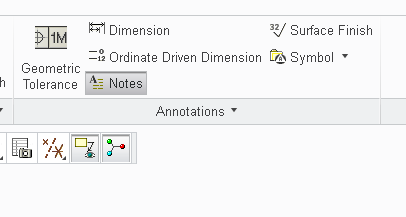
Where are the old Notes that you would creat thru the Setup menu located now in Creo 3?
Hi,
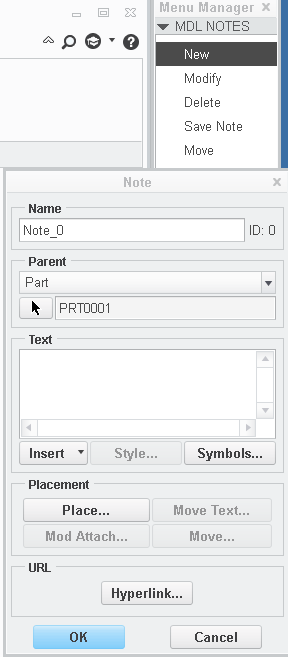
Hoping someone can point me to where the old notes that you would create in models and assemblies thru the setup menu are now located?
If you look in the Pro/E Rev 18.0 Fundamentals softback book on page 17-12 you will see what I'm looking for.
You use to be able to go Set Up > Add : from the Model Notes menu.
These notes are not displayed in the model or assembly. They are more like system level notes that you can created which are assigned a Note ID number
that you can reference in a note that's added to a drawing. I use them once in a while to add reminders related to meshing setup for simulate.
Thanks,
Don Anderson
This thread is inactive and closed by the PTC Community Management Team. If you would like to provide a reply and re-open this thread, please notify the moderator and reference the thread. You may also use "Start a topic" button to ask a new question. Please be sure to include what version of the PTC product you are using so another community member knowledgeable about your version may be able to assist.