

1-Visitor
November 21, 2010
Question

creo 5 diplay issues

  • November 21, 2010
  • 1 reply
  • 10734 views

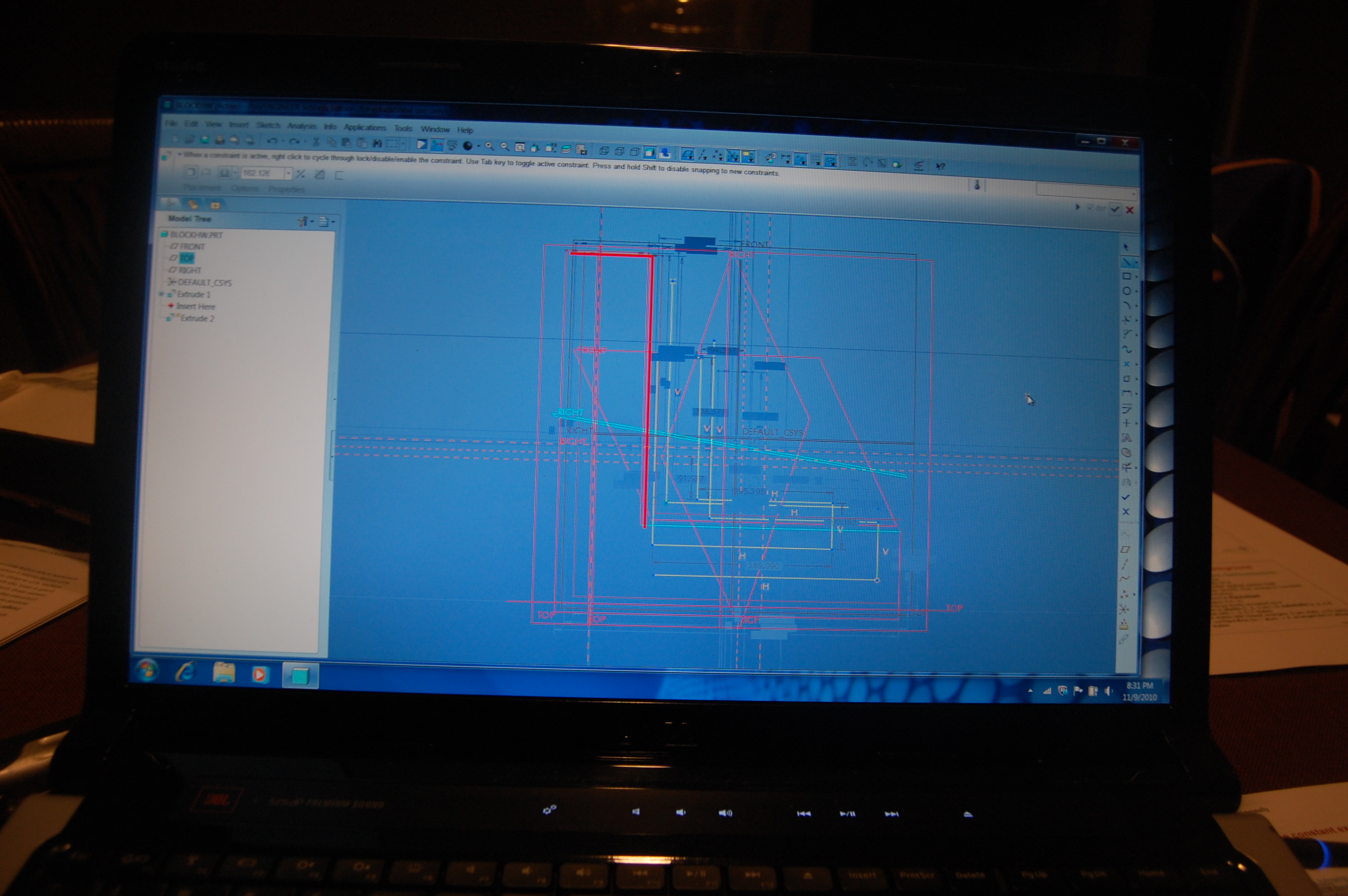
I have a weird problem running creo 5. It doesn't happen all the time, in fact I couldn't get it to happen for my teacher.When I am in sketch modeand I start to scketch, the screen shows everything i done at the same timeit is really weird.I can't figure out how to make this stop. I.ve deleted and reloaded creo 5 many times and it always happens againi can't use the program as is and I don't have the time to find a machin to complete my assignments. please help.if i move the middle button on the mouse it will go to a proper looking screenbut when I move the mouse to draw it goes back to a funky screen and I can't tell where i am drawing in the mess here is what the screen looks like149.JPG
    1 reply

    1-Visitor
    November 21, 2010

    Your graphics adapter is most likely to blame. A couple of things you can try. Change your graphics option (in config.pro) to win32_gdi rather than Open_gl and restart.

    graphics_win32_gdi.jpg

    Else, try setting use_software_opengl to yes... Restart and let us know if either helps...

    use_software-opengl.jpg

    1-Visitor
    November 21, 2010

    Hello Steve I've been looking for PTC help but It seems it takes too long time until I get an answer from the school program, I am in Tecate Mexico and I am planning to opening a new school where to teach Creo Elements/pro ( formerly ProENGINEER WF 5.0), I want get the PTC support for this o support this school and use the authorized software according PTC School program.

    This month I applied to the Global Education Program on its survey via online, after that I make the submissions I receive a confirmation that they were successfully approved by PTC and that I would receive a free license for Creo Elements/pro in order to install it in 300 computers of my students but I have not receive the license nor the certification to teach in the school.

    Please help me to understand the process on how can I get authorizations, licenses, software, school curriculums etc... that I need to start this new school.

    thank you very much Steve Ullrich.

    1-Visitor
    November 21, 2010

    Hello Jorge,

    Try this route...

    http://ptcacademy.com/na.html

    This is the path that I have recommended to others trying to obtain a site license for Creo/Pro. It is self explanatory... Download the software. Complete the lessons and turn them in. Receive your license.

    Best wishes,

    Steve