

1-Visitor
August 18, 2017
Solved

error accessing Thingworx analytics server

  • August 18, 2017
  • 8 replies
  • 5785 views

Hello,

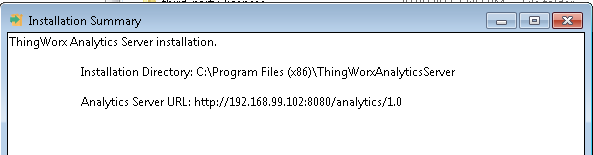
We installed Thingworx analytics server on a machine with windows 7 OS.We used docker toolbox version 17.03.0.ce . The server installation is successful,there are no errors in the thingWorxAnalyticsServer-install.log . From the installation summary,got the analytics server url as-
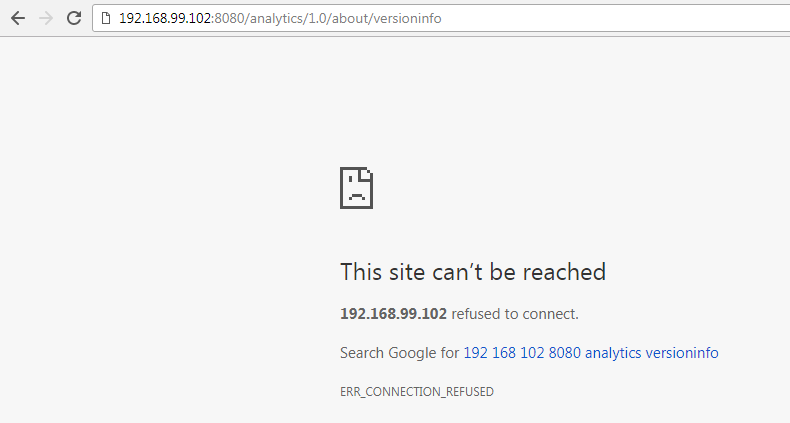
But when I try to access it from browser to verify the installation using  - http://192.168.99.102:8080/analytics/1.0/about/versioninfo .I get something like-
I have doubt regarding the tomcat external port - 8080 which is asked in confuguration while installation.What does this refer to ?Do we need to install tomcat on the machine ?Where is it pointing to ?

Please help

Regards

Kirti

Best answer by jgreiner

Hi Kirti,

The Port number 8080 and Tomcat are all located on the Docker Machine that is created during the Installation Process and since that was successful, it should all be good.

Sometimes issues like this have happened due to either network issues or firewall issues.

To see if it is a network issue, are you able to ping the server?

If you are able to ping the server can you check out this article on how to test if the firewall is causing the issue.

Let me know how everything goes or if you have any further questions or concerns.

Warm Regards,

John

8 replies

5-Regular Member
August 22, 2017

Hello, Kirti Chouhan.

I'll locate a resource in the ThingWorx Analytics group to help you out with this.

-- Craig A.

jgreiner13-AquamarineAnswer
13-Aquamarine
August 22, 2017

Hi Kirti,

The Port number 8080 and Tomcat are all located on the Docker Machine that is created during the Installation Process and since that was successful, it should all be good.

Sometimes issues like this have happened due to either network issues or firewall issues.

To see if it is a network issue, are you able to ping the server?

If you are able to ping the server can you check out this article on how to test if the firewall is causing the issue.

Let me know how everything goes or if you have any further questions or concerns.

Warm Regards,

John

1-Visitor
August 23, 2017

I have the same issue.

And I am very sure that I have stopped windows firewall already.

I can ping the ip, and I also can telnet ip 8080, and it is OK too.QQ截图20170823110905.png

And I can visit my thingworx in the same PC using port 80.

13-Aquamarine
August 23, 2017

Hi Ling,

I have two quick questions:

  1. Did you receive any errors during or after the installation?
  2. Can you confirm for sure that the firewall was disabled and you are still not able to connect to ThingWorx Analytics?

Thanks and Please Advise,

John