1-Visitor
May 22, 2017
Solved

GetNamedPropertyValues service throwing error

  • May 22, 2017
  • 10 replies
  • 4214 views

Hi everyone,

I am trying to get property values of thing by passing property names dynamically.

Using GetNamedPropertyValues service to achieve this.

I am passing two column names to service,but its considering one more empty column and throwing error like below.

Wrapped com.thingworx.common.exceptions.InvalidRequestException: Property [null] not found in [Plant 32] Cause: Property [null] not found in [Plant 32]


Plant 32 is my "Thing" name


sharing my code snippet ,Please suggest me where I am doing wrong.

var params_1 = {

  infoTableName : "InfoTable",

  dataShapeName : "ProdInfoColmn_DS"

};

// CreateInfoTableFromDataShape(infoTableName:STRING("InfoTable"), dataShapeName:STRING):INFOTABLE(ProdInfoColmn_DS)

var result_info = Resources["InfoTableFunctions"].CreateInfoTableFromDataShape(params_1);

   var  newRow = new Object();

    newRow.TargetQuantity = "TargetProduction_A";

    newRow.ActualQuantity = "Production_A";

result_info.AddRow(newRow);

/*var fieldName = null;

result_info.RemoveField(fieldName);*/

var params = {

  propertyNames: result_info /* INFOTABLE */

};

var result = Things["Plant 32"].GetNamedPropertyValues(params);

Appreciate your help..

Regards,

Rajee.

Message was edited by: Sushant Pandey
Best answer by supandey

Here's a quick demo

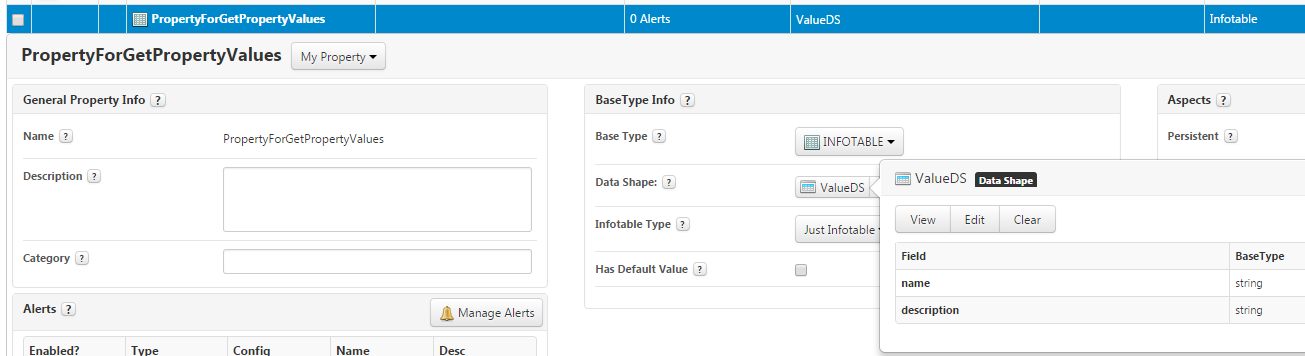
1. Created a Infotable with DS that has filed name and description, of course you don't have to create a property with Infotable like this you can simply create that in your script

2. Here's how my service looks like :

var params = {

  propertyNames: me.PropertyForGetPropertyValues /* INFOTABLE */

};

// result: INFOTABLE dataShape: "undefined"

var result = me.GetNamedPropertyValues(params);

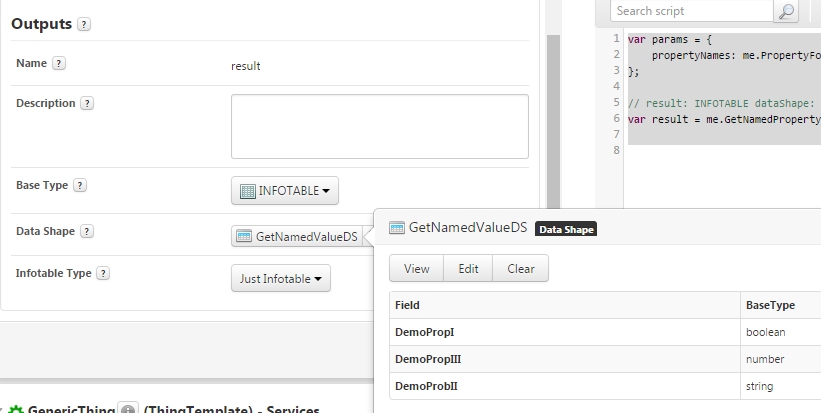
3. Do note that my returned output contains the DS which matches with the required Output for my data, like so

Hope this will help.

10 replies

5-Regular Member
May 22, 2017

Hi Raji, how does the DataShape look like which is being assigned to the "InfoTable"

rvuta11-VisitorAuthor
1-Visitor
May 22, 2017

Hi Sushant,

Datashape is also having only two properties.

sharing screenshot of datashape.

Also cross checked infotable level also.its having only two columns.

Regards,

Raji

5-Regular Member
May 22, 2017

Raji I think the issue here is that you are passing the values for the property to the GetNamedPropertyValues where as it's expecting Infotable which contains the DS that holds the PropertyName. You can check this by testing the GetNamedPropertyValues service and you'll see as an input it requires you to enter the propertyName and description. In which PropertyName is a mandatory field.

So you'll need to pass such an Infotable and the values that you want to insert and I think the PropertyNames should match to the PropertyName you have in Thing