Hi Bavithraa,
So you mean in your mashup,firstly you call your service which add or update datatable entry and then you will call your service QueryDataTableEntries with event "ServiceInvokeCompleted" to refresh the Grid(Or list widget you mentioned above?).
As what I did locally, you could create a new service say, it's called QueryCustom, and in the QueryCustom service, you could code like this:
var query =
{
"sorts": [
{
"fieldName": "f1"
}
]
};
var params = {
maxItems: undefined /* NUMBER */,
values: undefined /* INFOTABLE*/,
query: query /* QUERY */,
source: undefined /* STRING */,
tags: undefined /* TAGS */
};
// result: INFOTABLE dataShape: "undefined"
var result = me.QueryDataTableEntries(params);
And here is the screenshot for my code:
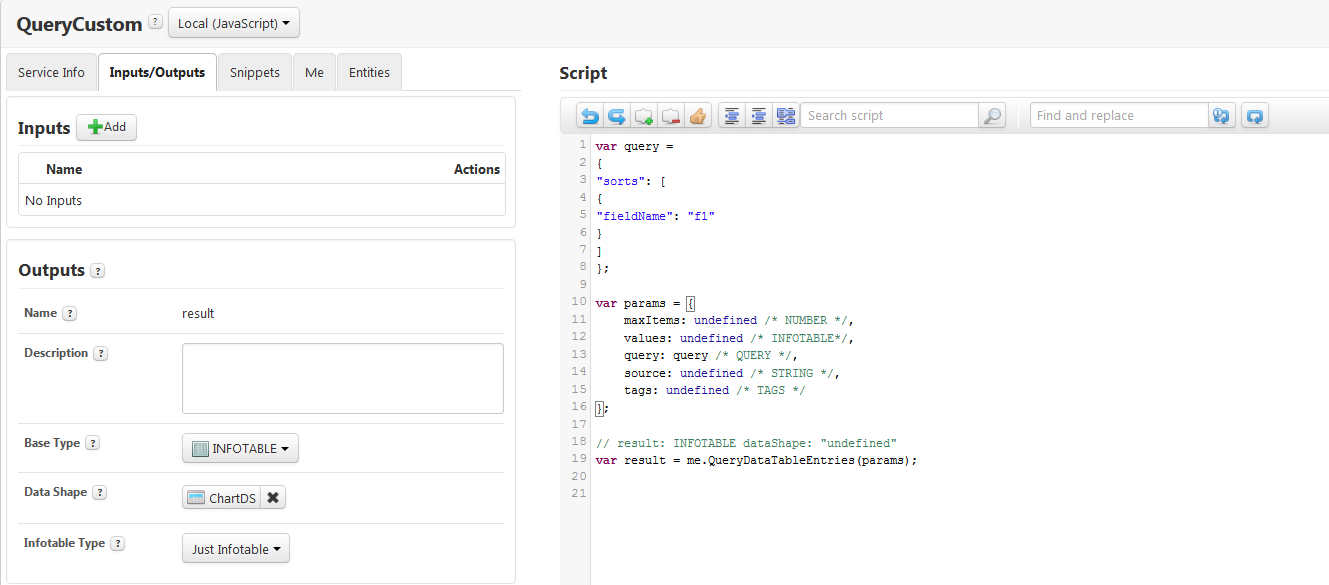
So in your mashup, after you add/update your data table every time, you call the QueryCustomer service, the Grid should be refreshed and ordered ascending. The reason you should not use QueryDataTableEntries directly in your mashup is that there is no sorting options input in the query parameter(it only has filter not sorting).
Please let us know if this works and if further assistance needed.
Thanks,

