1-Visitor
April 20, 2017
Solved

How to create a Master?

  • April 20, 2017
  • 2 replies
  • 3995 views

Hello Expert

Does "Create a Master with a Menu" means Create a new mashup and display widget Menu?

then How to connect the mashup?

I already read the Document

TitleDisplay a Mashup on a Contained Mashup based on selection of Menu in ThingWorx

  https://support.ptc.com/appserver/cs/view/solution.jsp?n=CS184797&posno=4&q=contained%20mashup&DocumentType=Article&source=search

and

Title

How to design a navigation on Mashup

https://support.ptc.com/appserver/cs/view/solution.jsp?n=CS184797&posno=4&q=contained%20mashup&DocumentType=Article&source=search

but I cannot understand how to create master, menu, navigation


I don't know where I have to manipulate ..

I want some more information to do that.

Thanks,

Ji young.

Ji young Lee 님이 메시지를 편집했습니다.
Best answer by liliu

Hi Lee,

I'd like to give you a sample of usering Menu on a master.

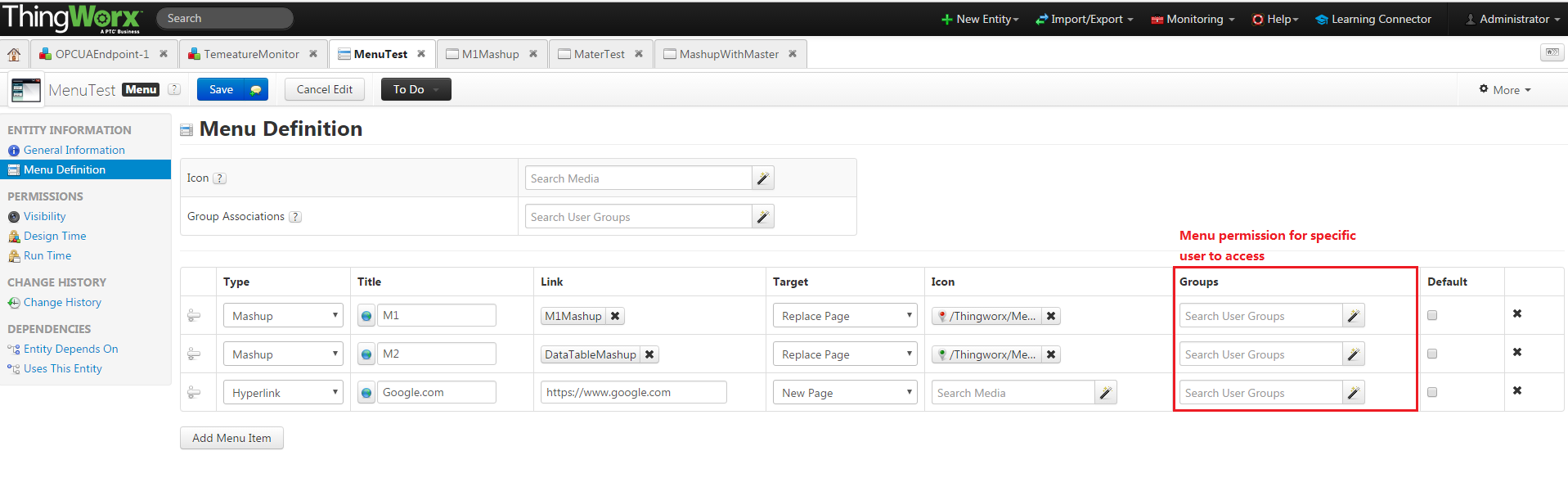
1. Create a menu. (https://support.ptc.com/appserver/cs/view/solution.jsp?n=CS205546&posno=5&q=menu%20permission&DocumentType=Article&Produ…)


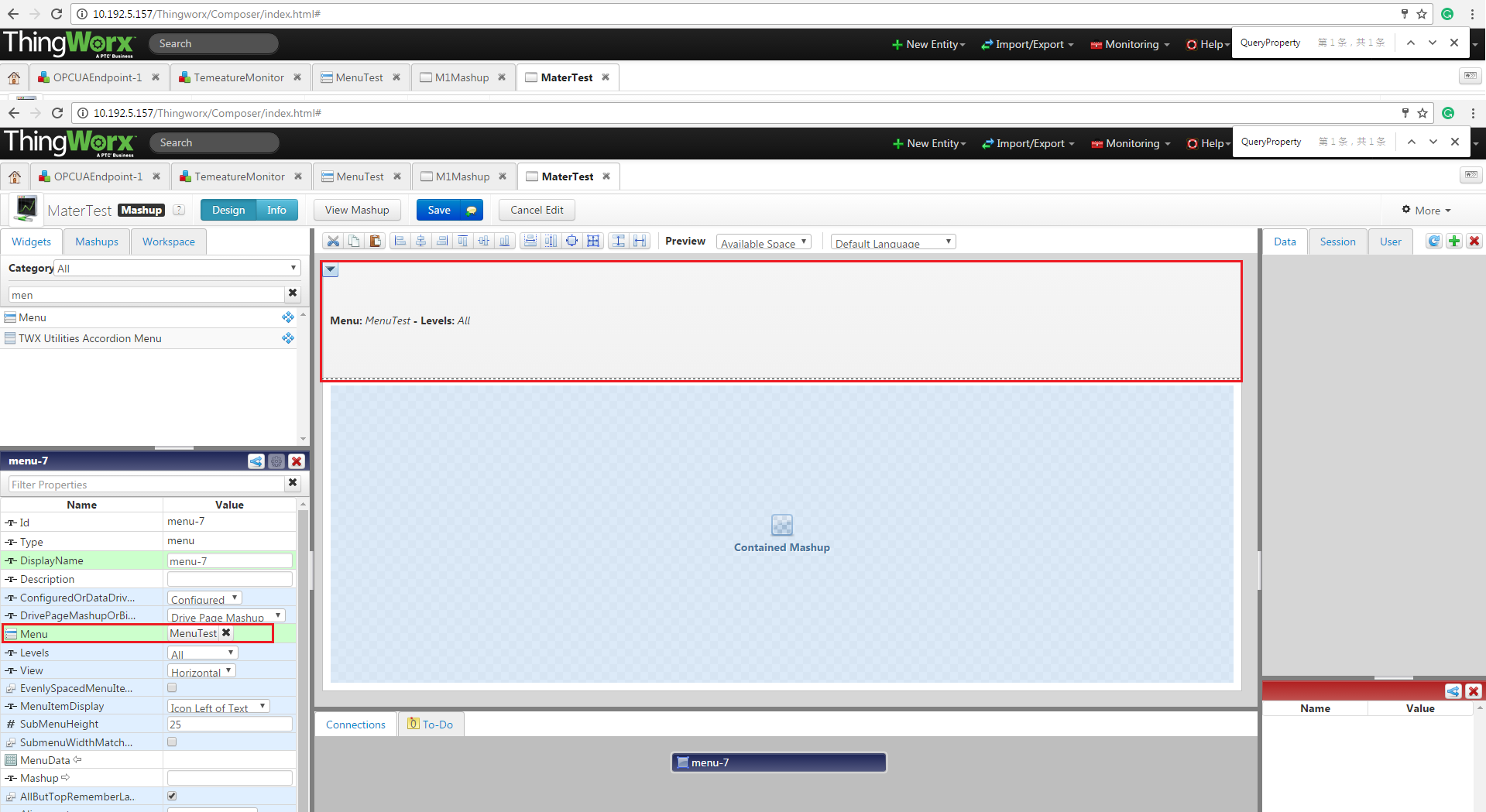
2. Create a Master and add a menu widget in the master design page. Bind MenuTest to menu widget

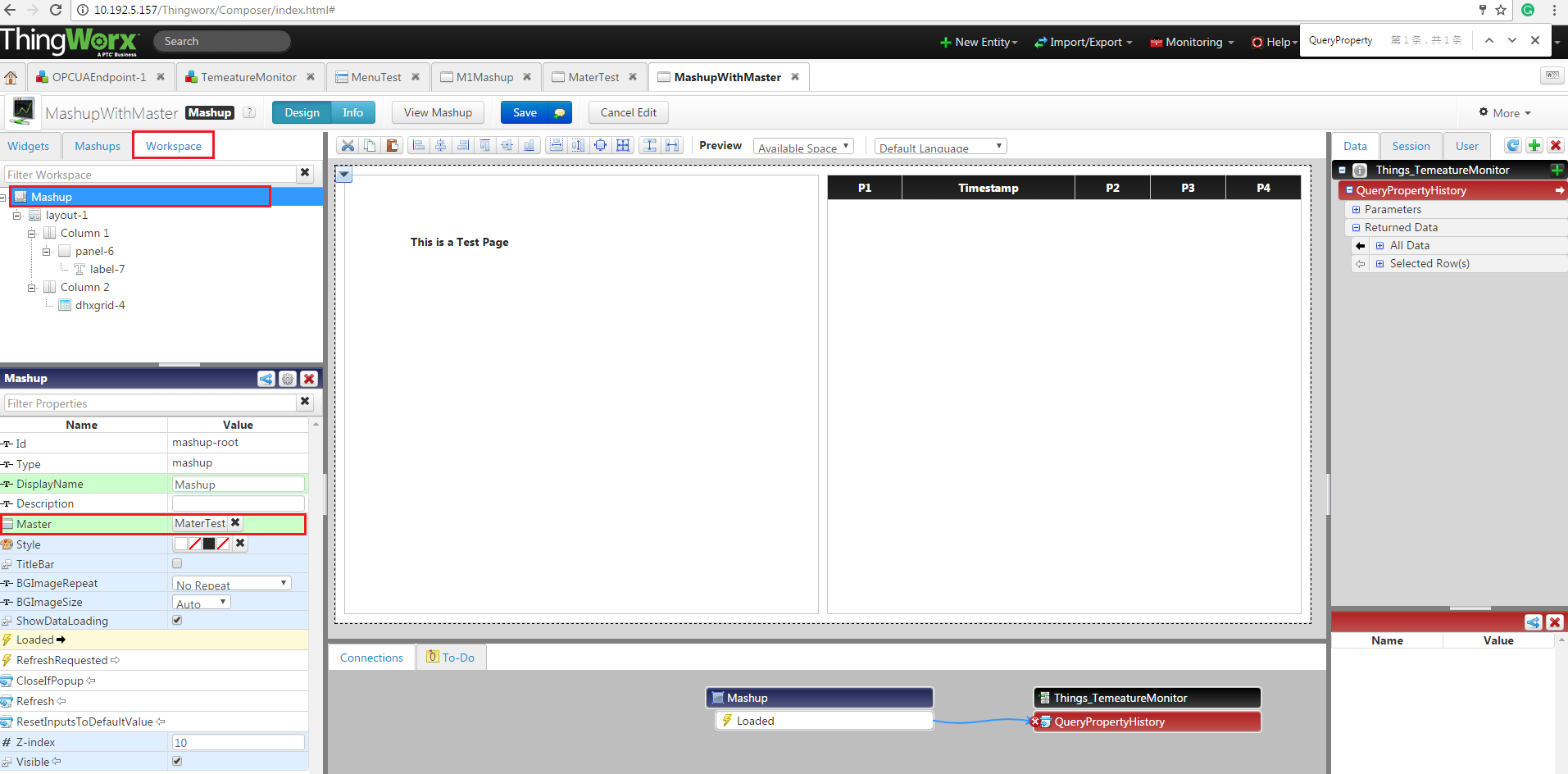
3. Crate another mashup that use step2's master as below.

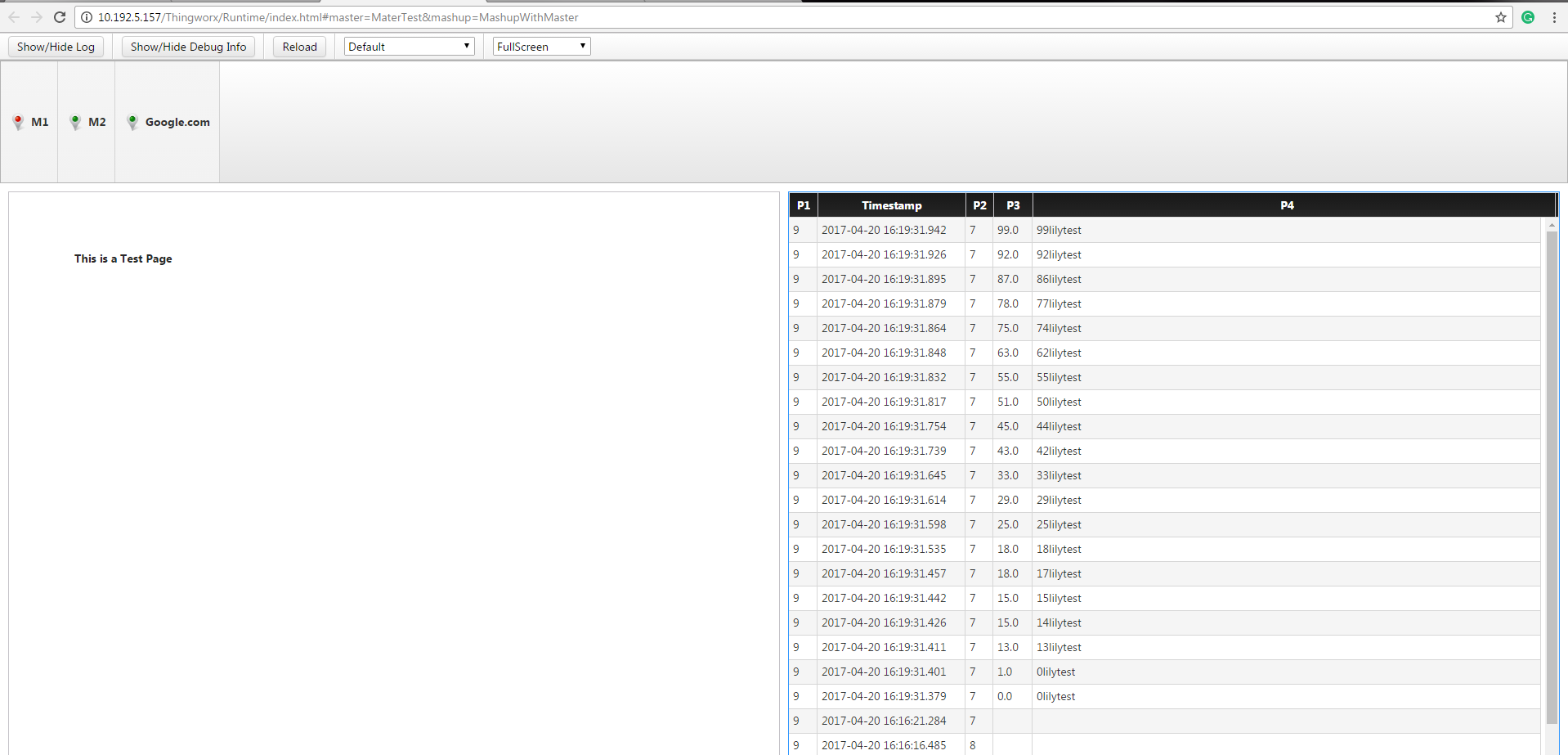
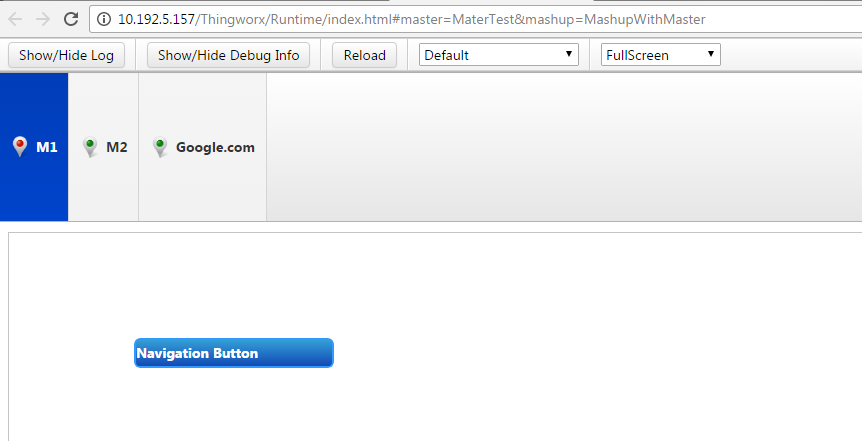
   run the mashup, you will see a picture as below

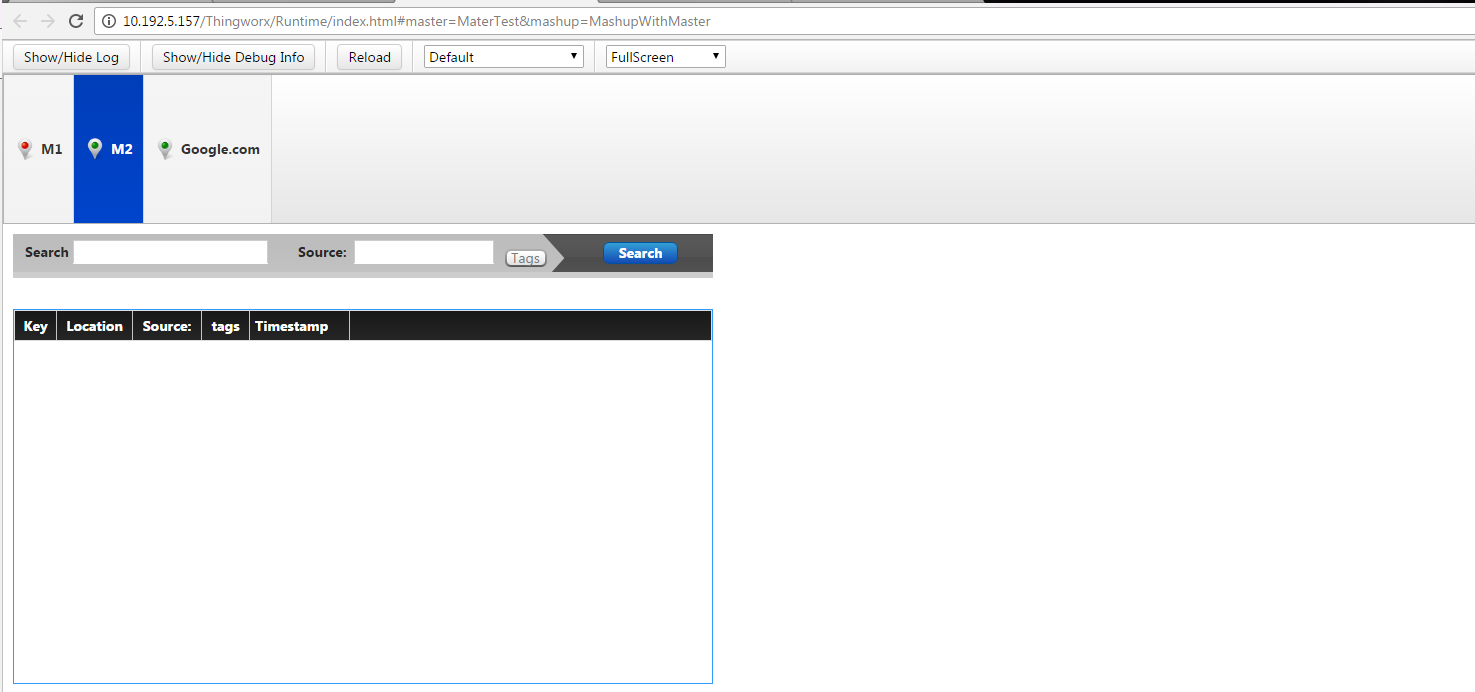
    Click the M2, the page will be redirect to another mashup.

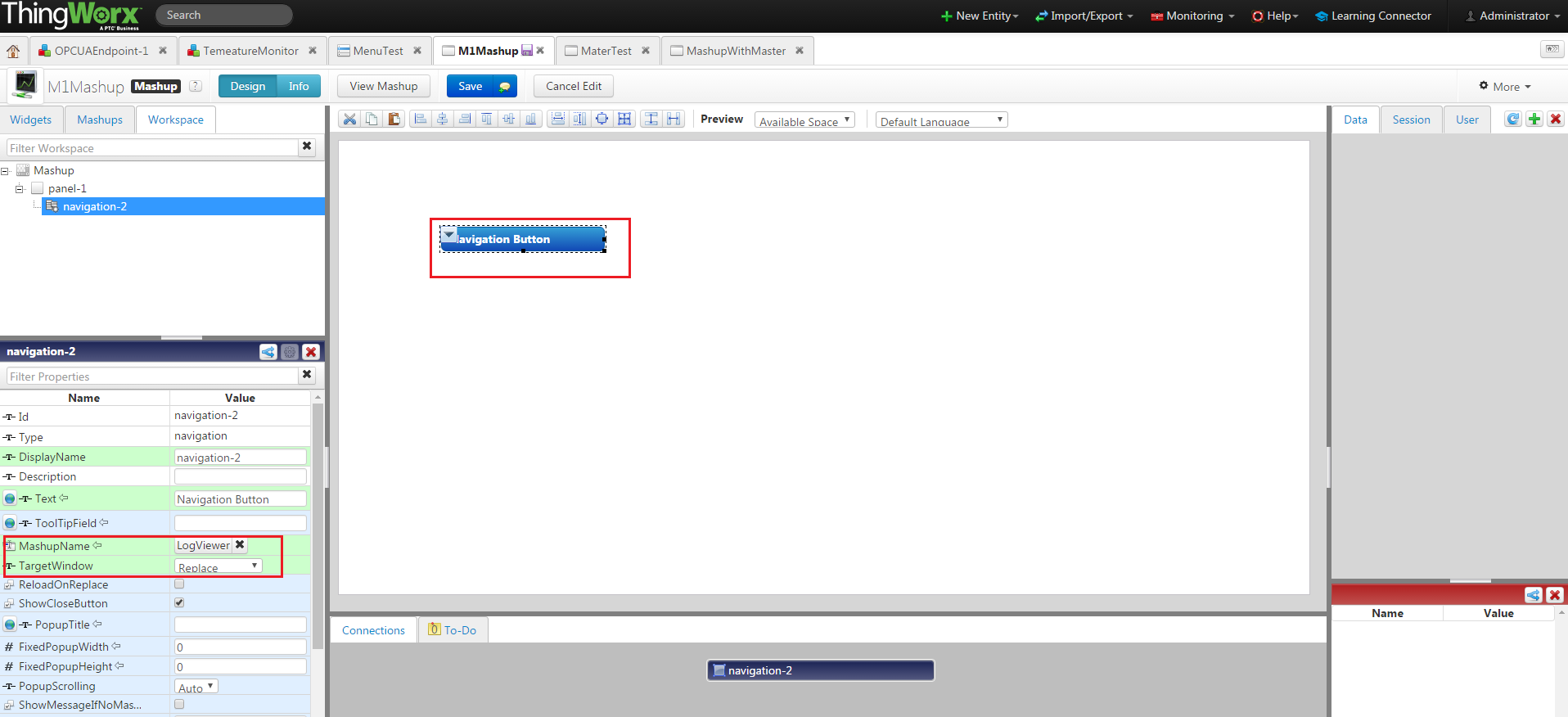
    Click M1, will redirect to a mashup that only have a navigation widget on it.

   click the button, it will redirect you to other mashup

That's all about menu, master and mavigation. If there are further concern, please feel free to let me know.

Best Regards,

Lily

2 replies

5-Regular Member
April 20, 2017

Hi Ji,

The Master is a separate entity type that you can create from the composer Home menu. Under the Visualization section, you'll fund Mashups as well as Masters Listed. Select the green "+" sign next to this to create a new Master. From the Master Mashup editor, drag and drop the Menu widget onto the editable area outside of the contained Mashup section. Once you save this, you can open the Mashups you wish to add the Master to by selecting the Mashup from the Workspace and in the configuration window, use the magic picker to select your Master.

Thanks,

Saeed

4-20-2017 4-18-53 PM.png

jlee-711-VisitorAuthor
1-Visitor
April 20, 2017

Hello Saeed

Thank you so much!!!

But I have one more problem.

How to bind Menu  or  set target??

liliu5-Regular MemberAnswer
5-Regular Member
April 21, 2017

Hi Lee,

I'd like to give you a sample of usering Menu on a master.

1. Create a menu. (https://support.ptc.com/appserver/cs/view/solution.jsp?n=CS205546&posno=5&q=menu%20permission&DocumentType=Article&Produ…)


2. Create a Master and add a menu widget in the master design page. Bind MenuTest to menu widget

3. Crate another mashup that use step2's master as below.

   run the mashup, you will see a picture as below

    Click the M2, the page will be redirect to another mashup.

    Click M1, will redirect to a mashup that only have a navigation widget on it.

   click the button, it will redirect you to other mashup

That's all about menu, master and mavigation. If there are further concern, please feel free to let me know.

Best Regards,

Lily