1-Visitor
January 11, 2017
Solved

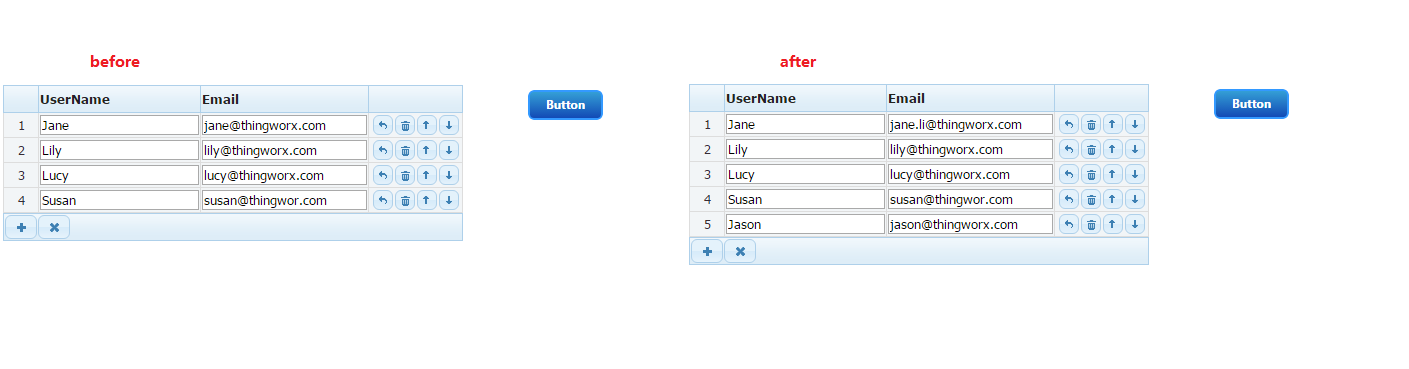
I found that the Done button was not responding,When I tried smartgrid widget。

  • January 11, 2017
  • 2 replies
  • 4546 views

Does anyone know what caused this?

I downloaded from the markerplace smartgrid widget extension, When I tried it, I found the problem, The "Cancel" button can works.

Thanks!!

Best answer by liliu

For my example:

1. Create a DataShape named UserEmail
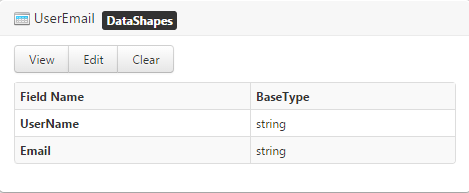
Capture.PNG

2. Create a DataTable named UserEmail and bounded with DataShape "UserEmail"

3. Create a Mashup and bind things as below
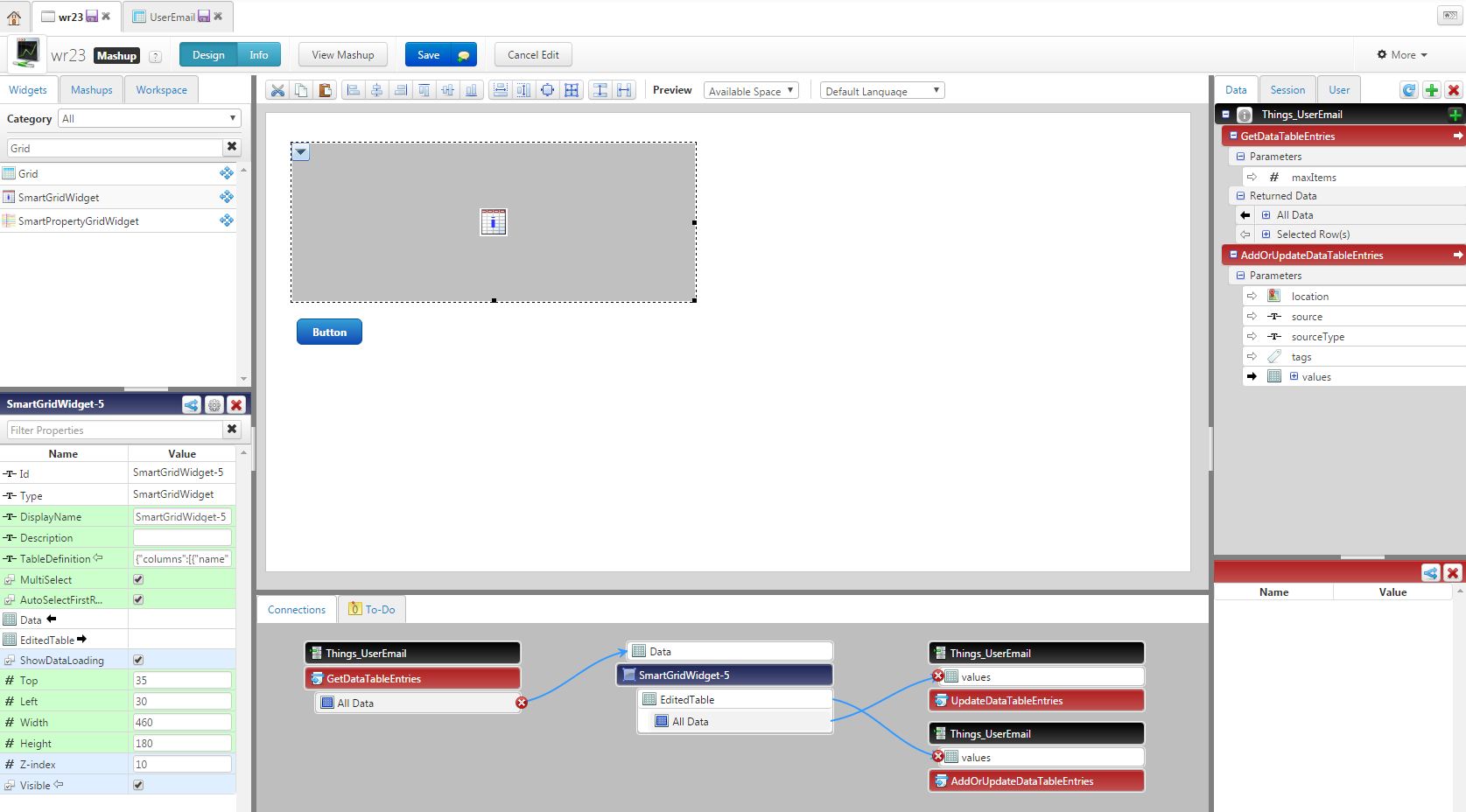
1.PNG

So far, availavle API for DataTable only AddOrUpdateDataTableEntities. If you need the delete function works, we many need customized a service and combin DeleteDataTableEntities service.

Hope this is what you want. And if I misunderstand you, please let me know.

Lily

2 replies

5-Regular Member
January 13, 2017

What exactly are you trying to do here? Have you tried entering a value into that box and then hitting Done?

1-Visitor
February 13, 2017

Evidently, you have to create a valid JSON with columns array, which contain quoted names of keys and with only double-quotes everywhere.

Something like this: {    "columns": [       { "name": "User", "type": "text", "display": "User"},        { "name": "Gate", "type": "text", "display": "Object"},        { "name": "Permanent", "type": "text"}  ] }

BTW, if there is any sample of smartgrid usage could anybody share it please, cause there is no information about how to use it at all. How to load data from the infotable for example and so on.

5-Regular Member
February 14, 2017

Capture.PNG

Capture.PNG

For more infomation like types and usages please check appendGrid - Documentation

1-Visitor
February 14, 2017

Yes, I know about the original documentation for appendGrid but I can't get info about how to load data from binded to the Data field infotable.

appendGrid docs do not concern Thingworx specifics.