February 27, 2017
Solved

Queries related to grid

  • February 27, 2017
  • 3 replies
  • 4061 views

Hi!!!

1)Here in the pic,You could see the colour differentiation. How could that be possible? I have created that table using 'Data table'

In brief, I want to set a threshold level for that column in the grid. If the value exceeds my threshold level , I want the color to be changed.

Explain me from the scratch..

2) How could i use "button" option.I try to see in thingworx tutorial videos but it was not loading.

Tell me some usecases of button.

Edit: Screenshot removed due to the request from thread owner
Best answer by liliu

Hi Bavithraa,

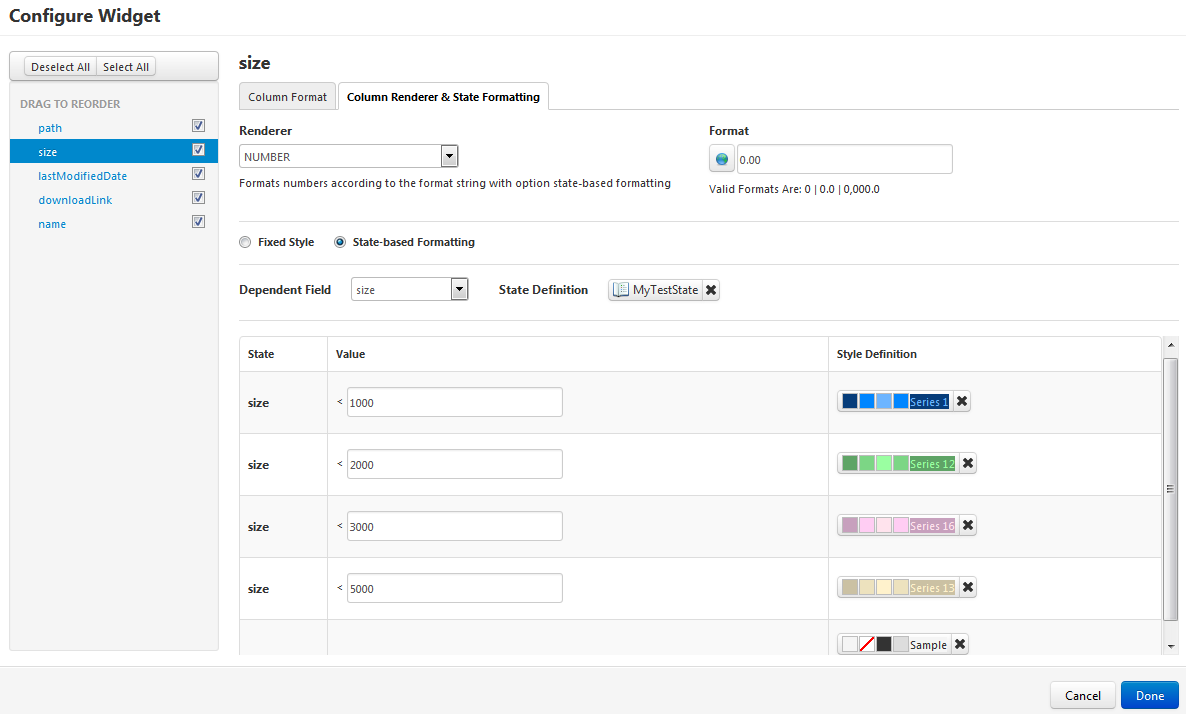
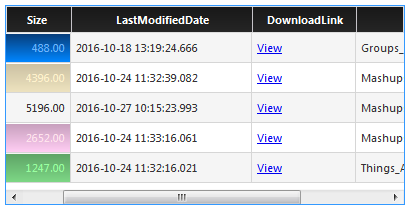
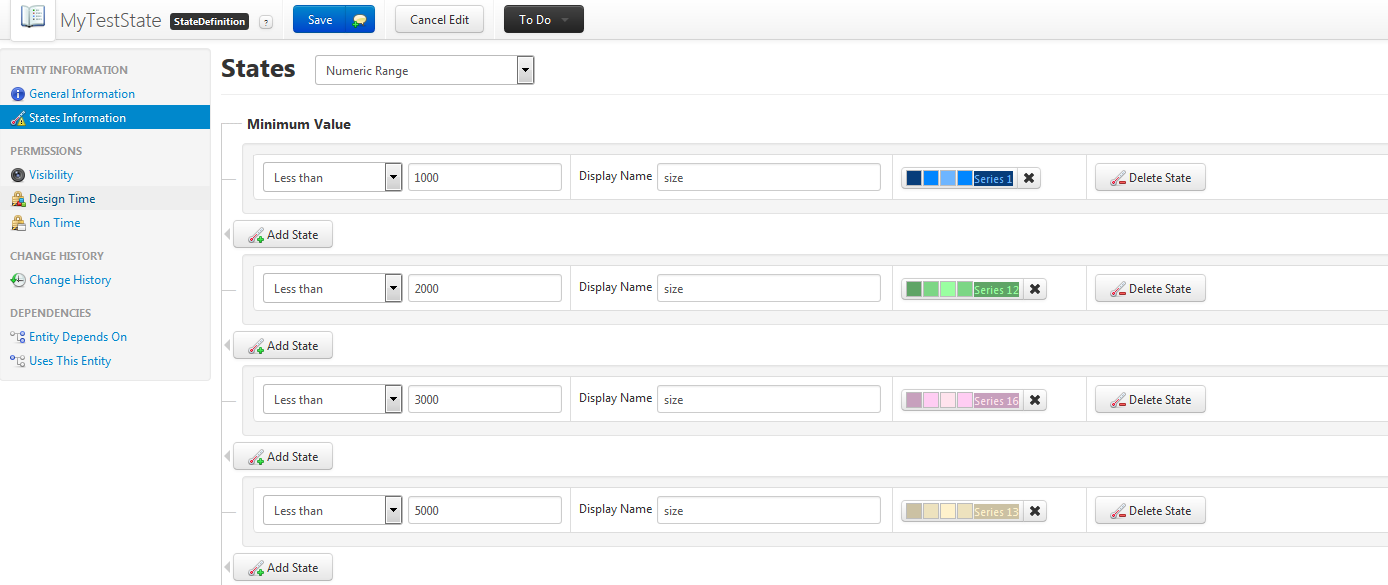
My sample about states and grid widget

By the way, button widget is easy to use, if you can give us your use case, I can set up a sample for you later.

Lily

3 replies

5-Regular Member
February 27, 2017

Hi Bavithraa, did you already try the State Based formatting for this, with that you can apply different styles based on certain rules. Please check this documentation for more detail : Style and Sate Definitions

Hope this helps.

5-Regular Member
February 28, 2017

Hi Bavithraa Marimuthu​,

In the Grid->top-left->Drop down -> click on configure Grid column.

For each column you can go to Column Renderer & State Formatting tab and change the the format to State-based Formatting.

Set the dependent field and setup the Style. Here you can define the cases to set the style for various data case.

Do let us know if you face any issue.

I hope it helps.

Thanks,

Ankit Gupta

liliu5-Regular MemberAnswer
5-Regular Member
February 28, 2017

Hi Bavithraa,

My sample about states and grid widget

By the way, button widget is easy to use, if you can give us your use case, I can set up a sample for you later.

Lily

March 1, 2017

How can I set values for "maximum value " in state definition?

5-Regular Member
March 1, 2017

Bavithraa, if i understand you correctly, maximum is already defined when you are defining the numeric range as you only have two options to choose from

1. Less than

2. Less than or equal to