Temporary Image Upload Issue
Recently active
Hello, I'm modeling a set of rails for a part holding fixture that I'm designing. I have three different part sizes that I need to accommodate, but the shape of the part does not change. I modeled the rails using a top down methodology referencing a generic skeleton instance. I thought I would be clever by then making family instances for each of the needed sizes. Since the reference surfaces don't change, only the dimensions. I figured that in each assembly the rails would update on regeneration to match the skeleton instance. But this isn't the case, the references are still tied to the generic, and any attempt to re-reference brings up a warning that I have external references that I'm breaking. That must mean that the parts can only be referenced to a single instance of the skeleton at one time, which suggests that I need a family table for each rail as well. That brings me to my question, what's the point of family tables if I have to practically re
Hello, can you help me to understand the meaning of "Direction of Base Excitation"? Thank you
Some customers asked us about the possibility of DME components in EMX – the tooling application for Creo Parametric. For this development, we have selected DME Europe as a component partner. We have now already implemented the first batch of types in Expert Moldbase Extension, with more to follow. Find out more about which components are already implemented here.
Hi everyone,when I create a mirror assembly with File> Save As> Save mirror assembly and check the flag to keep the dependency because in case of modification of constraints or assembly features these do not update?Only the individual components within the assembly are updated. It's normal?
I always want material removal simulation to stop where tool must be changed. How to make this a default?
Hi I'm using the Creo ver 4.0 m100. I'd like to know size control option of Model tree feature structure. please look at the below image (in Red box) please help me
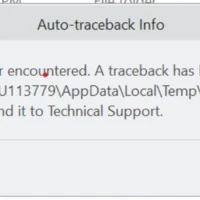
I am trying to install the newest verison on Creo and cannot get it to work. First it wouldn't recognize the license. I think I fixed that, but when I try to run the software now I get this message. Any ideas on how to fix this?
Hey everyone So I currently have Creo simulate 7.0 installed on my PC. So I wanted to download the older version (6.0). When I try to insert the license that I already have and open creo simulate 6.0 it doesn't work and I can't import or use it ( all of the icons are faded at the top) How can I solve this issue ? Thanks in advance
Hi All, I would like to automatically select all the surfaces (1,2,3,4) between two highlighted surfaces ( 1 & 4 , See attached image) in creo. The thing is I don't want to select all four surfaces individually. Is there any command or any way where I need to select only 1st and 4th surface and creo would select all surfaces in between automatically? Your help would be highly appreciated.
Does anyone know how to reference hole callout in hole table? Something like this (this is real hole table with manually filled HOLE DESC column using hole callout notes): Also, is it possible to have leader line automatically pop-up when hole number text moves away from hole in view? Pool: Do you use hole table in Creo or not?
Hi, I'm new to the ptc creo and I'm trying to use the extrude option while in an assebly and the idea is to extrude from one part till the surface of the next as shown below with the green lines. The extrude is from the casing let's say, to the cylinder, however, it doesn't seem to be visible. I've added the extrude to the part, but it's still not visible. Can you please help?
Sometimes, when creating an assembly drawing, some components show up in Pink or Purple. These, no matter if there is something in front of them in the view, will show in the drawing (screen and pdf). The item in pink is parametric, not a dumb solid. Is there any root cause for this to happen?
Hi I'd like to know "Erase Witness Line" control option from config. please look at image witness line is delete active. i'd like to how to know unactive it.
I have a 20 conductor cable that goes from an over molded connector to a board mount connector the cable is stripped at a strain relief, and the individual wires come out of the cable over to the board mount connector I have the network going from where the strain relief is up to the overmolded connector I have my logic setup but it just will not automatically route the wire: ! Components and connectors NEW CONNECTOR J1PARAMETER MODEL_NAME 2A_SWITCH_DSUB_CABLE_ASSYPARAMETER NUM_OF_PINS 160PARAMETER GENDER FEMALEPARAMETER NUM_OF_PINS 160PARAMETER GENDER FEMALEPIN A1 PARAMETER ENTRY_PORT PINA1PARAMETER GROUPING ROUNDPARAMETER INTERNAL_LEN 0PIN A2 PARAMETER ENTRY_PORT PINA2PARAMETER GROUPING ROUNDPARAMETER INTERNAL_LEN 0 ...... NEW CONNECTOR J2PARAMETER MODEL_NAME CONN_VPC_QUADRAPADDLE_510150115PARAMETER NUM_OF_PINS 192PARAMETER GENDER FEMALEPIN A1PARAMETER ENTRY_PORT PINA1PARAMETER GROUPING ROUNDPARAMETER INTERNAL_LEN 0PIN A2PARAMETER ENTRY_PORT PINA2PA
I have been using external copy geometry that seems to keep moving/shifting within the top level assembly. I've been using sweeps for cable runs and use ext. copy geom to reference parts of the top lvl assy in the cable run assy. Often times after I finish a cable run, save, check-in, and come back to the top lvl later. the cables have mysteriously moved or shifted on their own. I also notice that some of the external copy geoms. move or shift within the top lvl assy. Why is this happening? I'm assuming because an external copy geom is no longer attached/referenced to the top lvl assy. if the referenced part form the top lvl were to be updated/changed/moved etc. that could be the issue. The thing is, I know for a fact that some of the parts I'm externally referencing have not been touched and yet the ext. copy geom. seems to move or shift when I see it in the top lvl. These cable runs take a while to create and having to keep going in and update change them is quite time consuming. Any
I want to add portion of main assembly name into repeat region for each member: FIXTURE=extract(asm_name,8,5) DETAIL=FIXTURE + '-' + itos(rpt_index) For parts it works as expected: 01-01-1, 01-01-2, etc The problem is that "asm_name" in repeat region relations returns value for sub-assembly name which exists in main assembly: S_160-5, S_160-6. If I place "asm.name" under QTY column everything is as expected. DET column gets values from relation: rpt.rel.DETAIL What am I doing wrong?
Hi, I installed the student edition of CREO 6. I wanted to add a RMS Threaded Hole in a part. There is only three choices : ISO, UNC and UNF. So I searched through Google. It landed me on a page and on a YouTube video explaining how to create a text file with a ".hol" filetype. It is a plain text file which describe all the parameters of the custom hole. This file is to be placed at the following file structure : C:\Program Files\PTC\Creo 6.0.2.0\Common Files\text\hole. Then, it is necessary to add the file in the "path" as follow : File > Options > Configuration Editor > Find... I did all of that, it doesn't work! I don't see the new thread in the list for the hole feature. Is that because it is a student edition? Is that because I do something wrong? I attached the ".hol" file to this posting. Thanks, Joel
Dear all Can I add color to table cell in CREO drawing ? Thanks BR
There is a method CopyFileToWS where one can specify a model to which a file will be copied as attachement (secondary content). What is a correct way to execute opposite action - to download a secondary content from a model? I can't see any notice in documentation / examples. The method CopyFileFromWS takes a file path, but what is a correct path format to a secondary content file? Or is there another function to achieve this? Thanks in advance.
I am new in the world of modelcheck. I have read a bunch of articles about this theme on the creo support website, but still dont really know how to start this whole from the begining. Firstly i have set my config.pro option yes for MC, and given a location for my MC optionfolder. Afterthat I have enabled MC at MC_ENABLED option, but still when I am trying to make an MC Interactive it sais that MC is disabled. Thanks. Levente
Hello, Could someone please create 3 views (in 2D) with the most important dimensions and save them as an image file? Thank you so much. You will find two stemps in the dropbox. https://www.dropbox.com/sh/y4ax9gu0ztj0zd8/AACDJ8a1LF16MtDmHUyax2D9a?dl=0 Best regards matpow
I downloaded Creo 7.0 by HTTPs in this link: PTC Academic Program - Free Download PageAfter this i unzip MED-100WIN-CD-440_7-0-2-0_Win64, the program installer don't install CREO 7.0.0. I followed all the instructions. When I run the Setup.exe it starts to load but it stops quickly. I tried install creo 6.0 too and have the same issue. Looking at the windows problem reports show this error. FontePTC Installation Assistant ResumoParou de funcionar Data24/01/2021 19:54 StatusRelatório enviado DescriçãoCaminho do Aplicativo com Falha: C:\Users\Júllio\Documents\MED-100WIN-CD-440_7-0-2-0_Win64\setup.exe Assinatura do problemaNome de Evento de Problema: APPCRASHNome do Aplicativo: setup.exe_CreoVersão do Aplicativo: 35.0.2020.53Carimbo de Data/Hora do Aplicativo: 5f898849Nome do Módulo de Falhas: KERNELBASE.dllVersão do Módulo de Falhas: 10.0.19041.572Carimbo de Data/Hora do Módulo de Falhas: 1183946cCódigo de Exceção: c0000025Deslocamento de Exceção: 0000000000023e49Versão
Hello, In Windows 10, if you maximize Creo's window and move it to the second monitor, the screen will appear white. (CREO 4.0 M120, Creo 6.0.3.0 occurred)This problem does not occur on all PCs.I use the same hardware (DELL T3360), and the installation location and the config I use are the same.The same DVI cable used for the monitor. PTC has reported this problem in SPR9604897, but the Status is Closed.The customer must switch windows through Windows + D or F11 to resolve the white display.This is very inconvenient. Please let me know if there is an appropriate action on this issue.our attempts are reinstalling the graphics card driver, reinstalling Creo, and using graphics as the win32_gdi option.But the result is the same. Can anyone please tell me what to do. Thanks, Warm Regards, SeonHo Cha
I would like to see all the edges in solid geometry but I see that the color for edges when in wireframe is white which is a terrible contrast for a white background.I've searched config options under display. I've also searched all the other areas of the Options setup.This must be easily done, but I have no clue where to find this.
Hi everyone, I wanted an opinion about the best practice for annotating models that were generated using top-down techniques. So I see there is a potential to publish annotations in the master skeleton model and then copy-geom these annotations for use with design and documentation of the target parts. Typical scenario would be if I wanted to share the hole pattern and its dimensions across various models. The copy geom mechanism does this quite well and I have a sketched point pattern that can be propagated as a reference pattern in the target parts. However, dimensioning the locations of the holes in the multiple target parts would be a waste of time if I could simply "show" the dimensions from the master model on the part's drawing (or part's MBD combination state). But it doesn't seem to work very well, in my opinion (Creo 4). It seems the annotations have to be specifically tied to the copied geometry otherwise they will not be added to the pub-geom
Already have an account? Login
Enter your E-mail address. We'll send you an e-mail with instructions to reset your password.